How can I pay and what payment methods are available?
The available payment methods and procedures differ between CloudPit and Controlpanel.
Table of Contents
Payment methods in CloudPit
In CloudPit, billing is invoice-based. You will receive an invoice when purchasing as well as for each product renewal.
Manual payment
You can pay open invoices as follows:
- Bank transfer (details on the invoice)
- PayPal in CloudPit
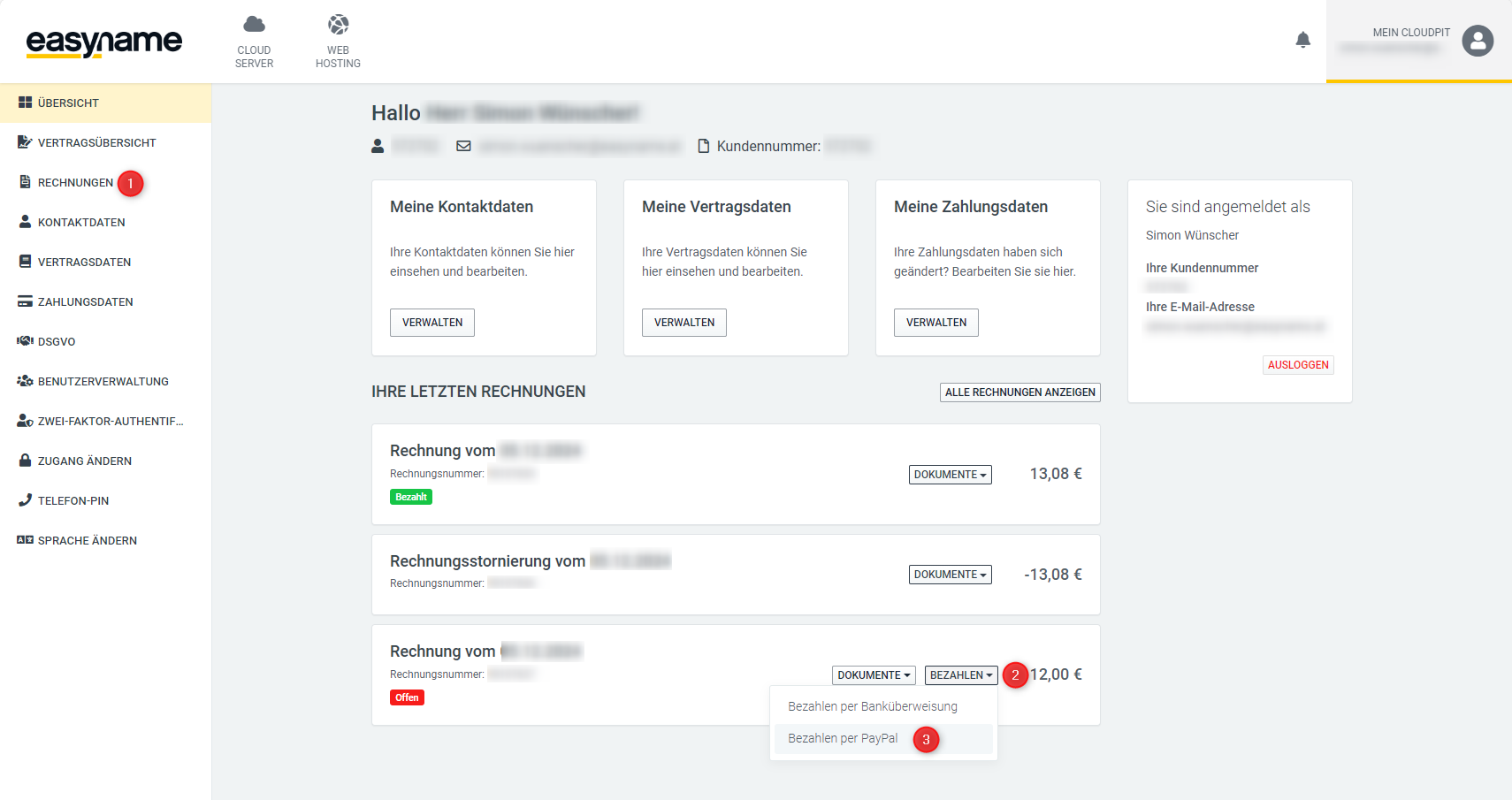
Navigate to My CloudPit → Invoices (1) and click Pay (2) on the open invoice. Then select PayPal (3).
Automatic payment
You can set up automatic payment:
- Credit card
- SEPA direct debit
New invoices will then be charged automatically.
Already open invoices will not be automatically collected and must be paid manually.
More information:
If you do not want automatic renewal, please cancel the product in time.
Payment methods in Controlpanel
Controlpanel uses a credit system.
For renewals, sufficient credit must be available in the account. You will be informed by email 30 days before expiration and receive further reminders.
Add credit
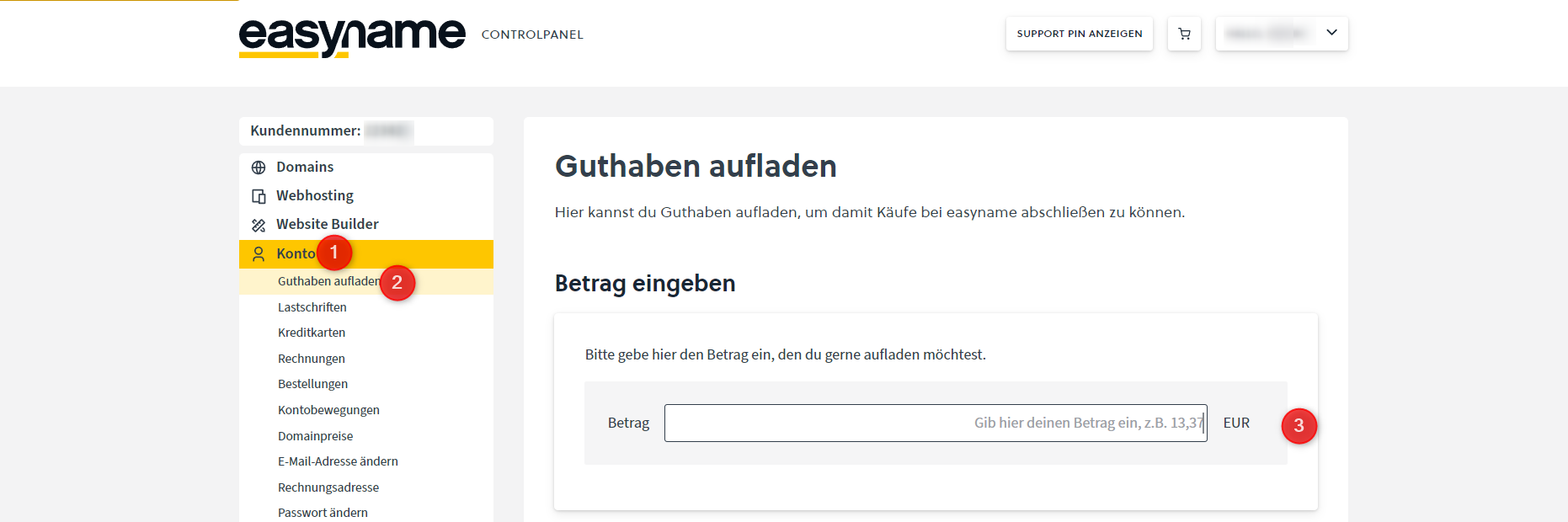
Open Account → Add credit.
Enter the desired amount and choose a payment method:
- PayPal
- EPS
- Credit card
- SEPA direct debit
Manual domain renewal
Domains can also be renewed manually.
Open Domains (1) and click Manage (2) on the desired domain.
Select Renew domain now. The renewal will be added to the shopping cart.
The following payment methods are available in the shopping cart:
- Credit
- EPS
- SEPA direct debit
- Credit card
- PayPal
Automatic renewal
You can add a credit card or SEPA direct debit to automatically renew products.
More information: