In this section
Where can I see my account transactions?
In the Control Panel, you can view all account transactions of your user account. This includes, for example, credit top-ups, payments, and past invoices.
Note: This guide only applies to the Control Panel. In CloudPit, there are no account transactions because no credit system is used there. In CloudPit, you will instead see your paid and open invoices.
View account transactions
Log in to the Control Panel and open Account → Account Transactions.
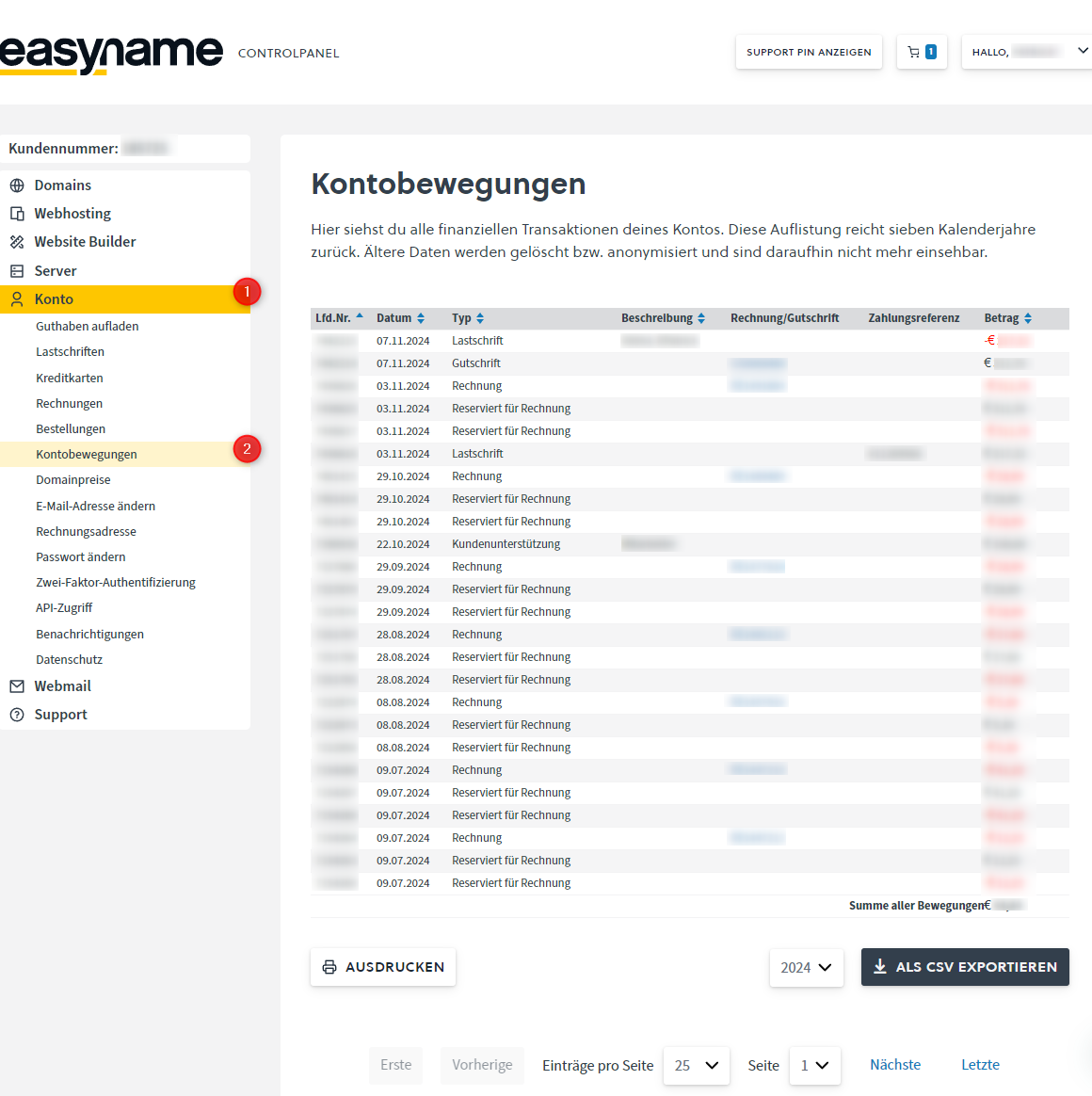
In this overview, you can see all financial activities of your account.
You can filter the account transactions by calendar year, export them as a .csv file, or print them.
Credits are shown in black. Debits, for example from a stored payment method or from the credit balance, are shown in red.