How can I upgrade or downgrade my web hosting?
You can adjust your web hosting package if you need more or fewer resources. Upgrades and downgrades differ depending on the system.
Table of Contents
Upgrade or downgrade web hosting in CloudPit
Log in to CloudPit and open the desired web hosting package.
Open the Package Upgrade section on the left.
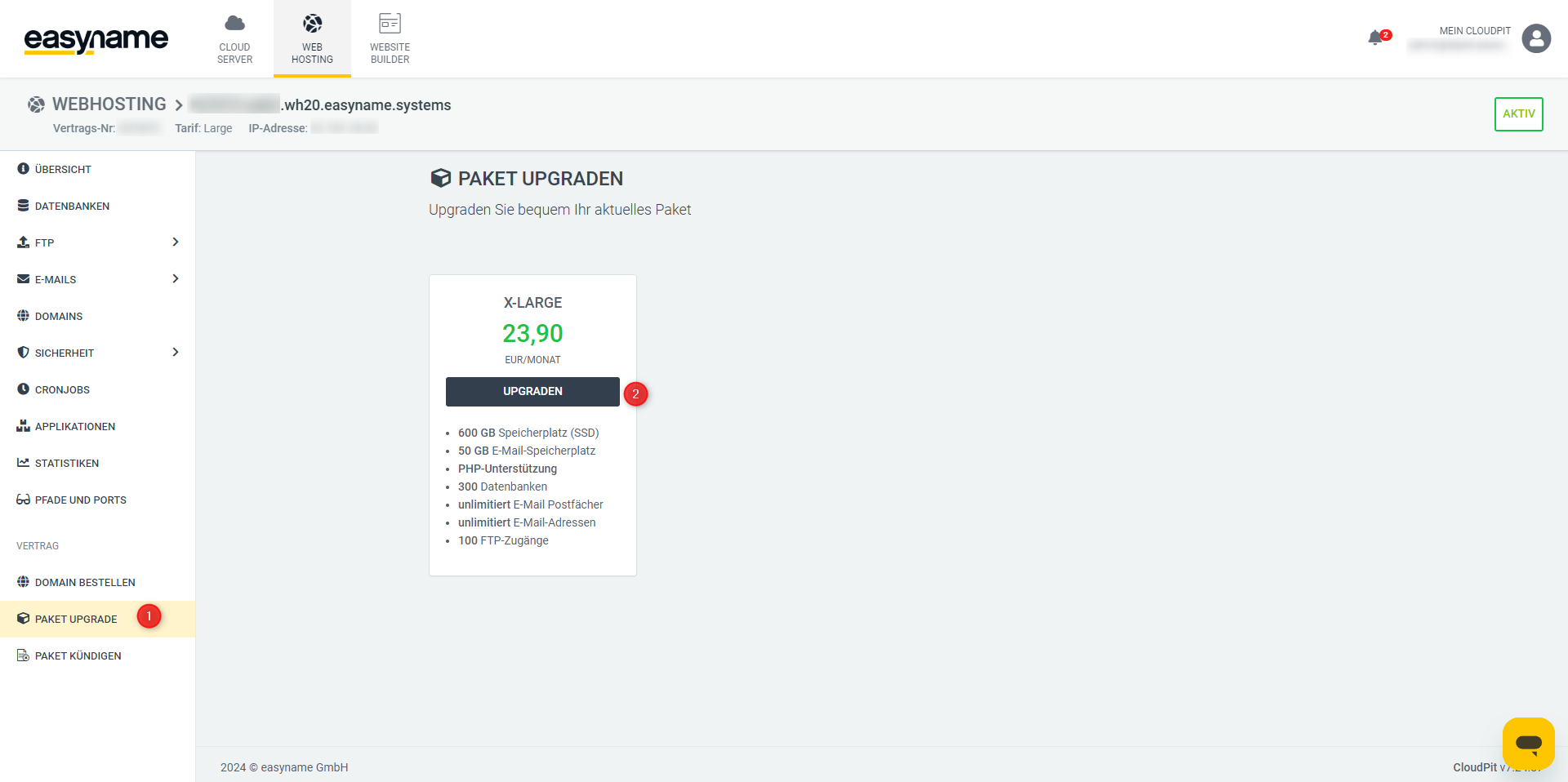
There you will see the available upgrades for your current web hosting package.
Select the desired package and perform the upgrade.
A downgrade in CloudPit cannot be done directly via self-service. Please send an email to billing@easyname.com for this.
Include your customer number, the desired web hosting package, and your phone PIN for authorization in the request.
Upgrade or downgrade web hosting in Controlpanel
Log in to the Controlpanel and open Web Hosting.
Click either Upgrade or open Manage Product.
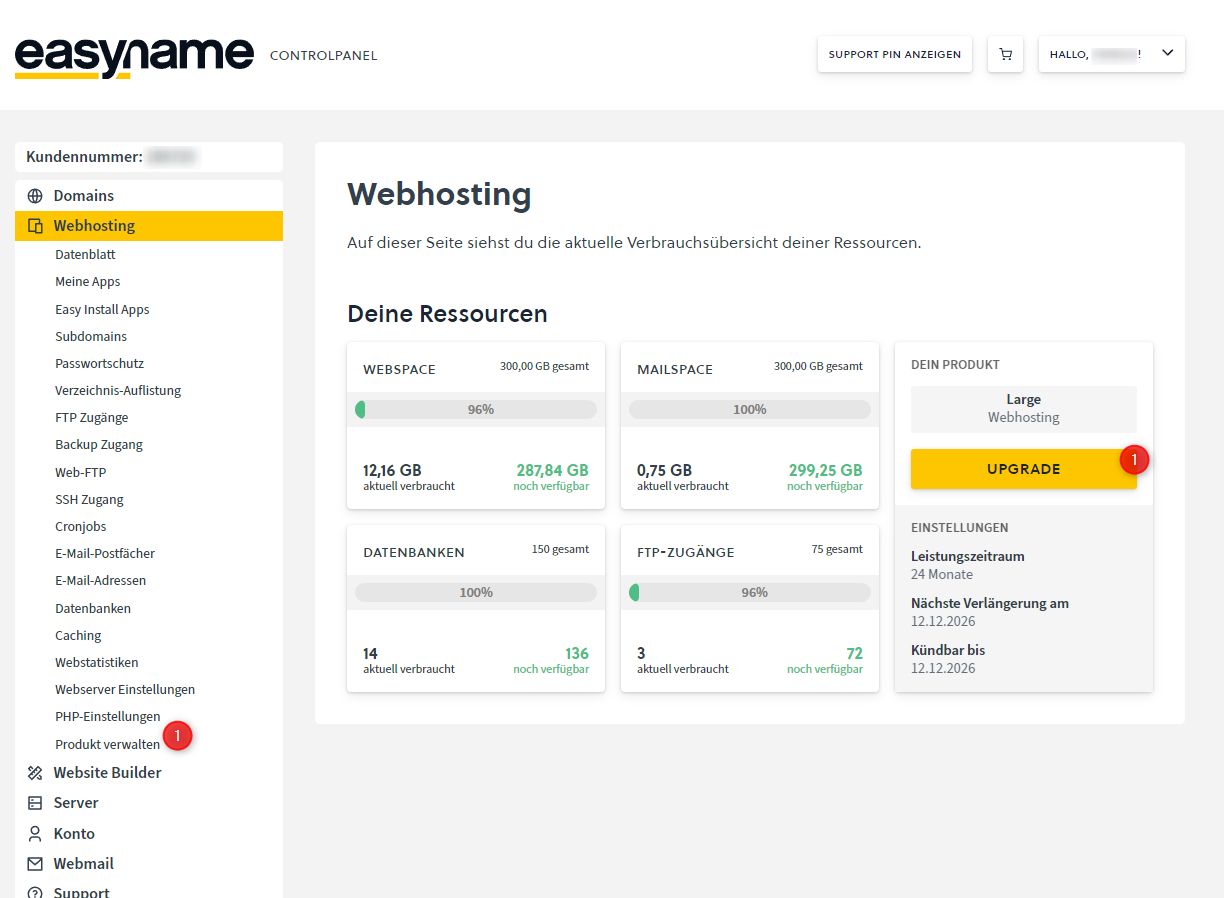
There you can select a different web hosting package.
An upgrade to a larger package is possible immediately.
A downgrade will be scheduled for the end of the current contract period.
If you need an earlier downgrade, contact support by email at support@easyname.com.
Include your customer number, the desired web hosting package, and your support PIN for authorization in the request.