How do I carry out a domain owner change?
A domain owner change can be requested either through support or directly in the control panel, depending on the system. Additional confirmations or documents may be required depending on the domain extension.
Table of Contents
- Requesting a domain owner change in CloudPit
- Requesting a domain owner change in the Control Panel
- Special requirements depending on domain extension
Requesting a domain owner change in CloudPit
In CloudPit, the domain owner change is requested through support.
Send your request to support@easyname.com.
Use the form at the end of this article for this purpose.
Support will review your request and inform you if additional confirmations or documents are required for the respective domain extension.
Requesting a domain owner change in the Control Panel
Log in to the Control Panel.
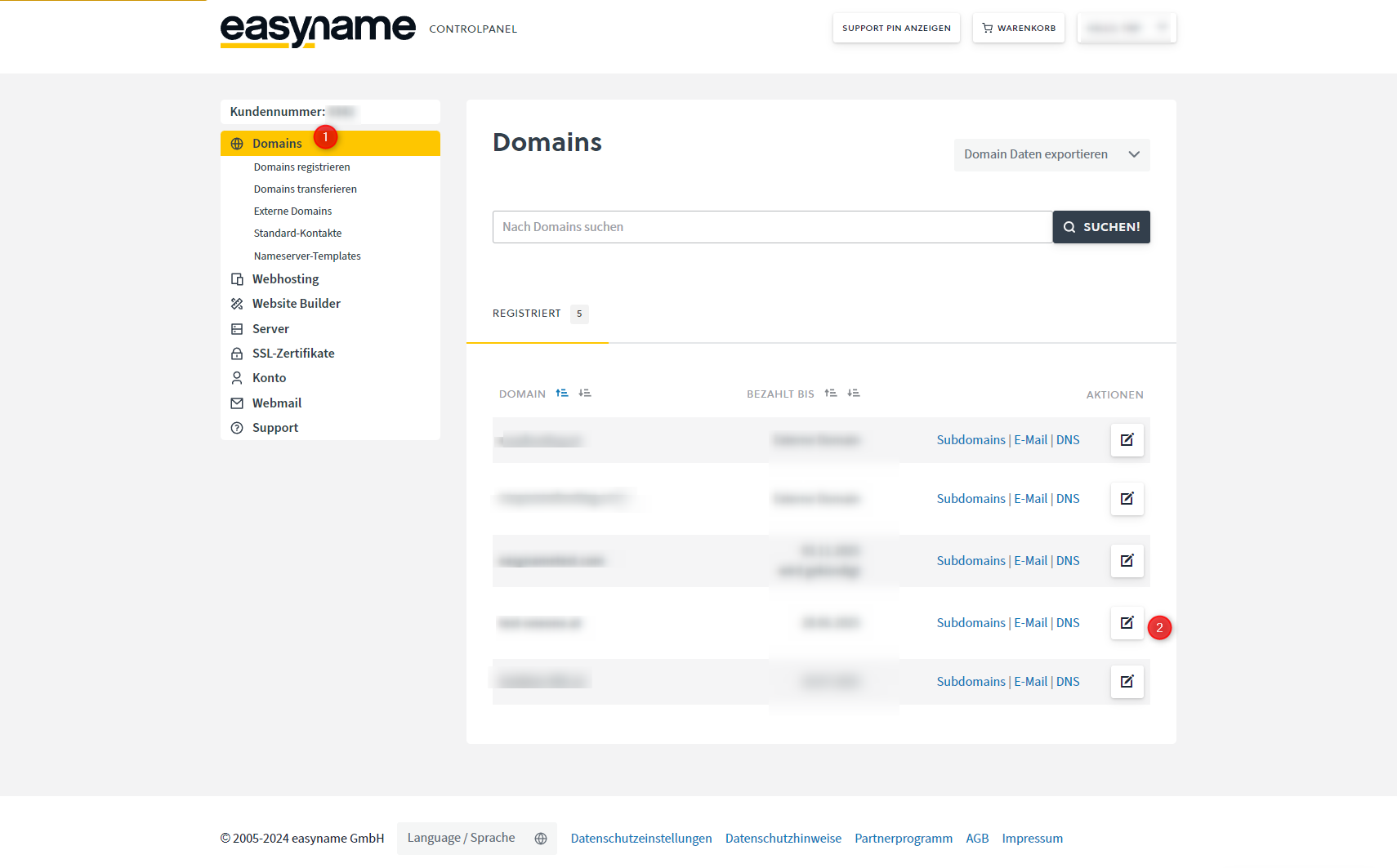
Open Domains in the left menu and click Manage next to the desired domain.
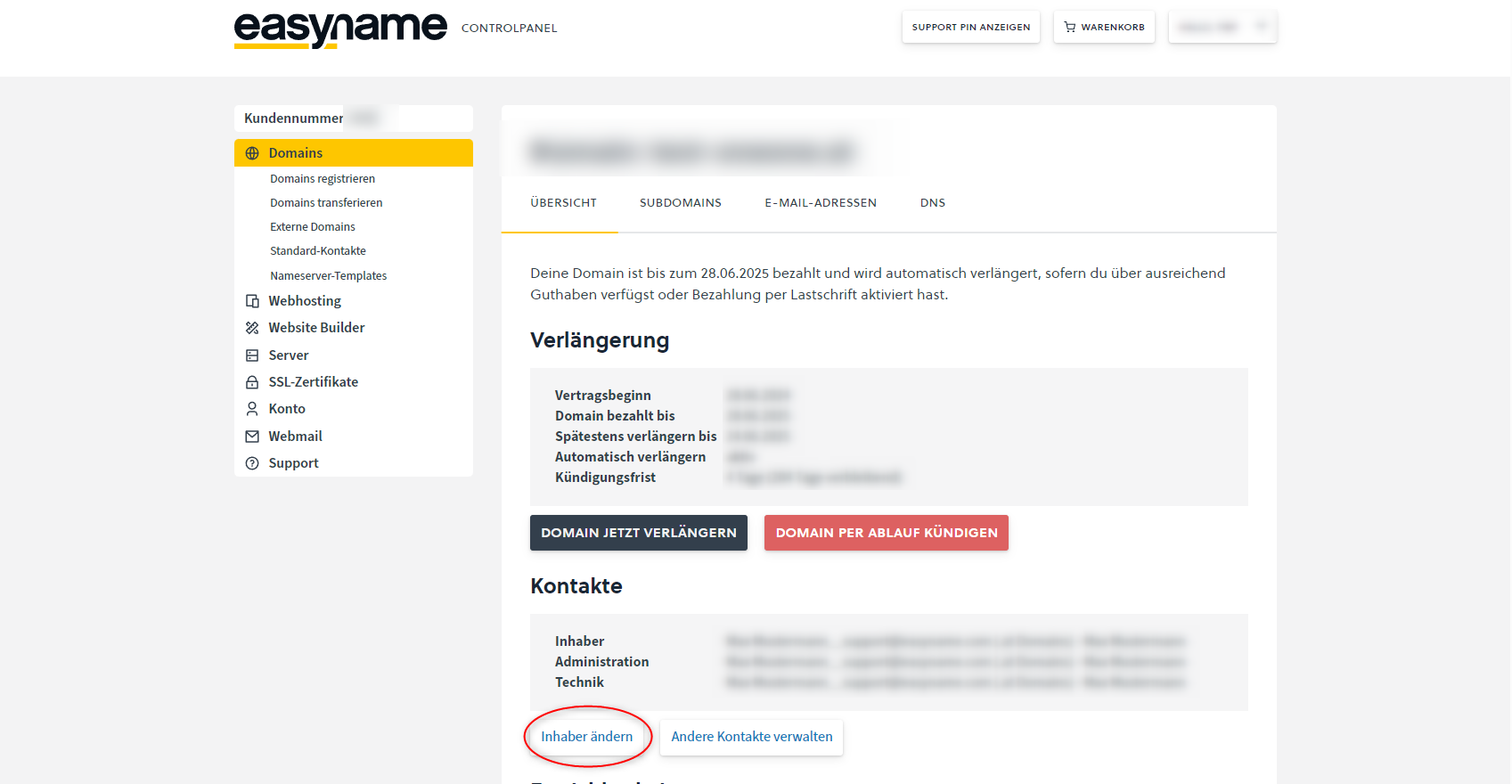
In the domain management, open the Contacts section and click Change Owner.
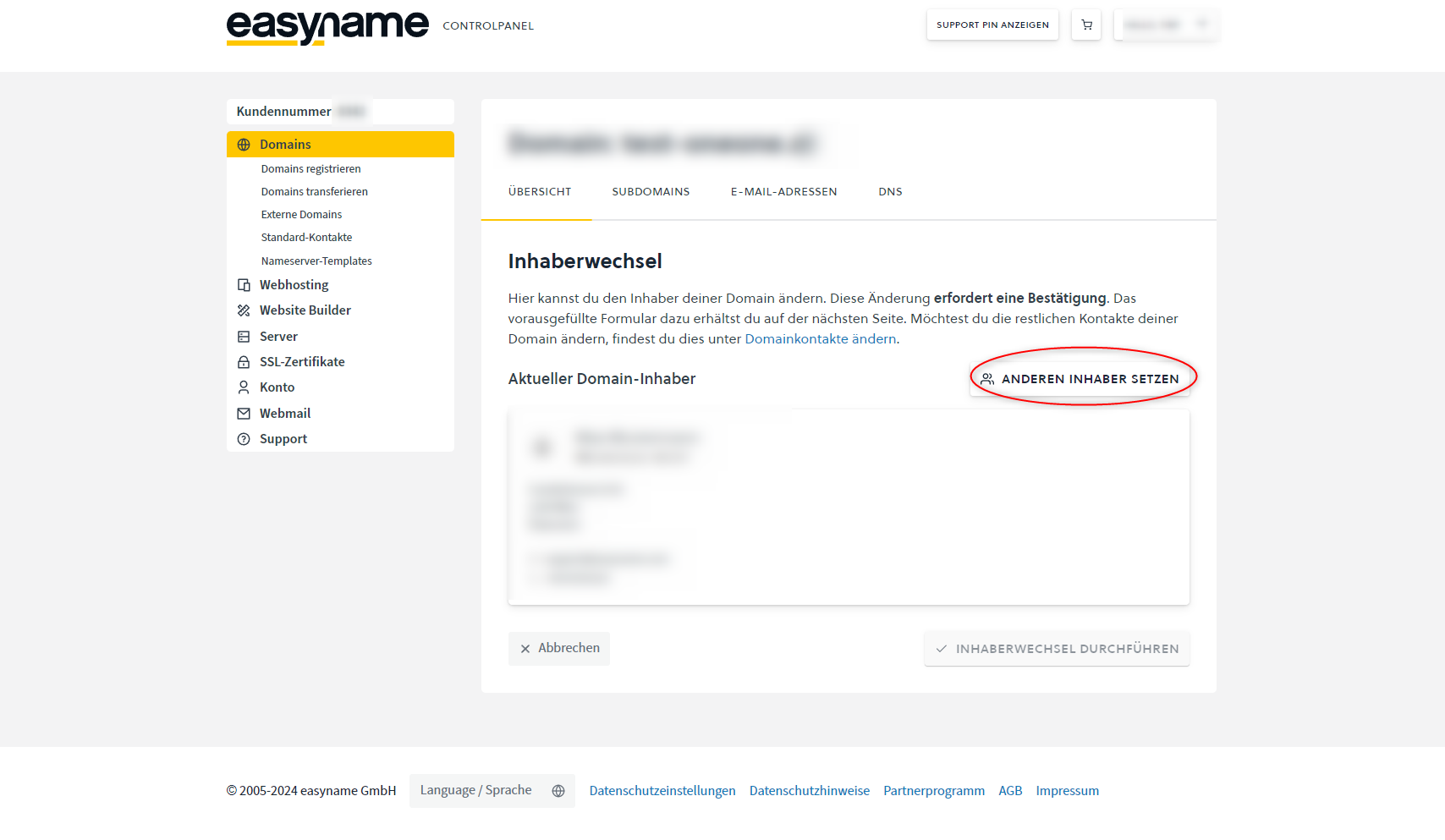
Click Set another owner.
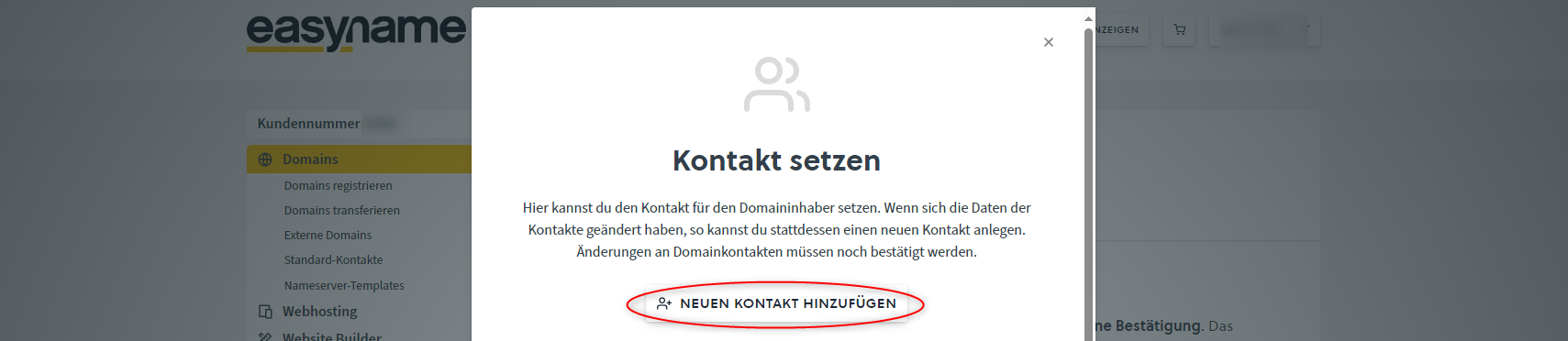
Select the new owner contact.
If the new contact is not yet available, click Add new contact and create a new contact.
Then follow the further steps in the Control Panel.
Depending on the domain extension, confirmation via email or a pre-filled form is required.
Special requirements depending on domain extension
ICANN domains
These include, for example, .com, .net, .org, .info as well as new domain extensions like .shop or .gmbh.
For ICANN domains, the owner change usually must be confirmed via email.
The confirmation is sent to the following contacts:
- previous domain owner
- new domain owner according to contact handle
The change is only completed once both confirmations have been received.
If the email address of the previous owner is not reachable, a pre-filled form is required. This must be signed by both parties.
For companies or organizations, a company stamp and an ID of the signer may also be required.
.at domains
For .at domains, a pre-filled form is automatically provided in the Control Panel.
For companies or organizations, proof of signing authority of the signer is additionally required, e.g., an excerpt from the commercial register or association register.
Other domain extensions
For certain domain extensions, e.g., .hu, .ro, .ru, or .cn, the respective registry may require additional documents.
If additional documents are required, we will inform you by email.