What are the cancellation periods and where can I find them?
You can find the cancellation periods for existing products in your customer account. The exact location varies depending on the system and product type.
Table of Contents
View cancellation periods in CloudPit
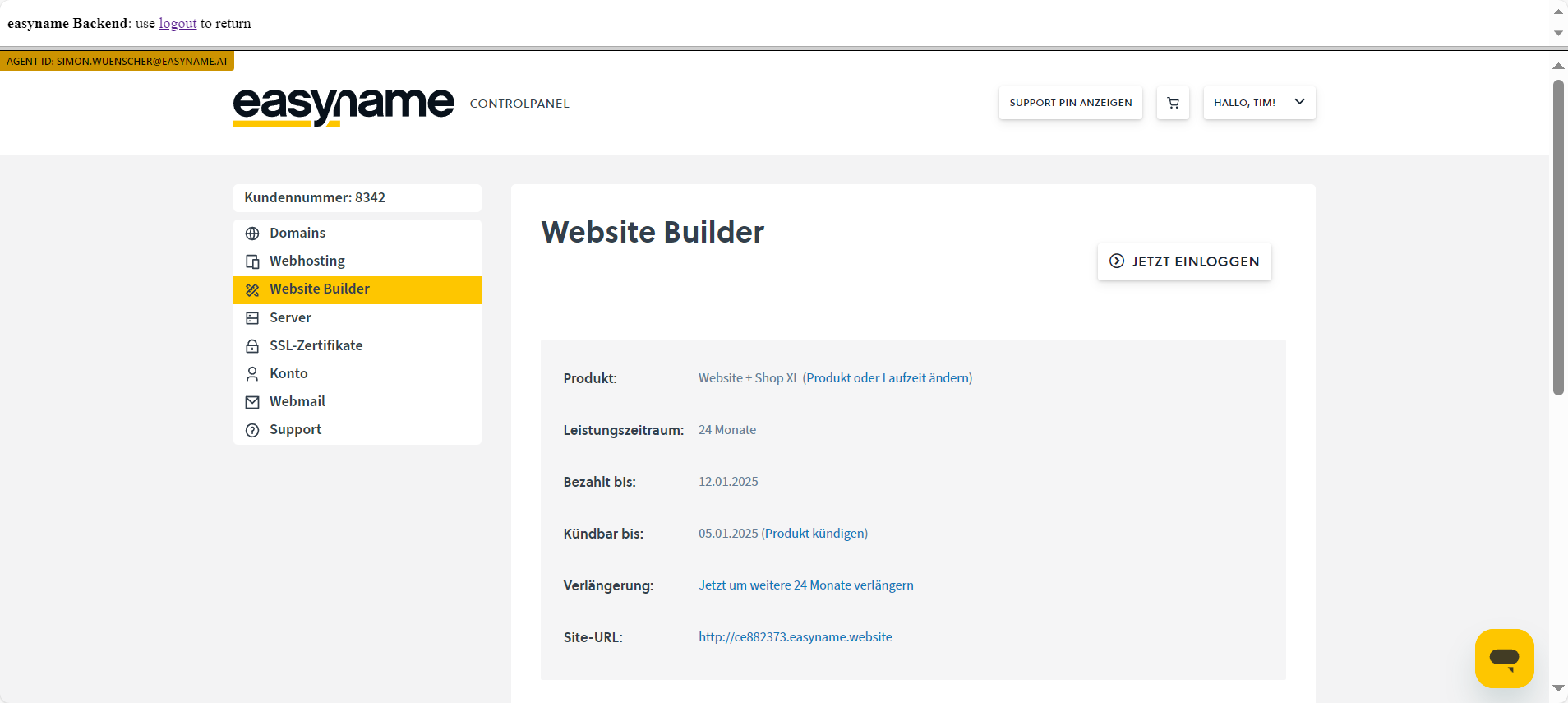
Log in to CloudPit and click on My CloudPit (1) at the top right.
Then open Contract overview (2).
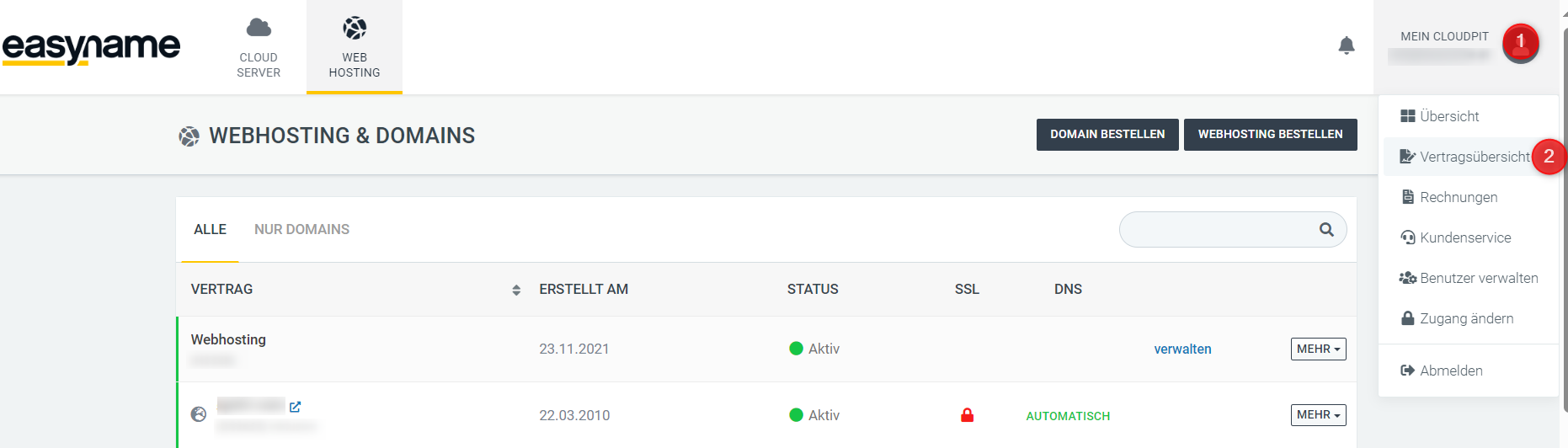
Click on Actions (1) next to the desired contract and then on Cancel contract (2).
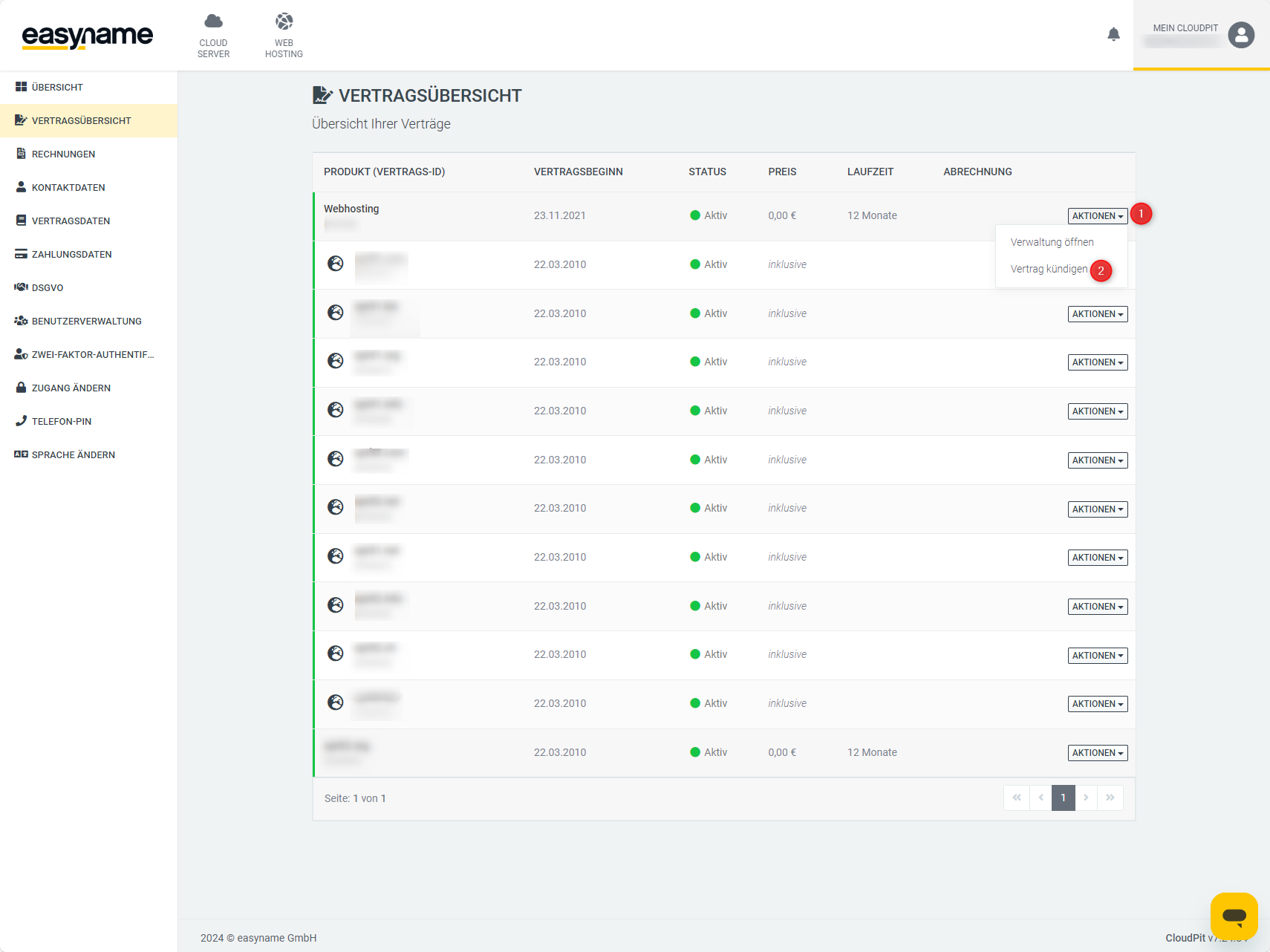
In the next window, you will see the contract duration data and the cancellation period of the selected contract.
View cancellation periods in Controlpanel
Not all products in the Controlpanel have their own cancellation period. Webhosting and VPS can be marked for cancellation at any time. For domains and website builder products, you will find the period directly in the respective product management.
View cancellation period of a domain
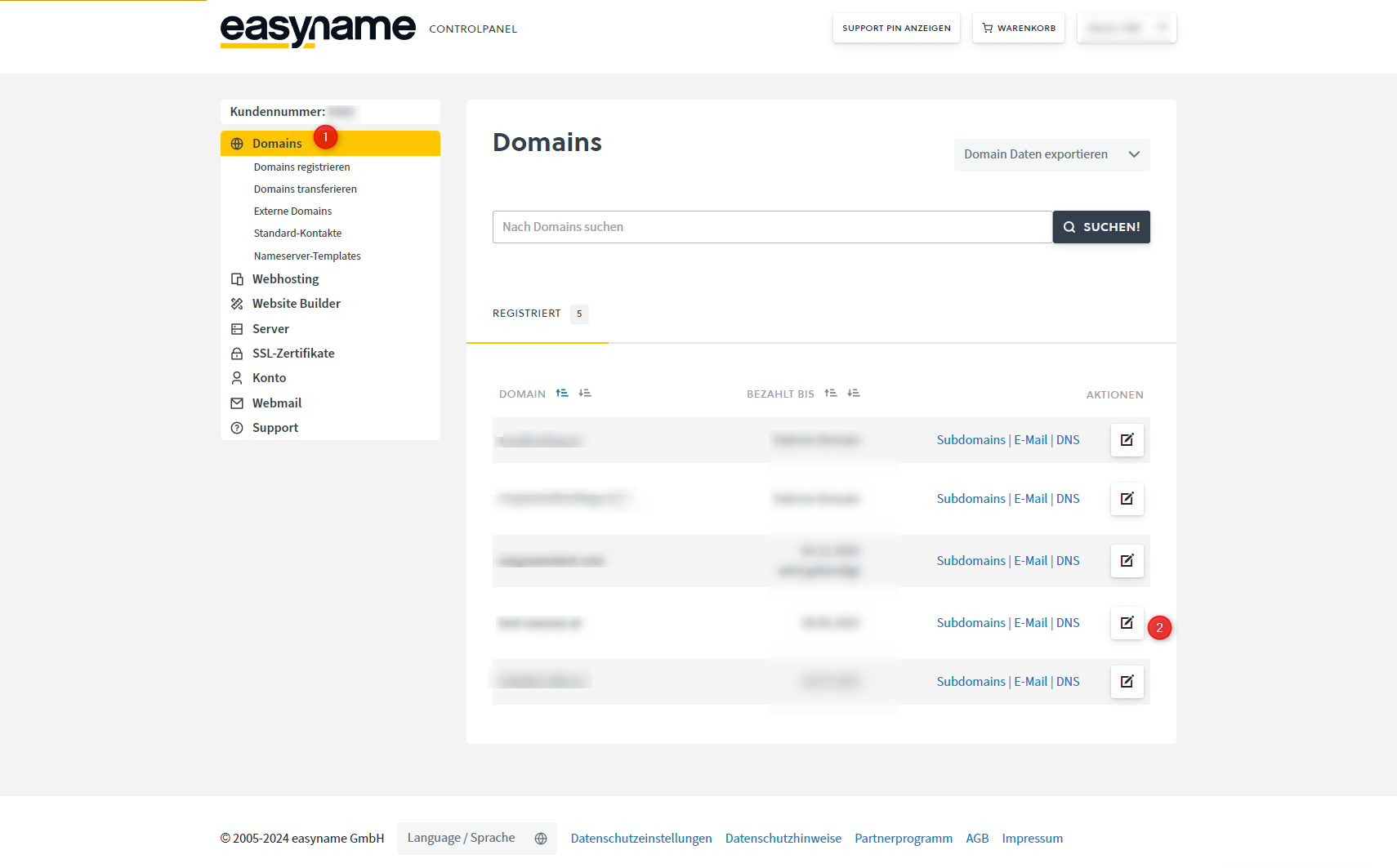
Log in to the Controlpanel and open Domains (1).
Click on Manage (2) for the desired domain.
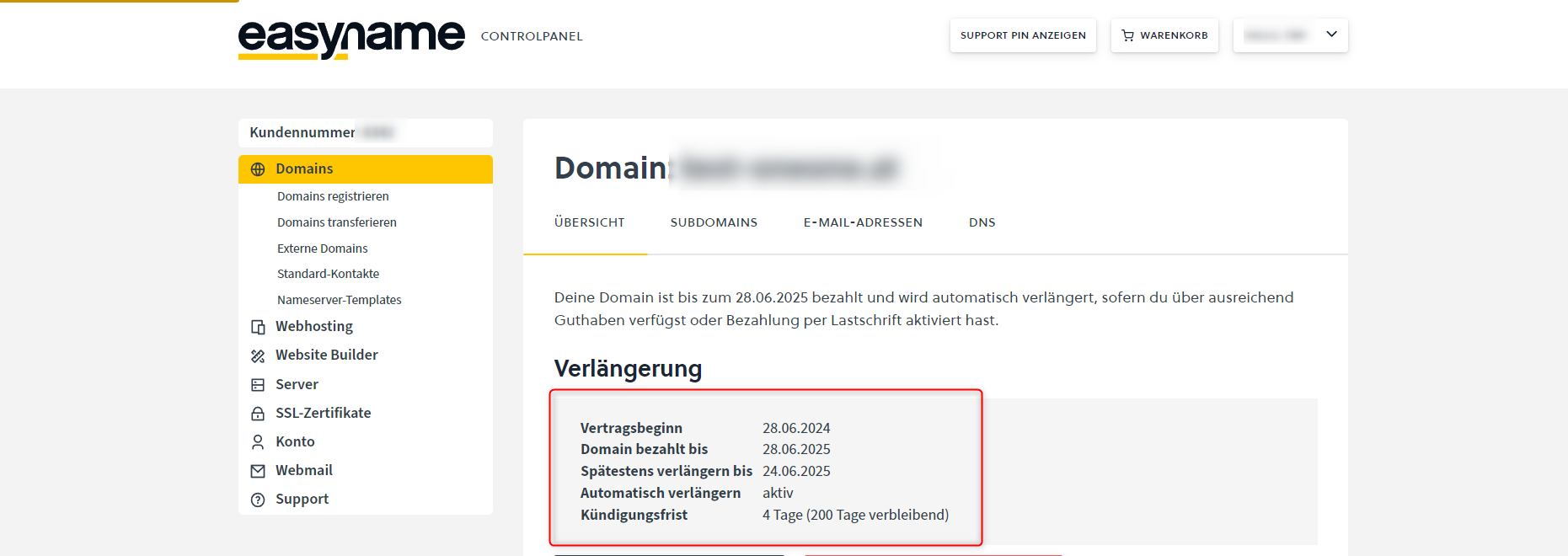
In the Renewal section, you will see the domain's duration data and the applicable cancellation period.
View cancellation period of a website builder
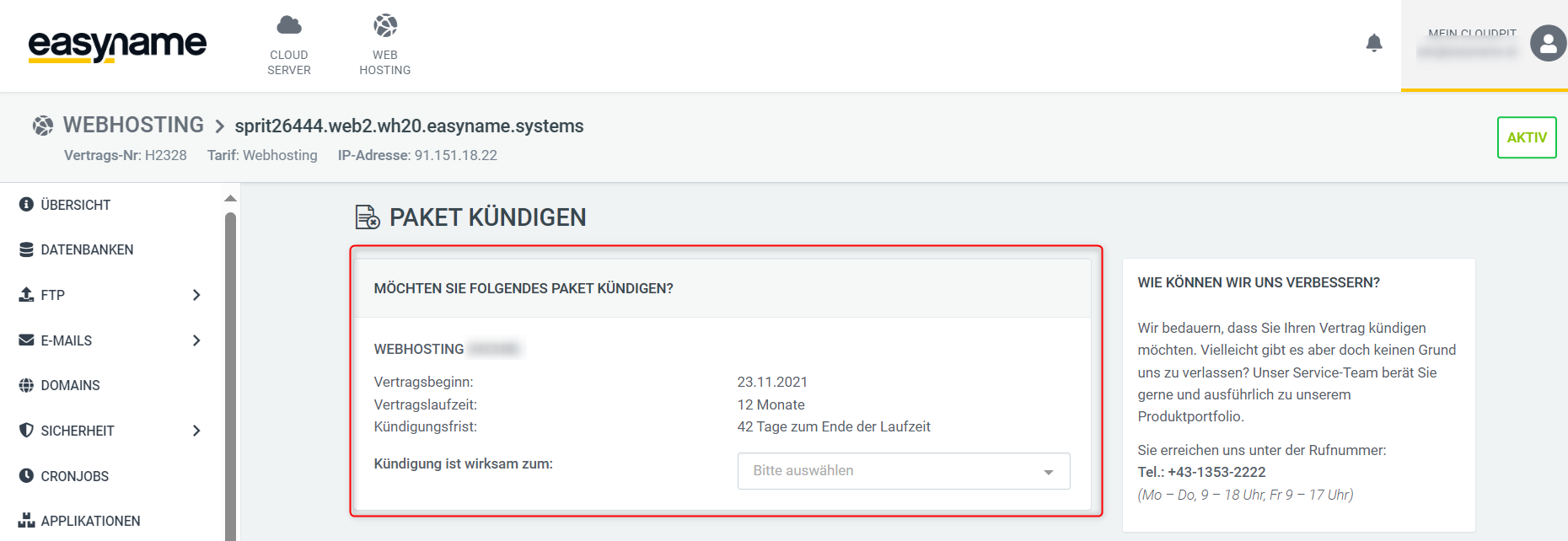
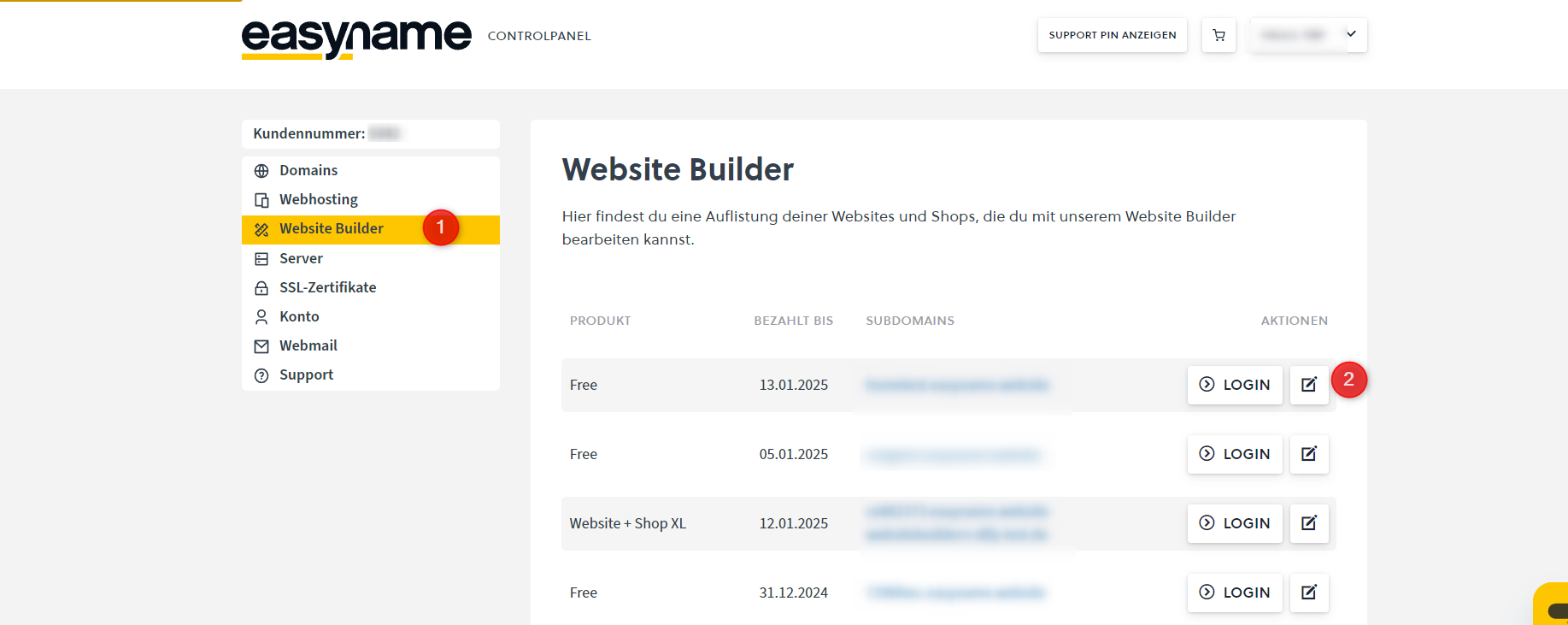
Open the Websitebuilder section (1) in the Controlpanel.
Click on Manage (2) for the desired website builder.
In the website builder management, you will find the latest possible cancellation date under Cancelable until.