How do I register my bank account for recurring payments?
You can register a bank account for recurring payments. The setup differs depending on the system.
Table of Contents
Register bank account in CloudPit
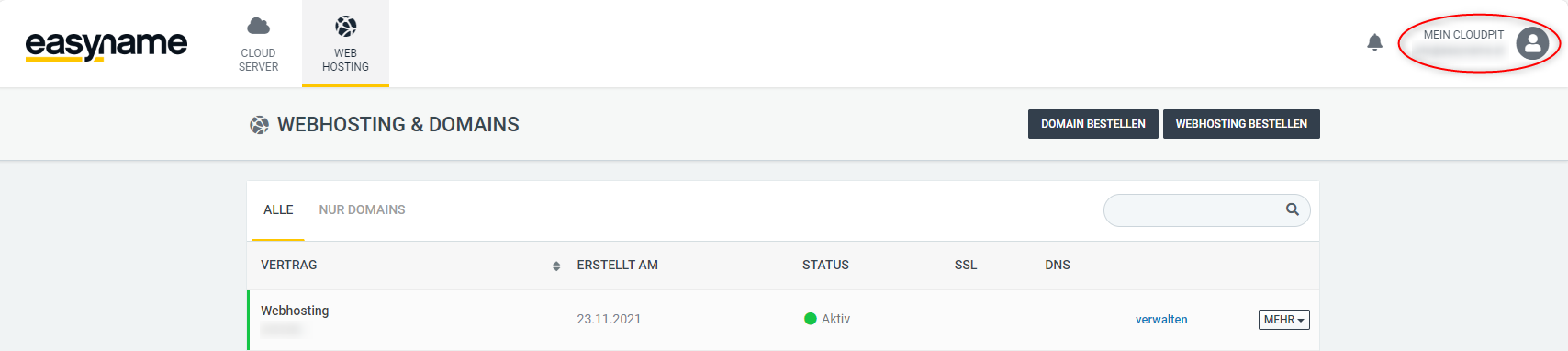
Log in to CloudPit and click on My CloudPit at the top right.
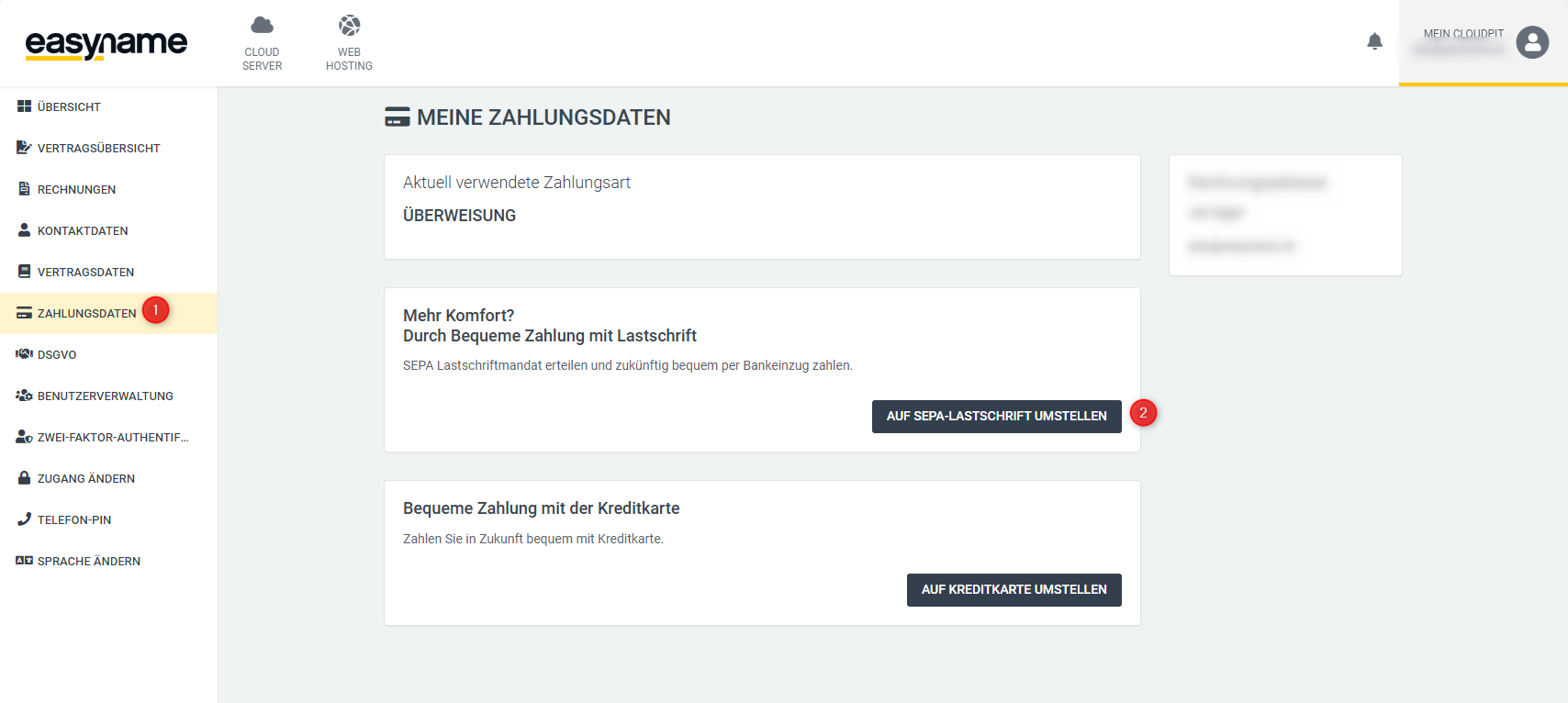
Open the Payment Data section on the left (1).
Click on Switch to SEPA Direct Debit (2).
Enter the bank details of the desired bank account.
By saving, you grant a SEPA mandate. This allows future outstanding invoices to be collected from this bank account until the mandate is revoked.
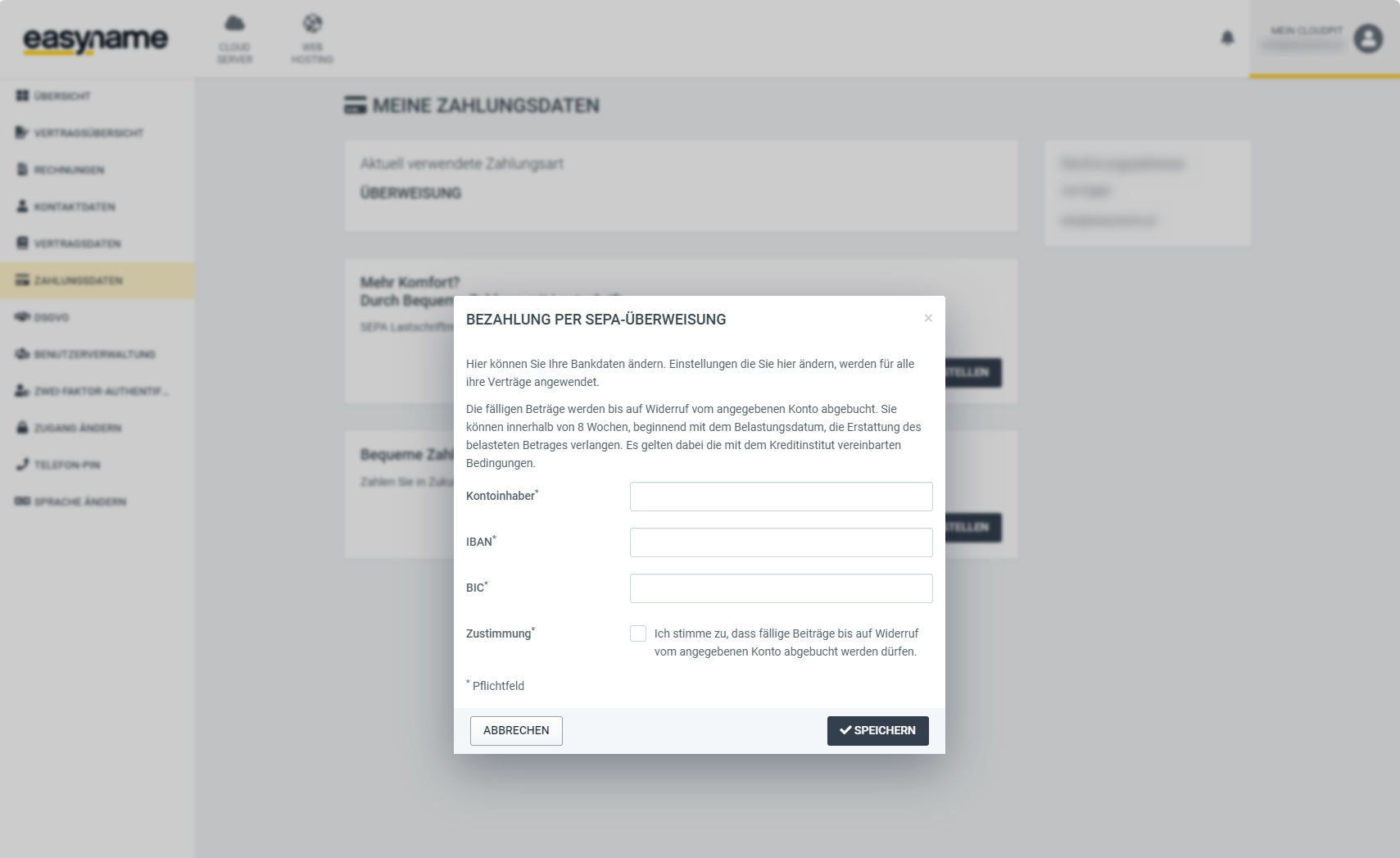
Click on Save. The bank account will then be used for future invoices.
Register bank account in Controlpanel
Log in to the Controlpanel.
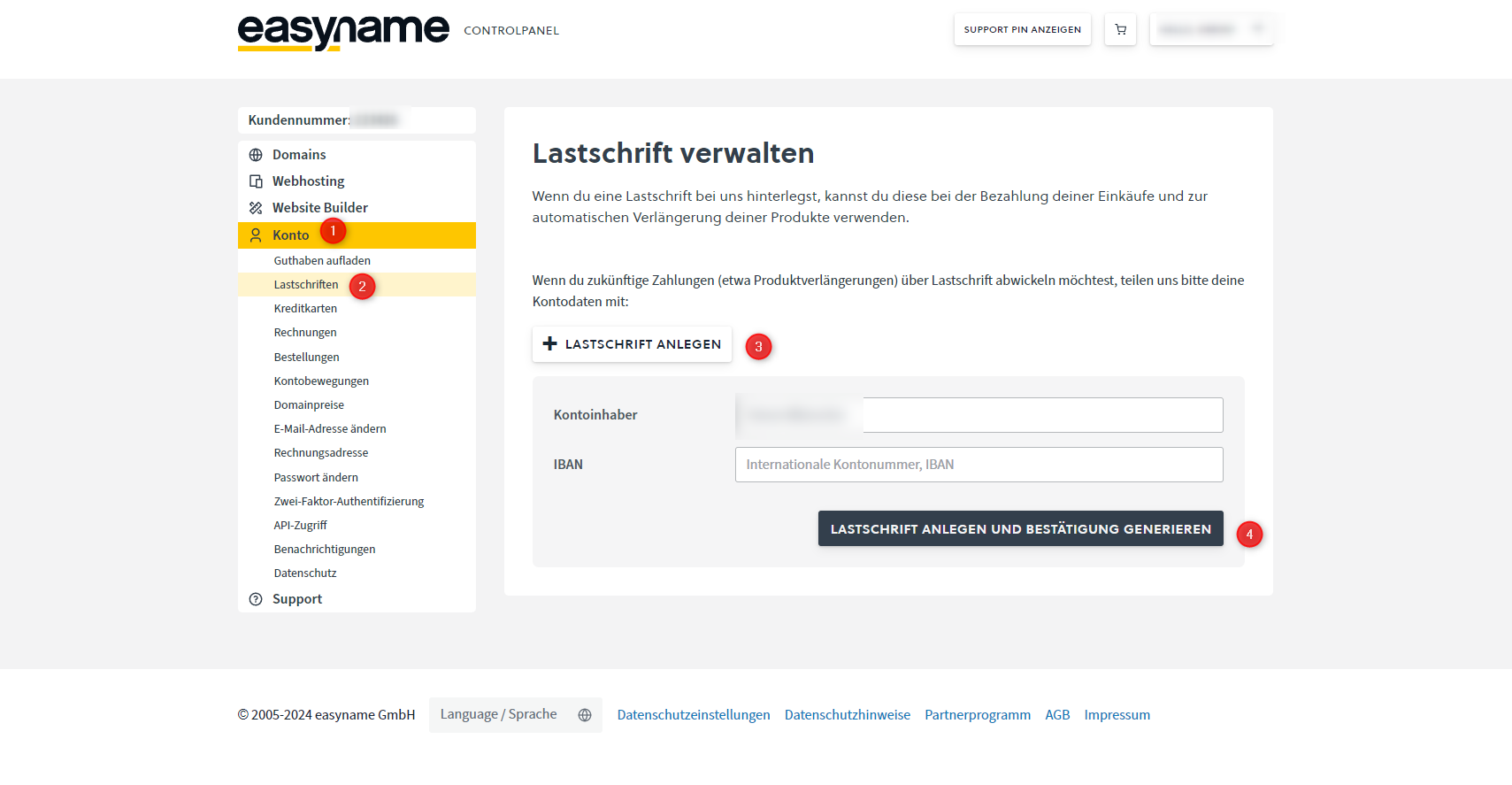
Open Account (1) → Direct Debits (2).
Click on Create Direct Debit (3).
Enter the IBAN and the account holder.
Then click on Create Direct Debit and Generate Confirmation (4).
The generated confirmation form must be signed. You can sign it by hand or with a valid digital signature.
Send the signed form by email to billing@easyname.com.
After review and confirmation by support, the SEPA mandate will be active. You will receive feedback by email.