How to Store a Data Processing Agreement (DPA)
A Data Processing Agreement (DPA) is required when personal data is processed on behalf of someone else. Depending on the system, you can create the DPA either in CloudPit or in the Controlpanel.
Table of Contents
Create a DPA in CloudPit
Log in to CloudPit.
Click on My CloudPit in the top right corner.
Open the GDPR section on the left.
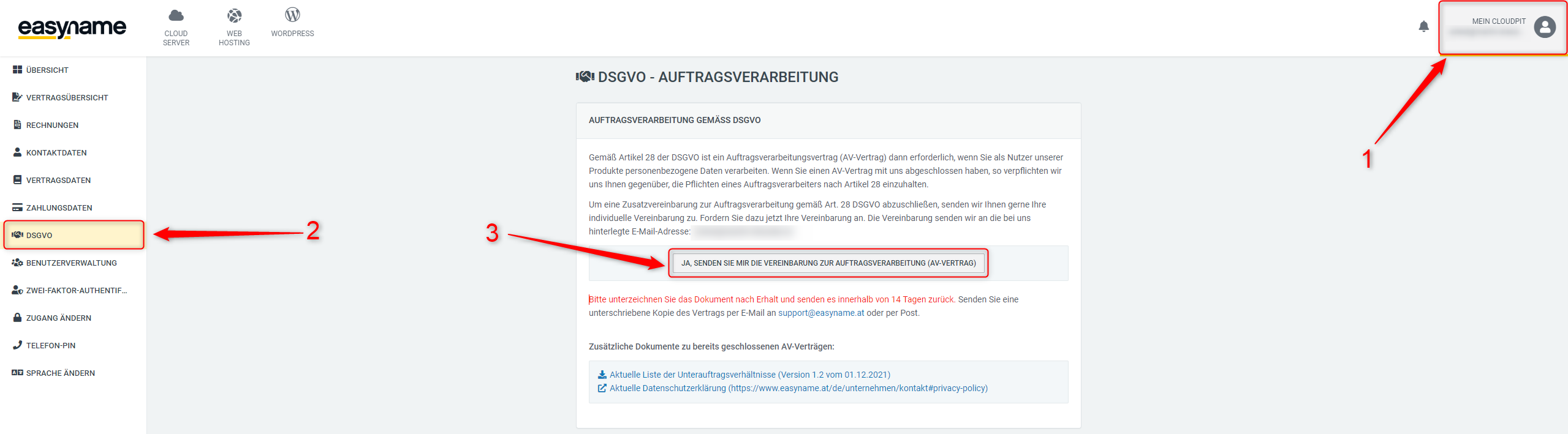
Create the DPA there.
You will then automatically receive an email with the DPA.
Fill out the agreement completely and correctly.
Send the completed agreement by email to support@easyname.com or by mail to easyname.
Create a DPA in the Controlpanel
Log in to the Controlpanel.
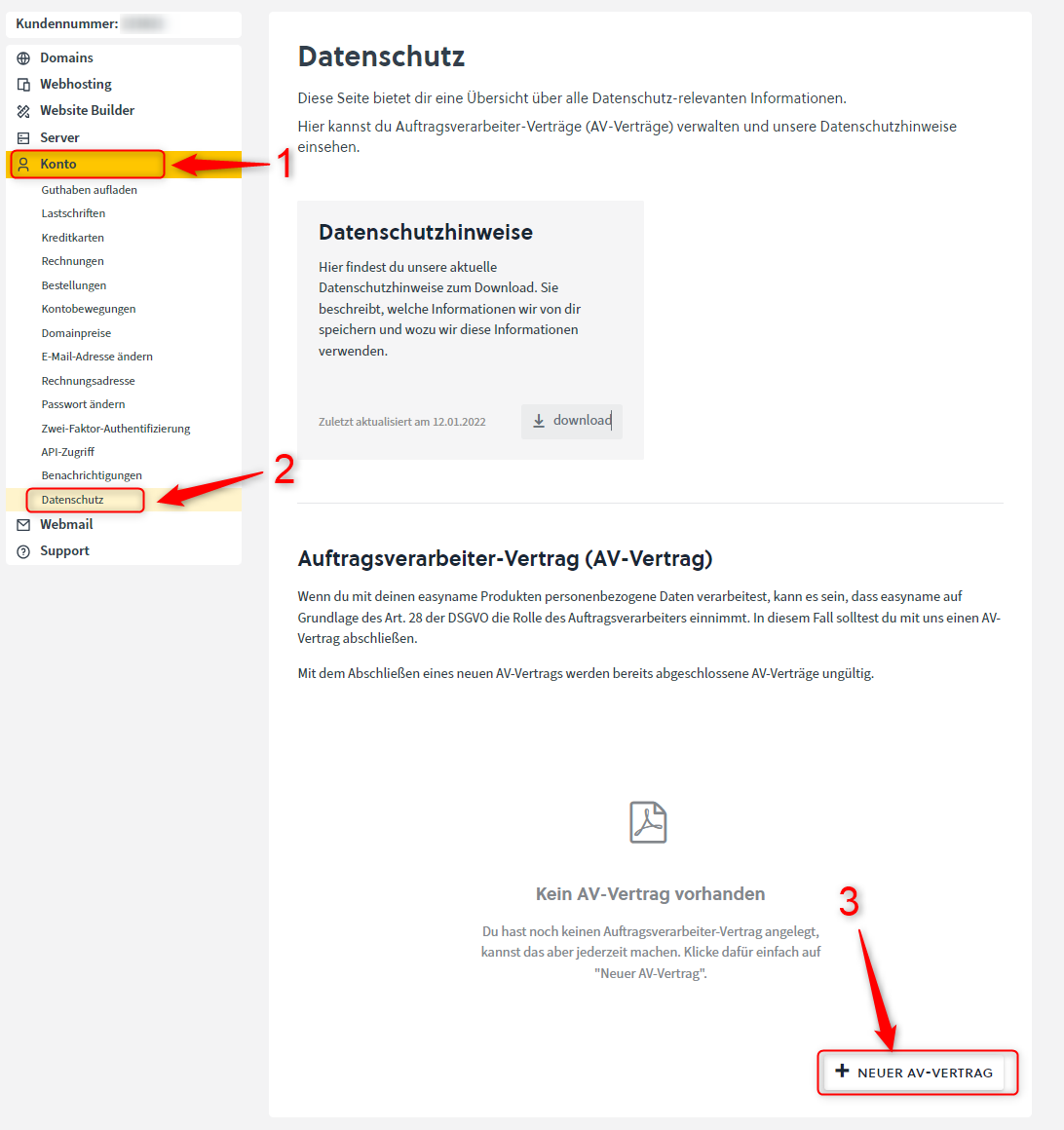
Open Account → Privacy.
Click on + New DPA.
Fill in the requested information, especially regarding affected persons and the type of data processed.
Agree to the contract at the end of the form and complete the creation.
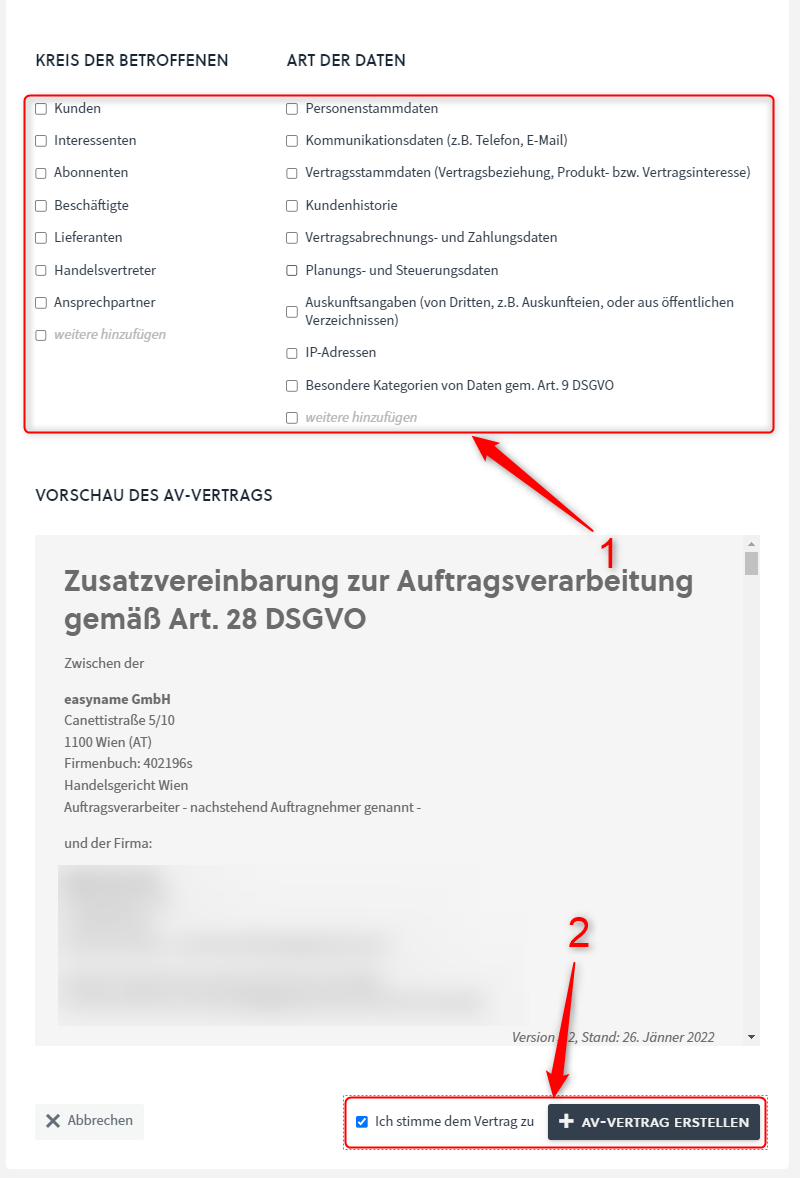
The DPA is automatically stored in the Controlpanel. No additional signature is required.
You can find the stored DPA under Account → Privacy.
There you can download the agreement as a PDF at any time.