In this section
Where can I find my Support PIN?
The Support PIN is used for identification when contacting our support. This ensures that only authorized persons receive information or can request changes to the account.
Note: For security reasons, we cannot provide contract- or account-related information without a Support PIN.
Note: This guide differs depending on the system (CloudPit or Controlpanel). Please use the appropriate section.
Table of Contents
Set Support PIN in CloudPit
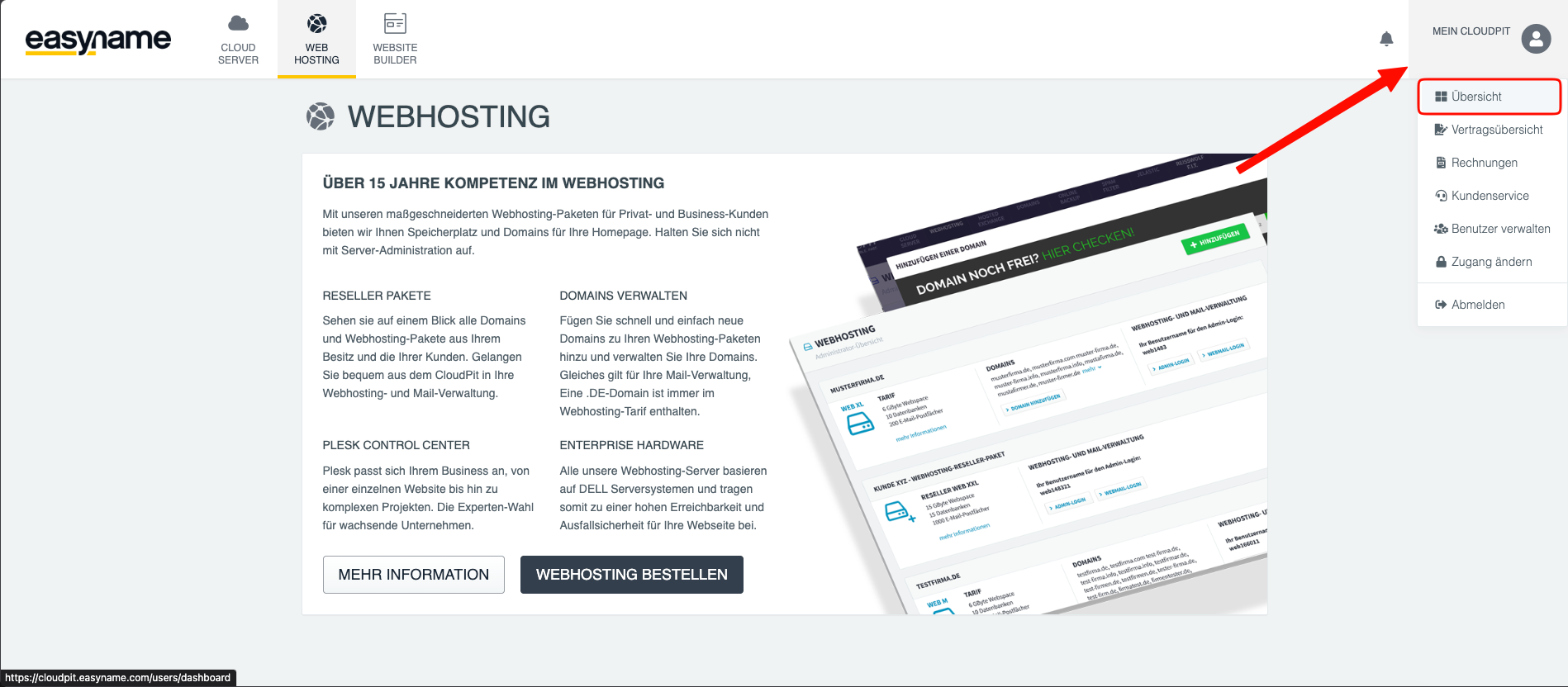
Log in to CloudPit and open the menu at the top right.
Select Overview.
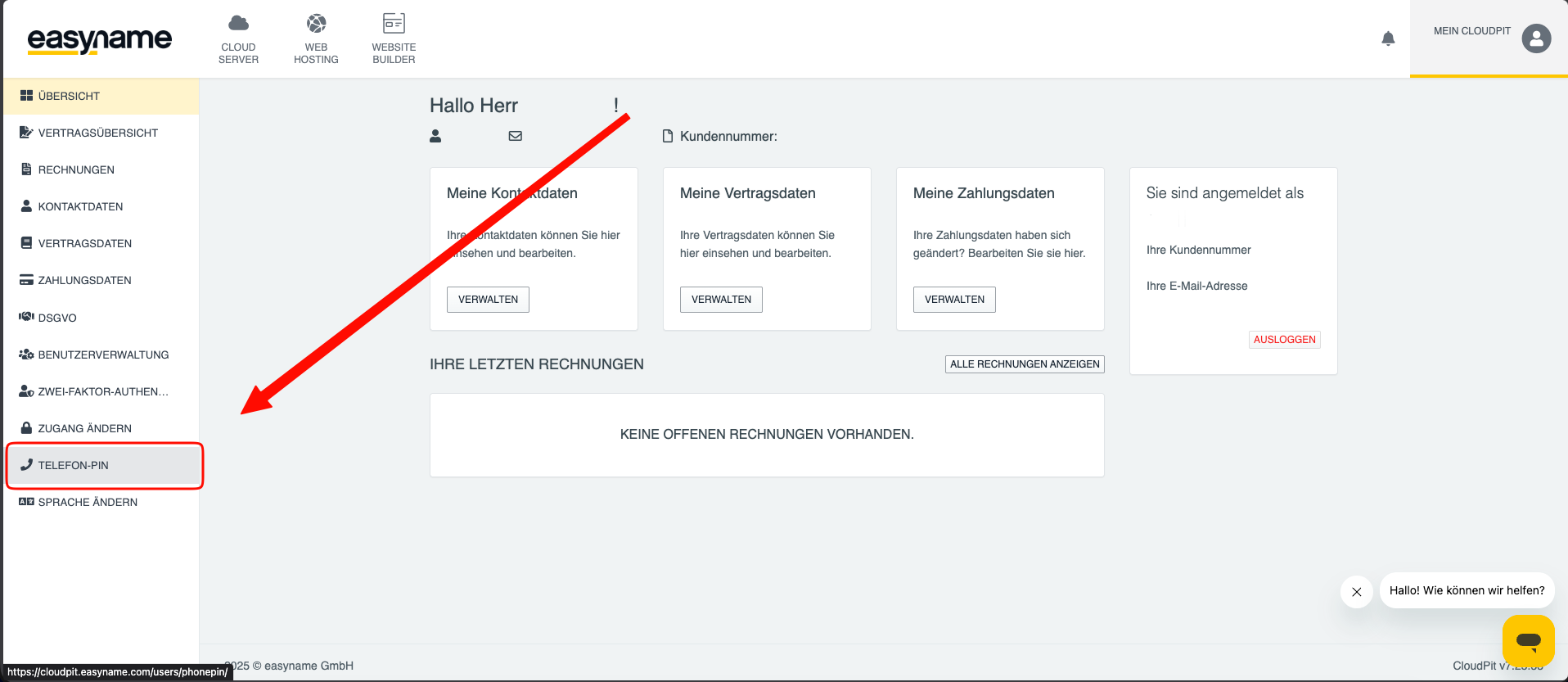
Open the menu item Phone PIN on the left.
Enter the desired PIN and click Set PIN.
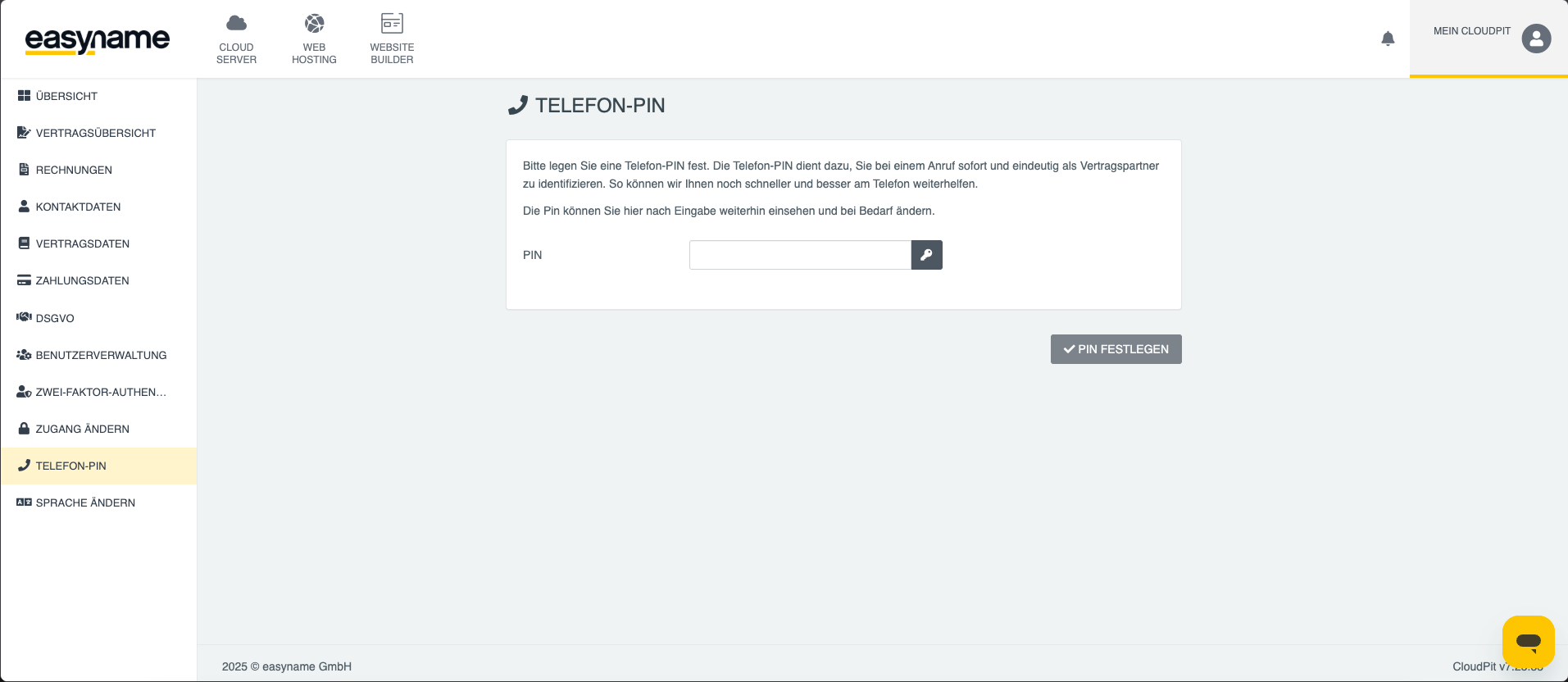
The PIN is then saved and can be used for identification with support.
Display Support PIN in Controlpanel
Log in to the Controlpanel and click Show Support PIN at the top.
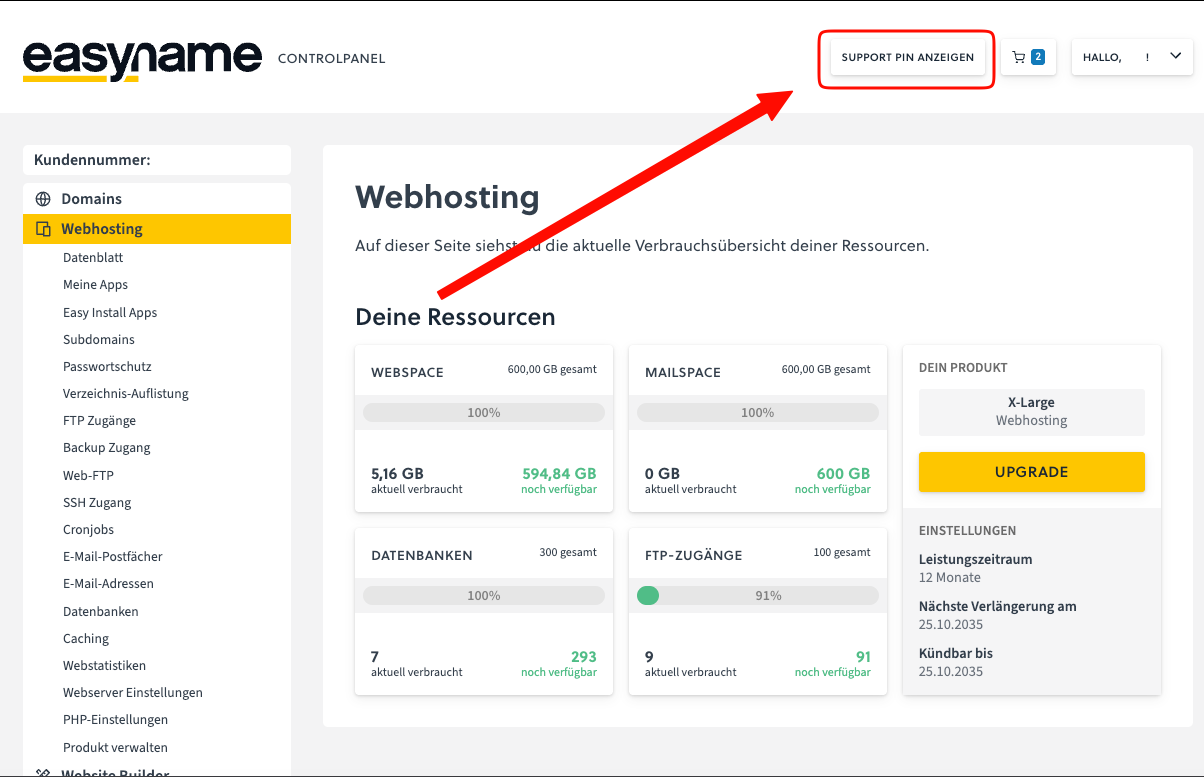
The system generates a random 6-digit number and displays it to you.
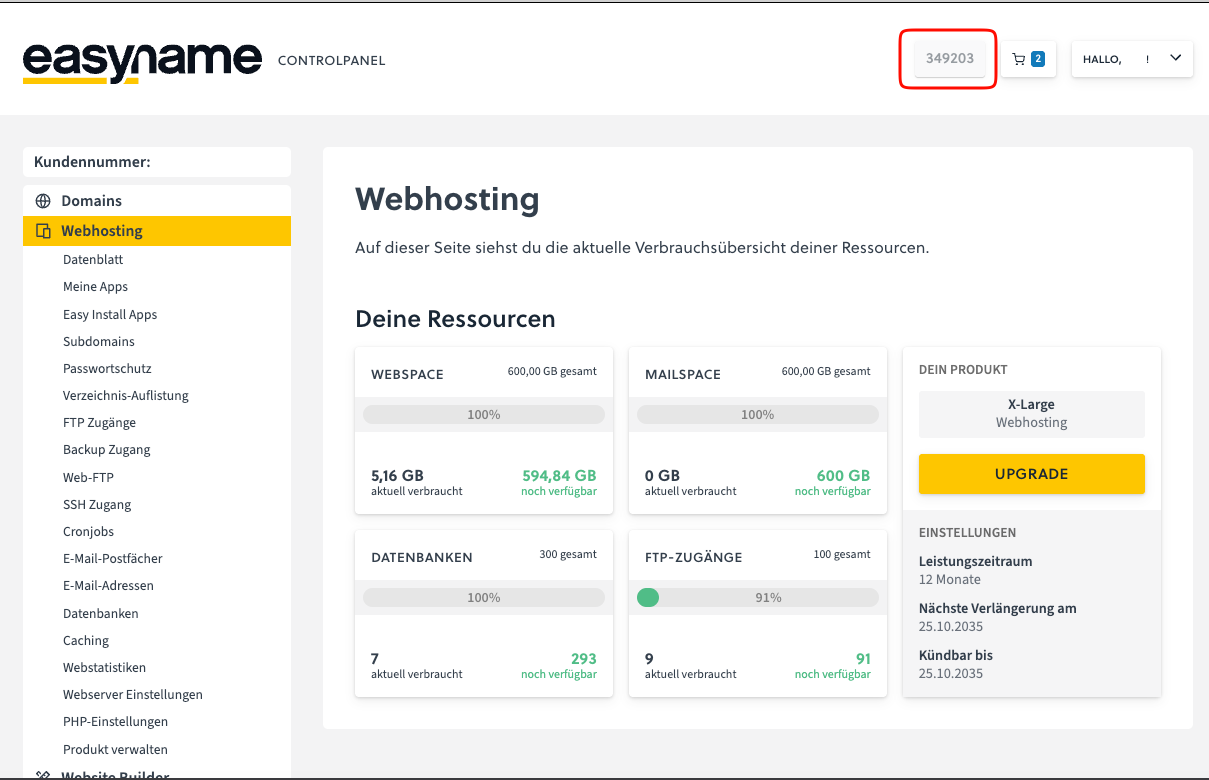
The displayed Support PIN is valid for 24 hours. After that, a new Support PIN must be generated.