How do I create an additional account user?
Through the user management, you can create additional account users (sub-users). They receive their own login with a separate password and can – depending on the configuration – access specific areas of your customer account.
This enables a multi-user or multi-client mode. For example, you can set up your accounting department or a web designer with their own access without sharing your personal login details.
What is possible?
Individual login credentials per user
Individually definable access rights
Control over whether the user is allowed to use phone or email support
Management and deletion of existing users
How to create an additional user
Log in to your customer account.
Click on MY CLOUDPIT at the top right.
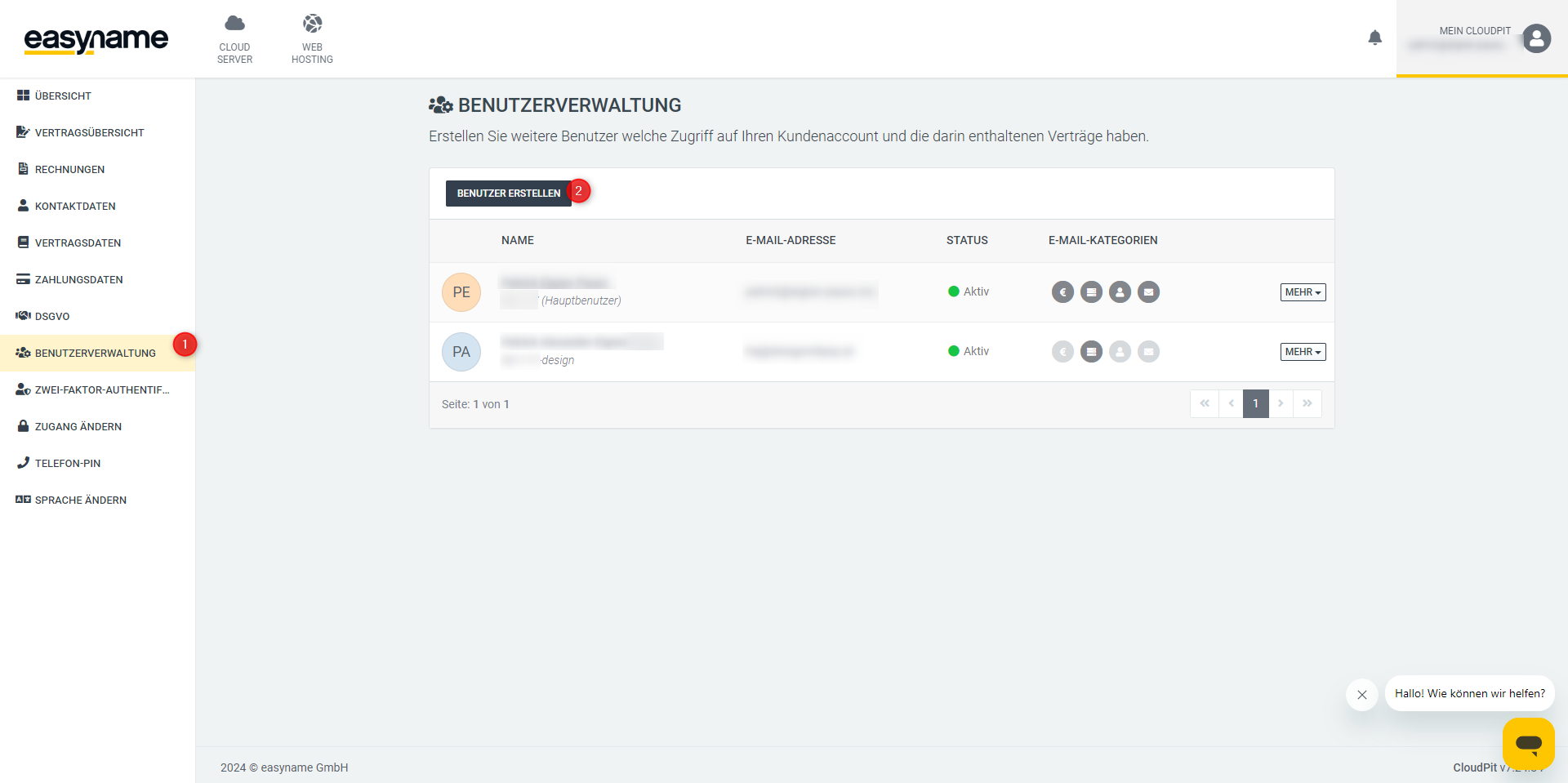
Go to the menu item USER ADMINISTRATION (1).
Click on Create User (2).
Follow the form and set the desired permissions.