In this section
How can I update the contract details of my account? (Billing address, account holder, etc.)
Note: This article differs depending on the system (CloudPit or Controlpanel). Please use the appropriate section.
Table of Contents
Change contract details in CloudPit
In CloudPit, you can adjust the billing address yourself.
- Log in to CloudPit.
- Click on My CloudPit (1) at the top right.
- Open the Contract Details section (2) in the left menu.
- Adjust your billing address and save the changes.
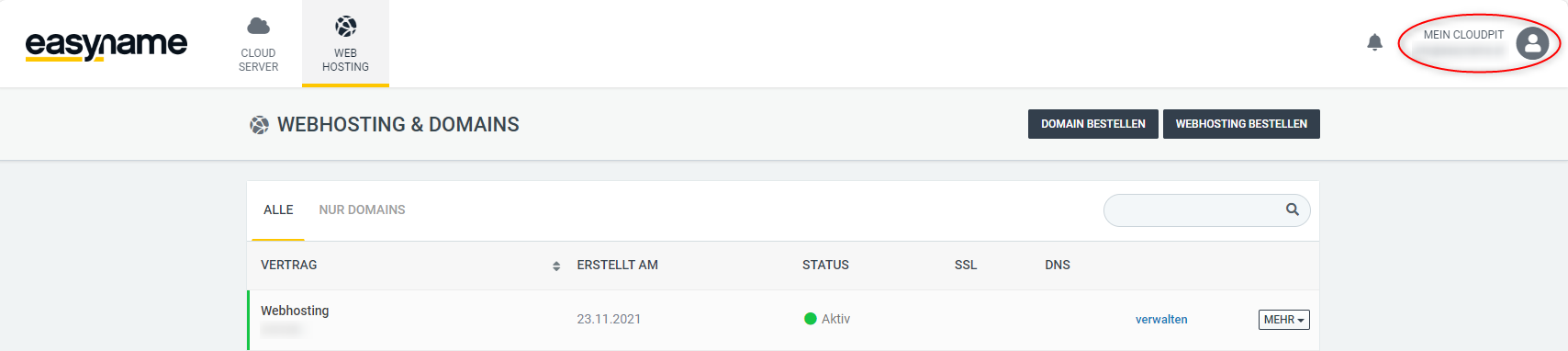
Note: Changes to the account holder are not directly possible in CloudPit.
For changes to the account holder, you need one of the following forms:
Contract Transfer Form
- Transfer of a private account to another person
- Transfer of a business account to another company
Master Data Change Form
- Change of contact person for business accounts
- Change of company legal form
You can find the forms at the end of this article.
Change contract details in the Control Panel
In the Control Panel, you can adjust both the account type and the billing address.
- Log in to the Control Panel.
- Open the Account section (1) in the left menu.
- Adjust the account type in the corresponding area (2).
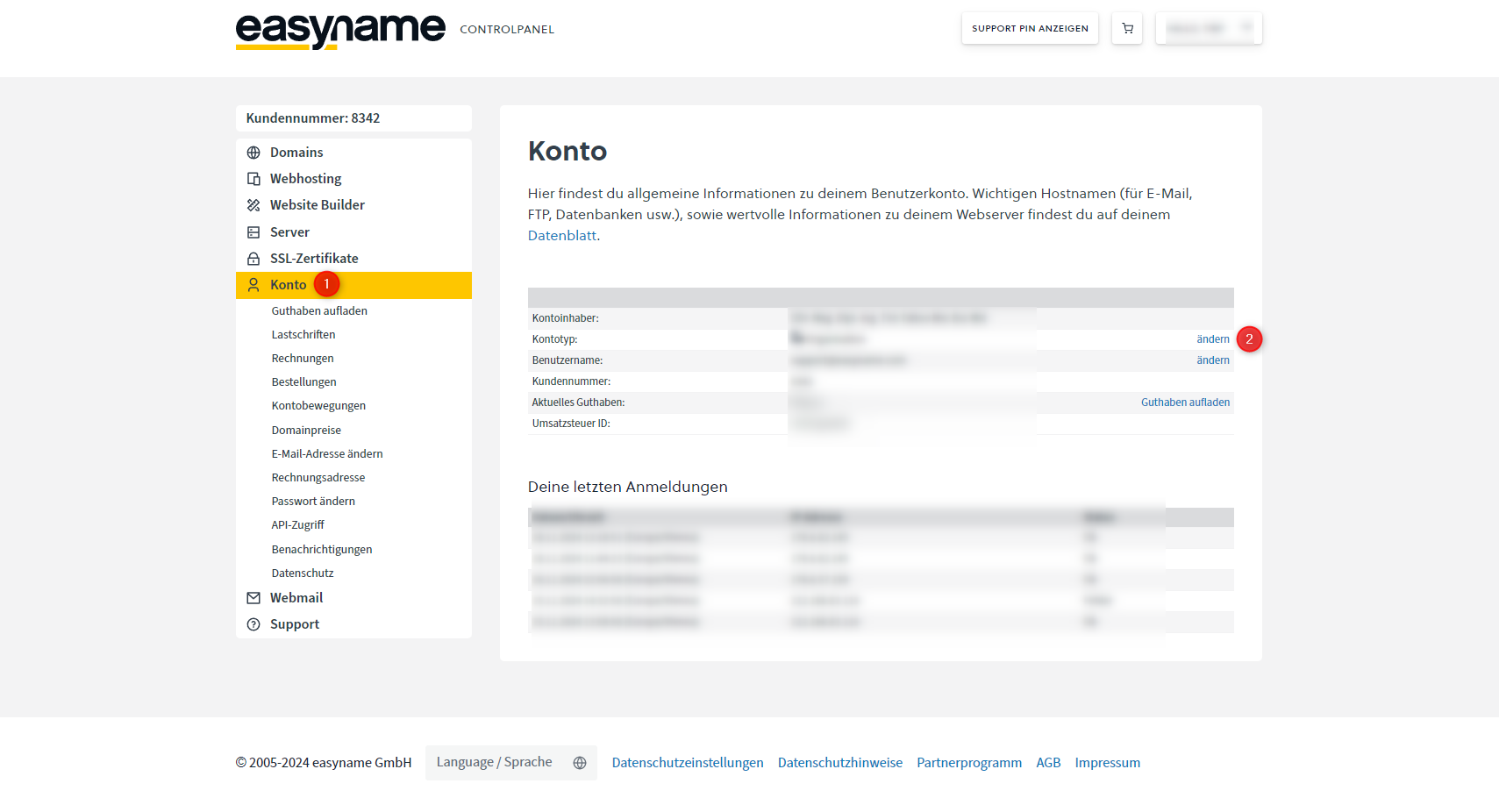
When switching from a private to a business account, additional information such as company name and VAT ID must be provided.
- Open the Billing Address section.
- Update your data and save the changes.
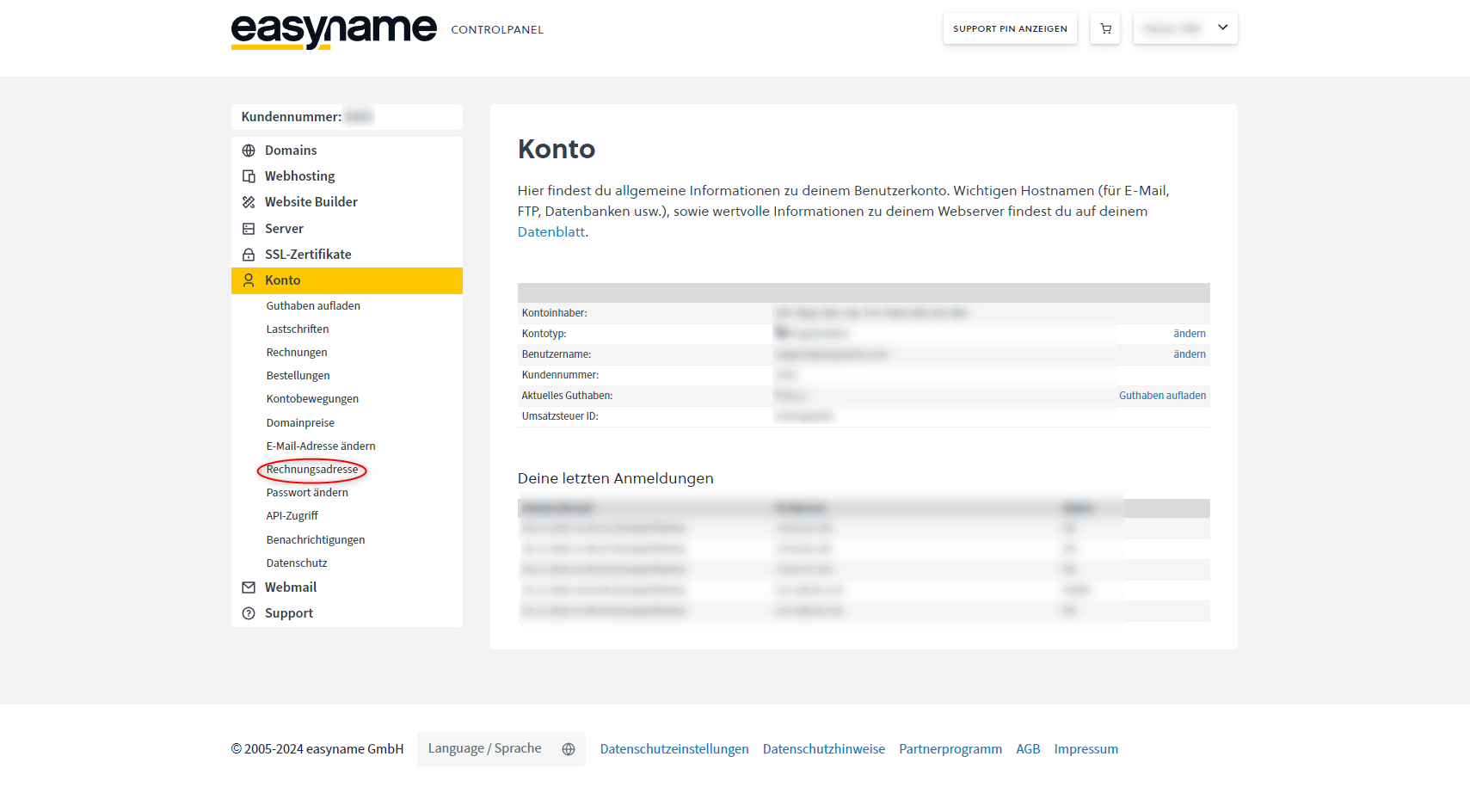
You can also enter an alternative email address for invoice delivery here.