How can I order web hosting?
Would you like to order web hosting from us to launch your website or mail service? This article explains how you can do this both as a new customer and as an existing customer. During the ordering process, you have the option to register the web hosting without a domain or with new domains.
1. Order web hosting as a new customer
Navigate to our homepage and go to the menu item [Websites & Web Hosting] and then click [Order] below the desired hosting package.
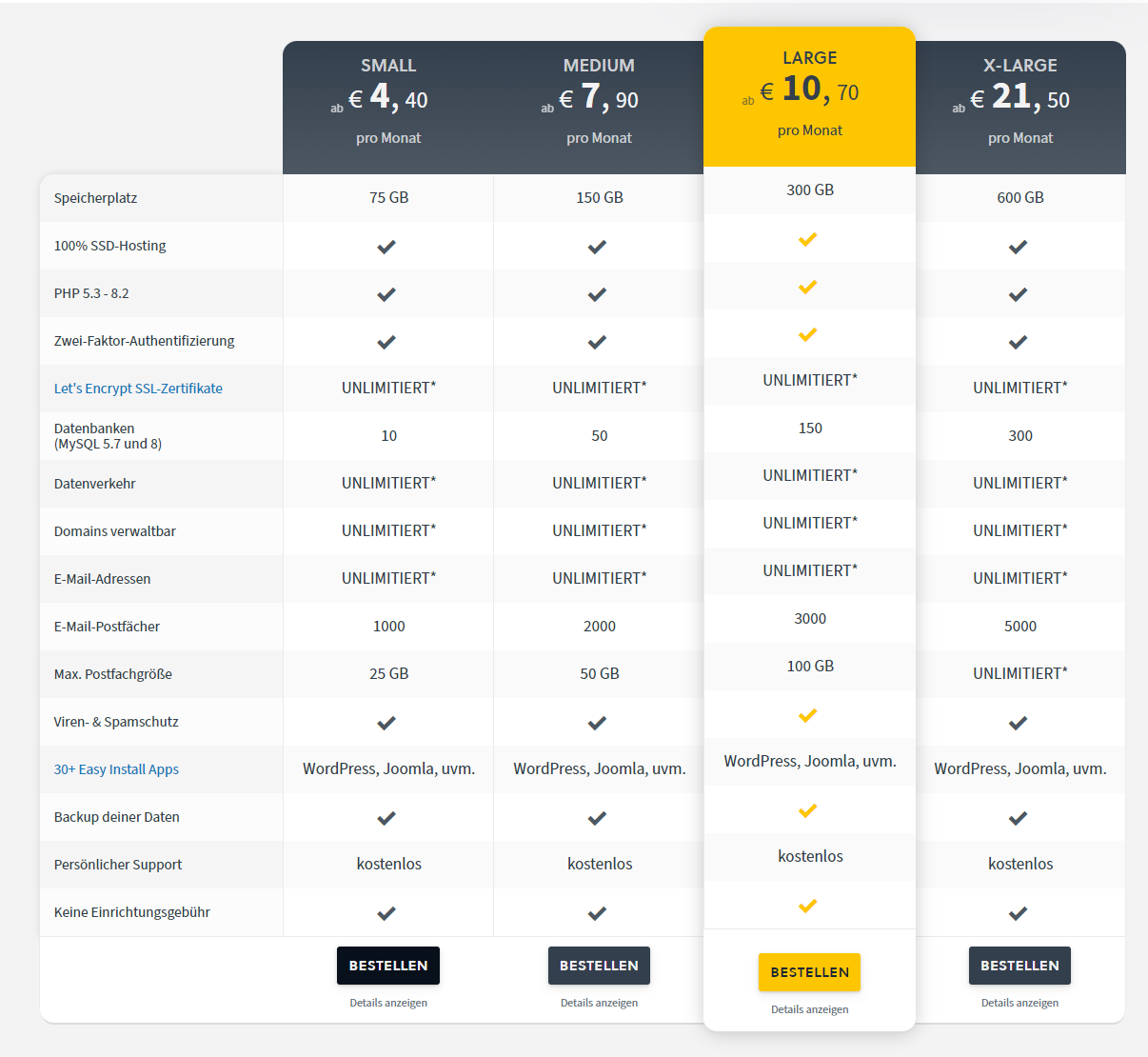
After completing the registration process, you can then directly order the web hosting. Once your account and web hosting have been activated, you can view them directly in your CloudPit account.
2. Order web hosting as an existing customer
If you are already an easyname customer, you can also start the ordering process via the homepage and log in to your account there.
Please note that with an account in the legacy Control Panel, you can only manage one web hosting package at a time. If you want to manage multiple web hosting packages within one account, you would need to switch to a CloudPit account. How to do this is explained in the following article: --> How can I switch from a legacy Control Panel account to CloudPit?
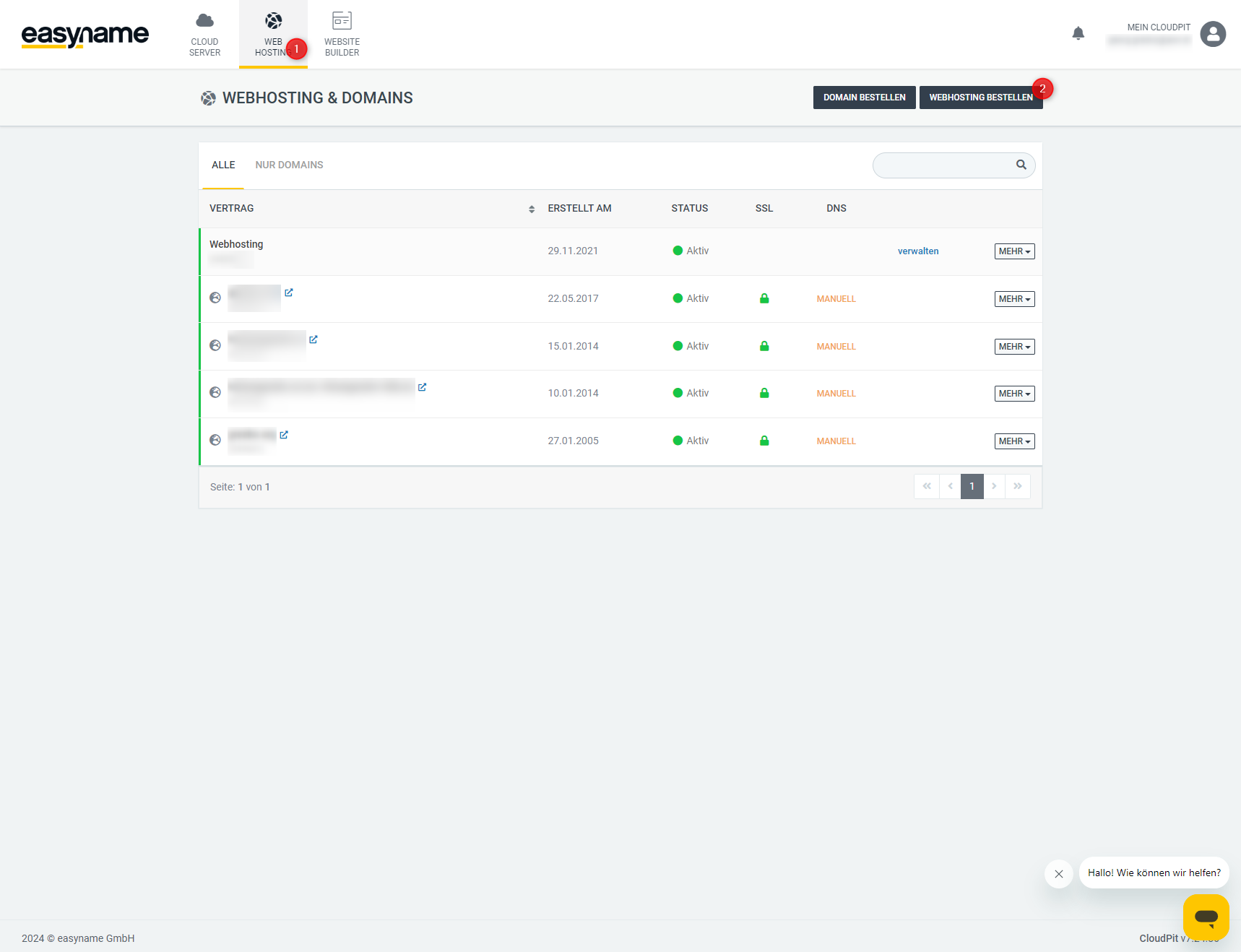 However, you can also order a new web hosting package from within your account at any time. To do this, log in to your CloudPit account and go to the [Web Hosting] menu (1). There, click the [Order Web Hosting] button (2) to start the ordering process.
If the ordering process was successful, you will receive an order confirmation with an order number.