In this section
How can I order a VPS?
You can order a VPS depending on the system either via the CloudPit order page or in the Control Panel. After ordering, the VPS will be reviewed and then provisioned.
Note: This article differs depending on the system (CloudPit or Controlpanel). Please use the appropriate section.
Table of Contents
Order VPS for CloudPit
Open the order page: buy.easyname.com/cloudserver
Select the desired VPS and complete the order.
Log in with your existing customer account during the ordering process so that the VPS is assigned to your account.
Note: If you need Plesk for your VPS, please contact billing@easyname.com. Plesk can be added manually through our contract service.
The order will then be reviewed. After successful review, the VPS will be provisioned.
Order VPS in the Control Panel
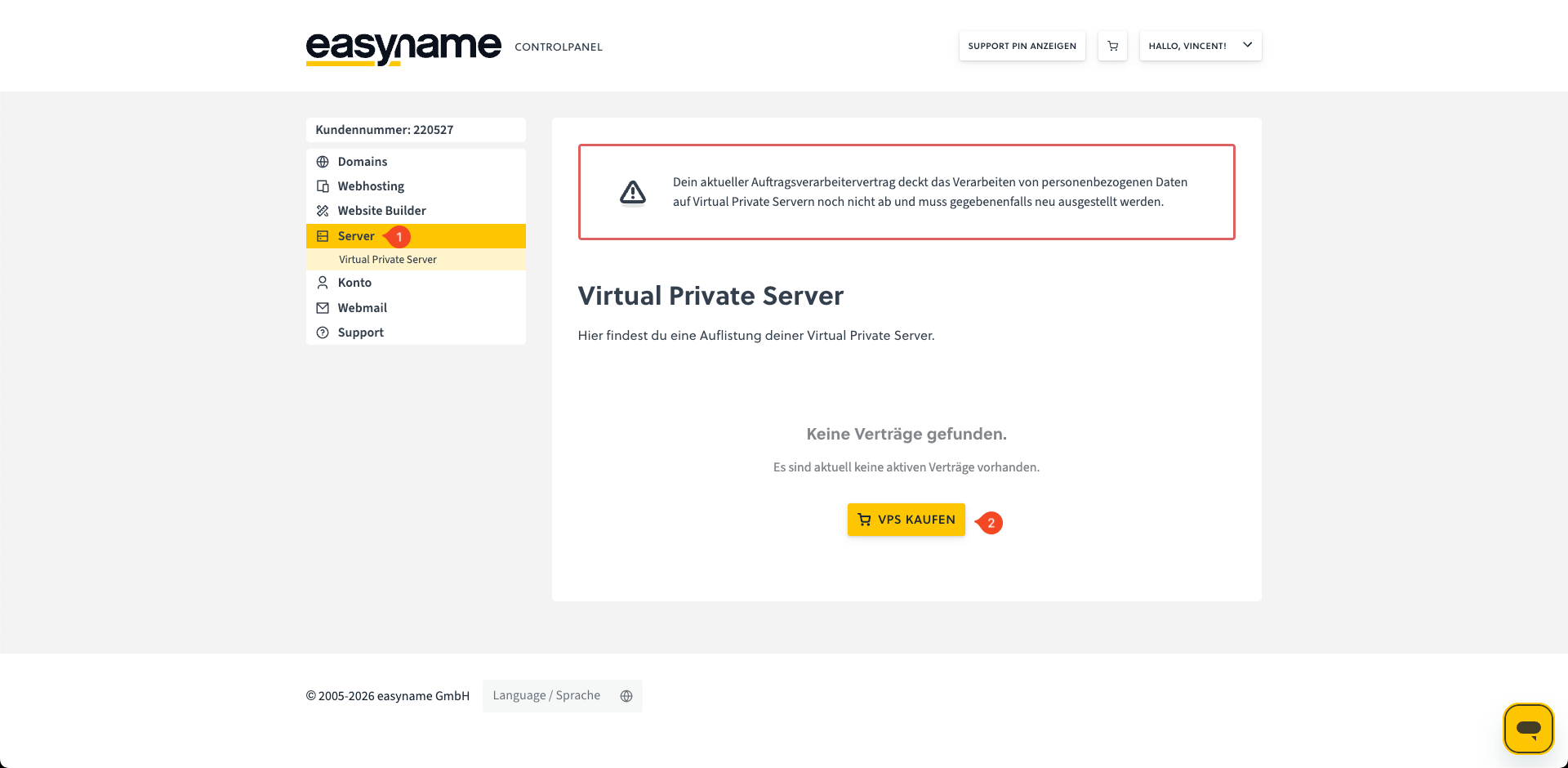
Log in to the Control Panel and open the Servers section (1).
Click on Buy VPS (2).
Select the desired VPS and complete the order.
The order will then be reviewed. After successful review, the VPS will be provisioned.