How do I configure my FTP program?
FTP (File Transfer Protocol) is used to transfer files between your local device and your web hosting.
For this, you need an FTP program (client). We recommend using FileZilla.
Table of Contents
FTP access in CloudPit
You can view your FTP accesses, retrieve connection data, and change passwords in CloudPit.
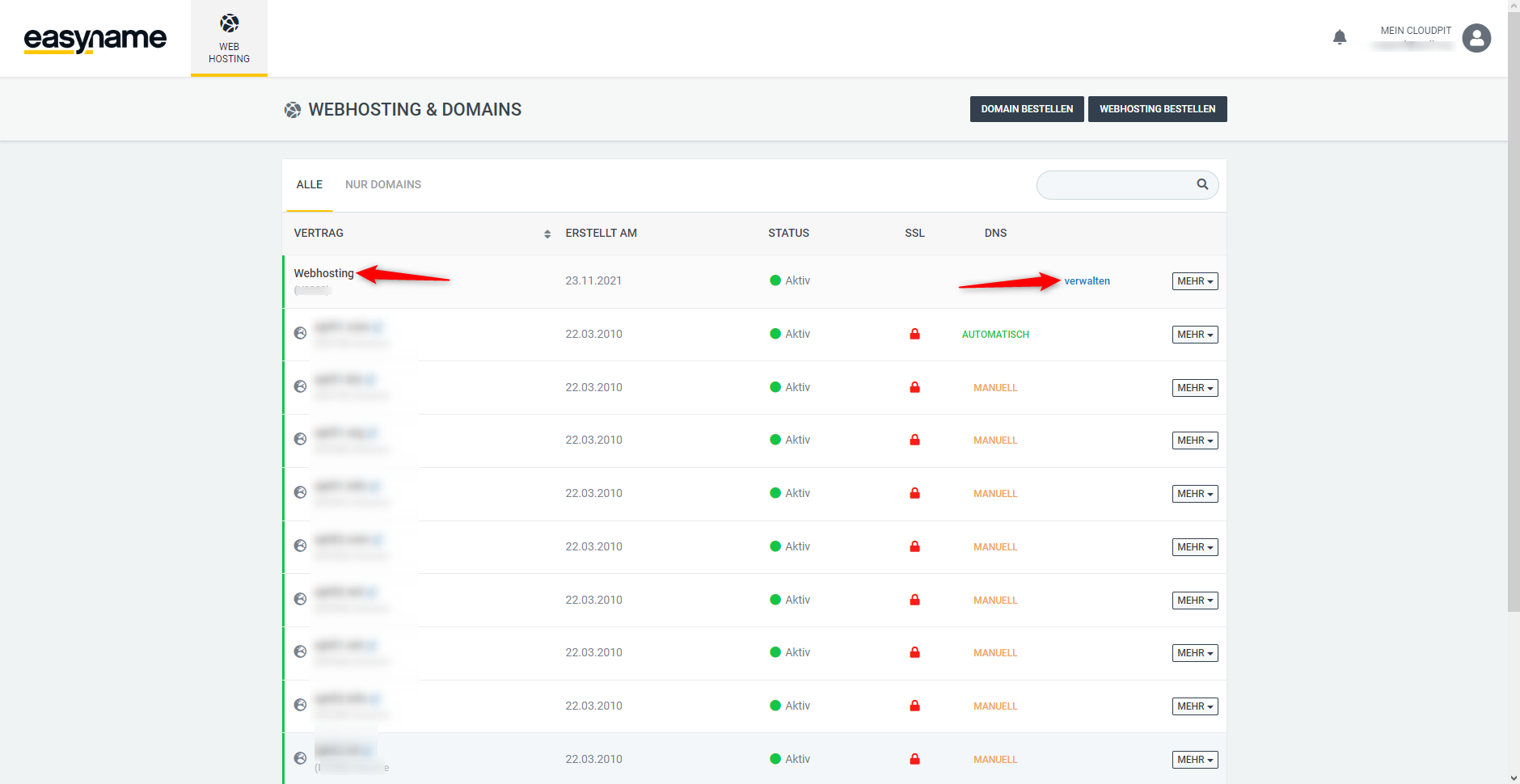
Log in to your customer account and open the [Webhosting] section in CloudPit.
Select the desired hosting and click on [Manage] on the right.
Then you will find the tab [FTP] (1) → [FTP Access] (2) on the left.
All existing FTP users are listed here.
To the right of the desired user, you will find the [ACTIONS] (3) section:
-
Show connection data
Displays the server (hostname) and username -
Change access
Allows setting a new password for the FTP user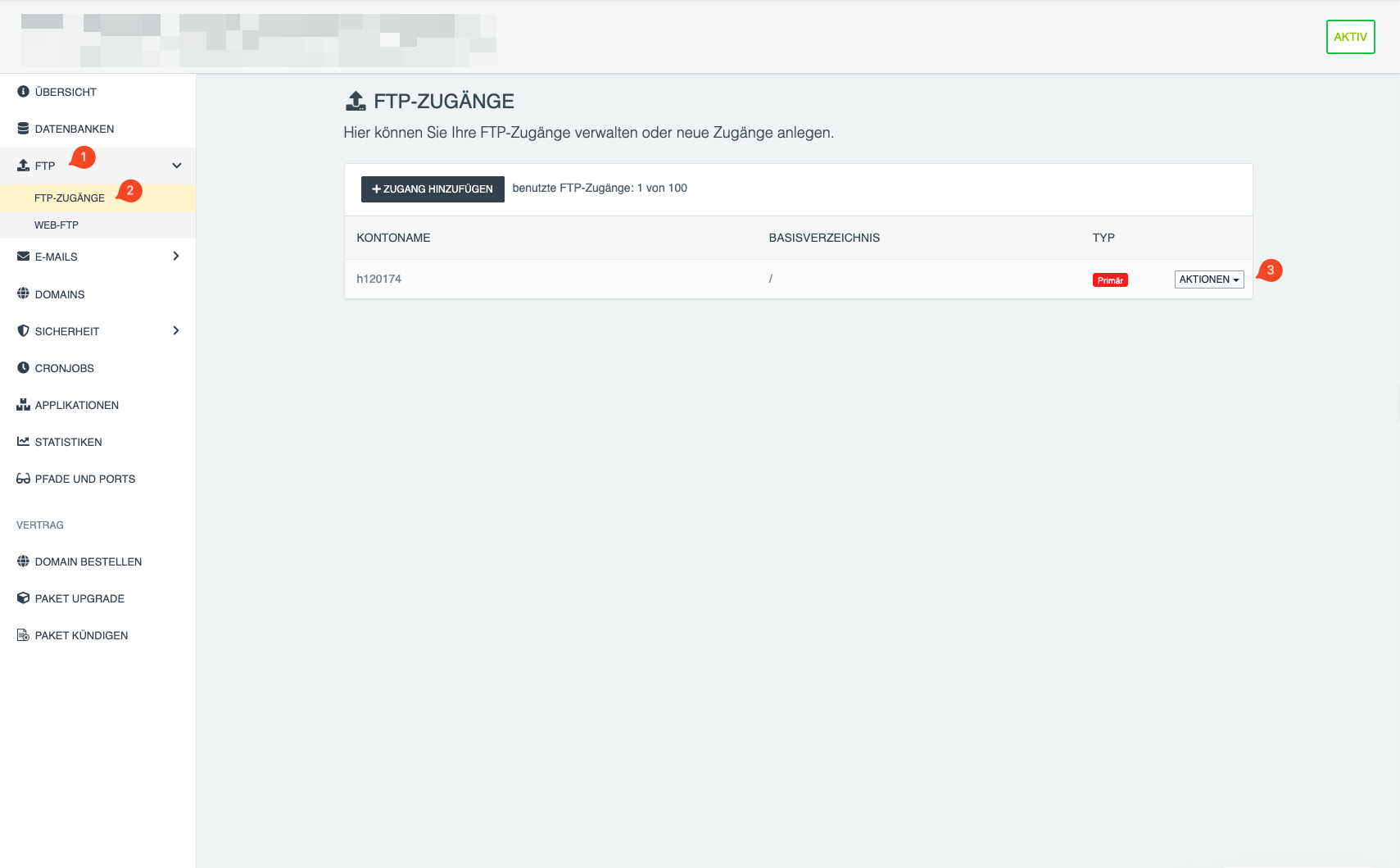
Establishing connection in the FTP program
Example with FileZilla:
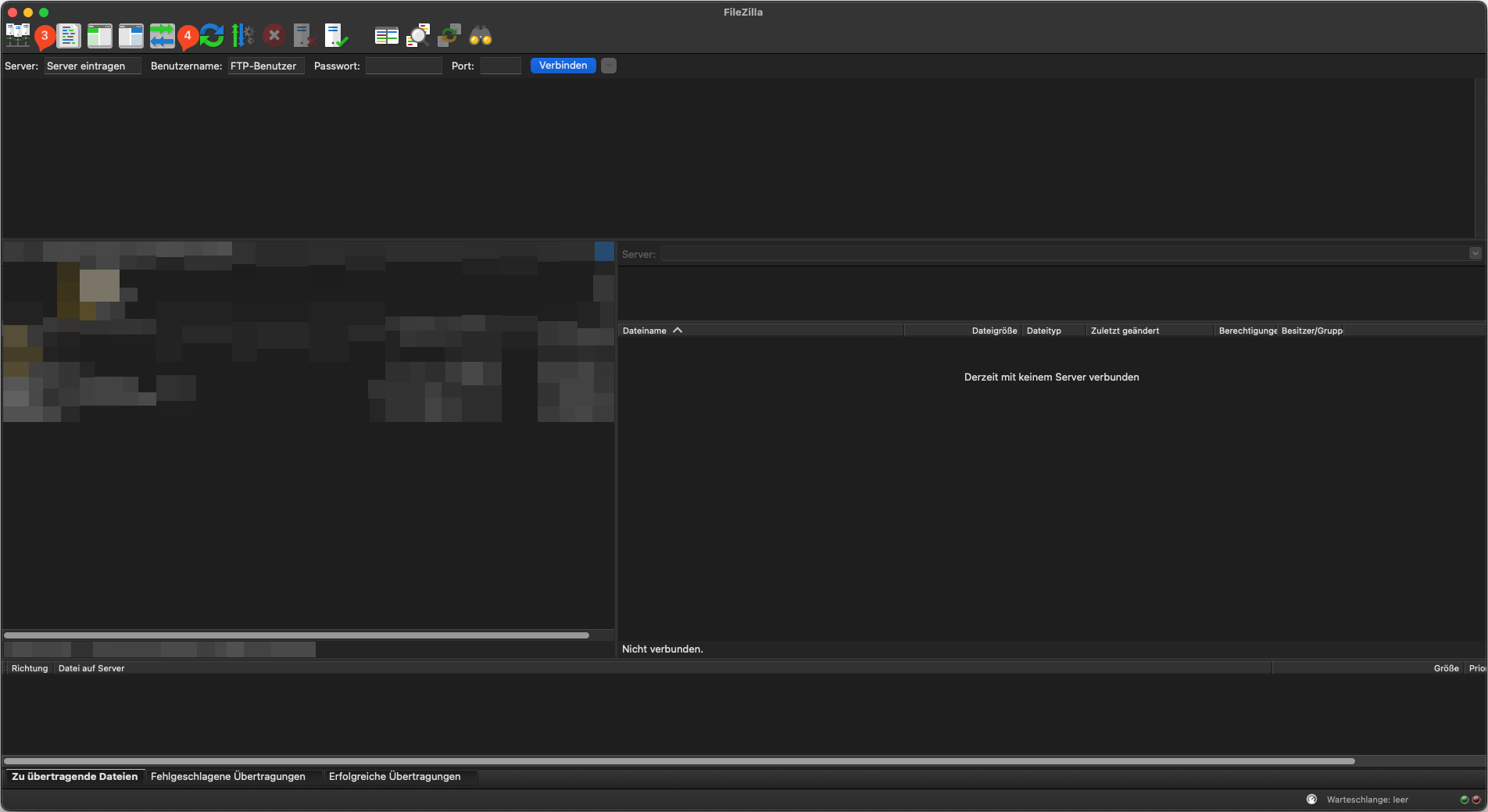
- Open FileZilla
- Enter in the Quickconnect:
- Server (3): Hostname from the connection data
- Username (4): FTP user
- Password: Your set password
-
Port:
21
- Click on Connect
Common sources of errors
- Wrong hostname used
- Password incorrect or not saved
- Local firewall blocking connection
Result
After successful connection:
- Right side: Server files
- Left side: Local files
- Upload possible via drag & drop
FTP access in the Controlpanel
Hostname
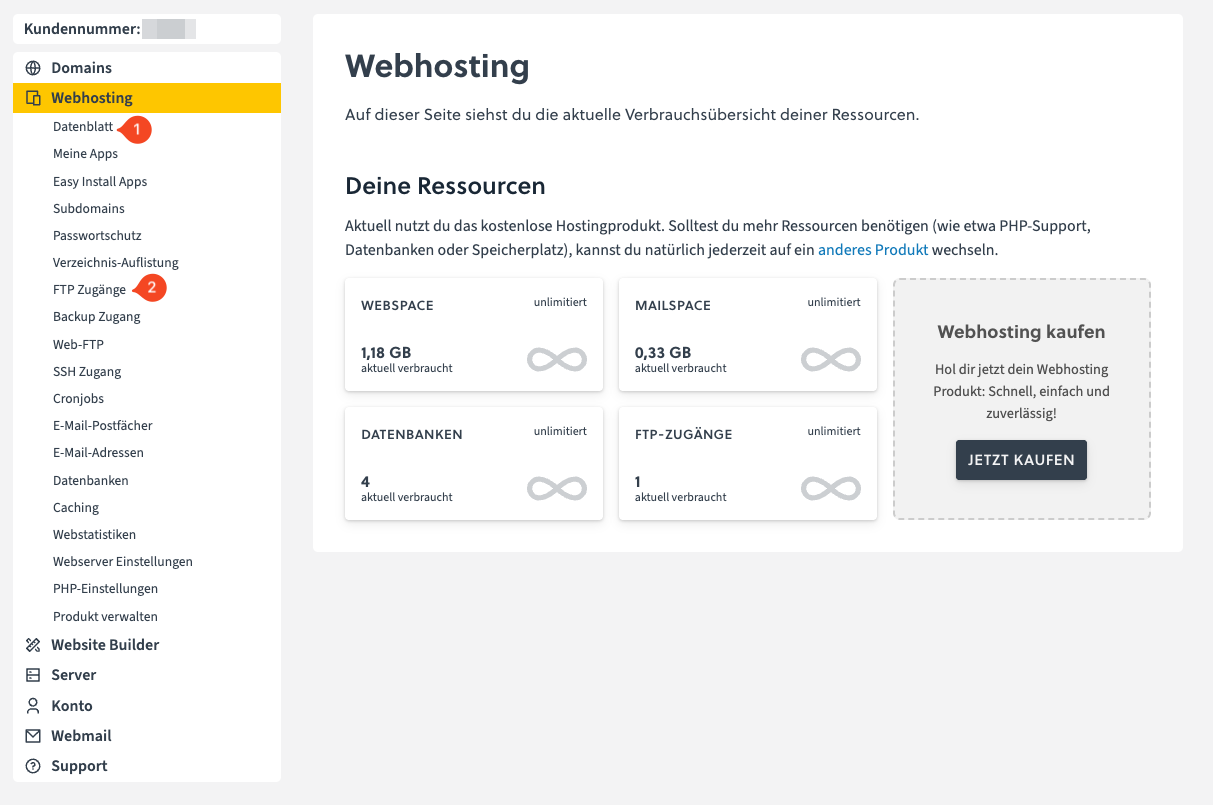
You can find the hostname in the easyname Controlpanel under
[Webhosting] → [Datasheet] (1) in the line “FTP Host”
FTP User
You can find this under
[Webhosting] → [FTP Access] (2)
FTP Password
The password you set for this user.
If you have forgotten it or have never set one:
- Navigate to [Webhosting] → [FTP Access] (2)
- Click to the right of your access on [Edit FTP Access] (pencil icon)
- Select [SET NEW PASSWORD]
Establishing connection in the FTP program
Example with FileZilla:
- Open FileZilla
- Enter in the Quickconnect:
- Server (3): Hostname from the datasheet
- Username (4): FTP user
- Password: Your set password
-
Port:
21
- Click on Connect
Common sources of errors
- Wrong hostname used
- Password incorrect or not saved
- Local firewall blocking connection
Result
After successful connection:
- Right side: Server files
- Left side: Local files
- Upload possible via drag & drop