Why can't I log in with the FTP user?
If you cannot connect via FTP, this is usually due to incorrect login credentials, faulty configuration, or too many simultaneous connections.
Table of Contents
Fix FTP issues in CloudPit
Check login credentials
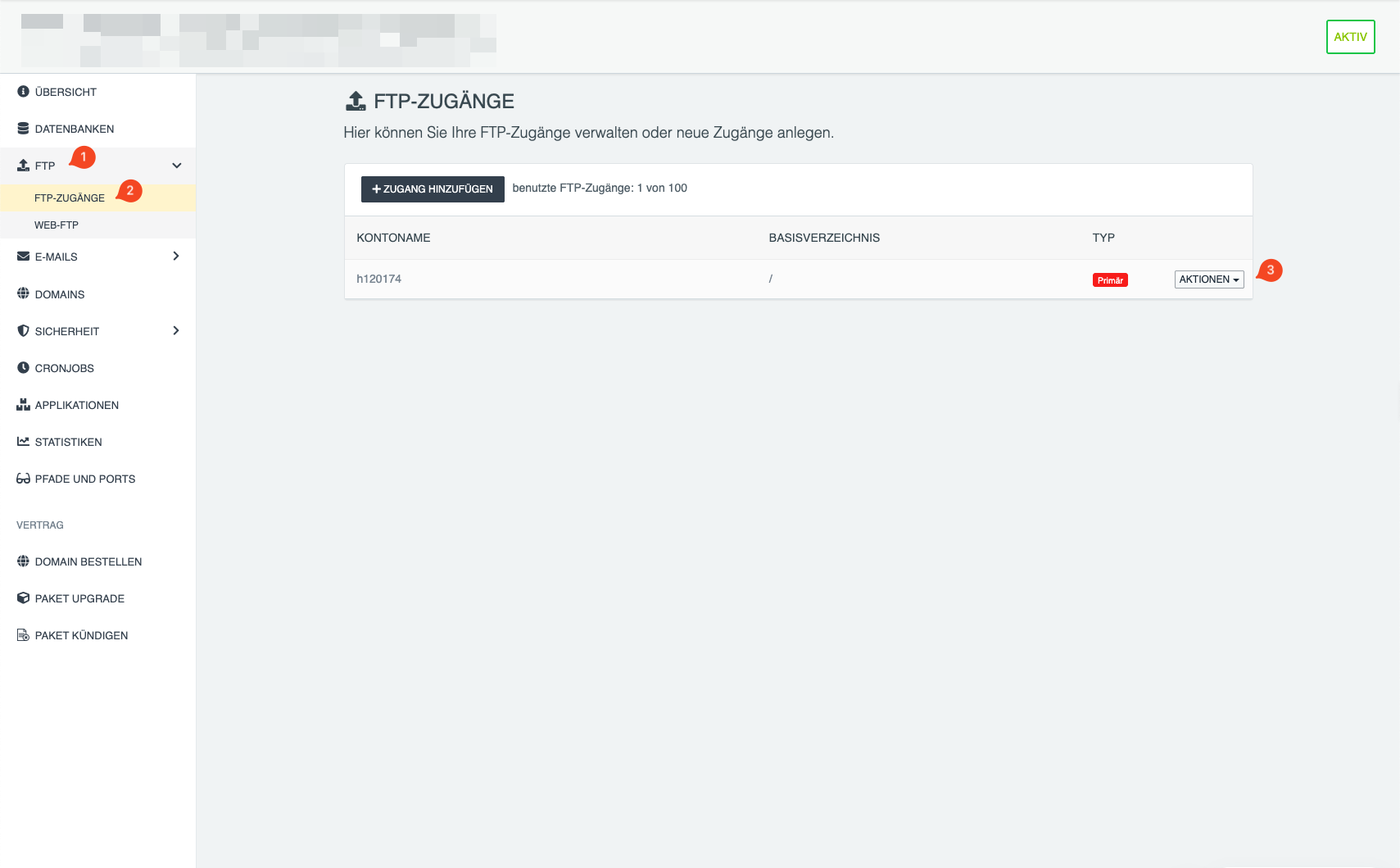
Open Webhosting and click Manage on the desired hosting.
Navigate to FTP → FTP Access.
Check the hostname and username via Actions → Show connection data.
Reset password
Select Actions → Change access for the FTP user and assign a new password.
Check connection limit
A maximum of 5 simultaneous connections are allowed per FTP access.
Reduce the number of connections in your FTP program or restart it.
Fix FTP issues in Controlpanel
Check login credentials
Open Webhosting → Data sheet.
Pay special attention to the FTP Host, username, and port.
Reset password
Open Webhosting → FTP Access.
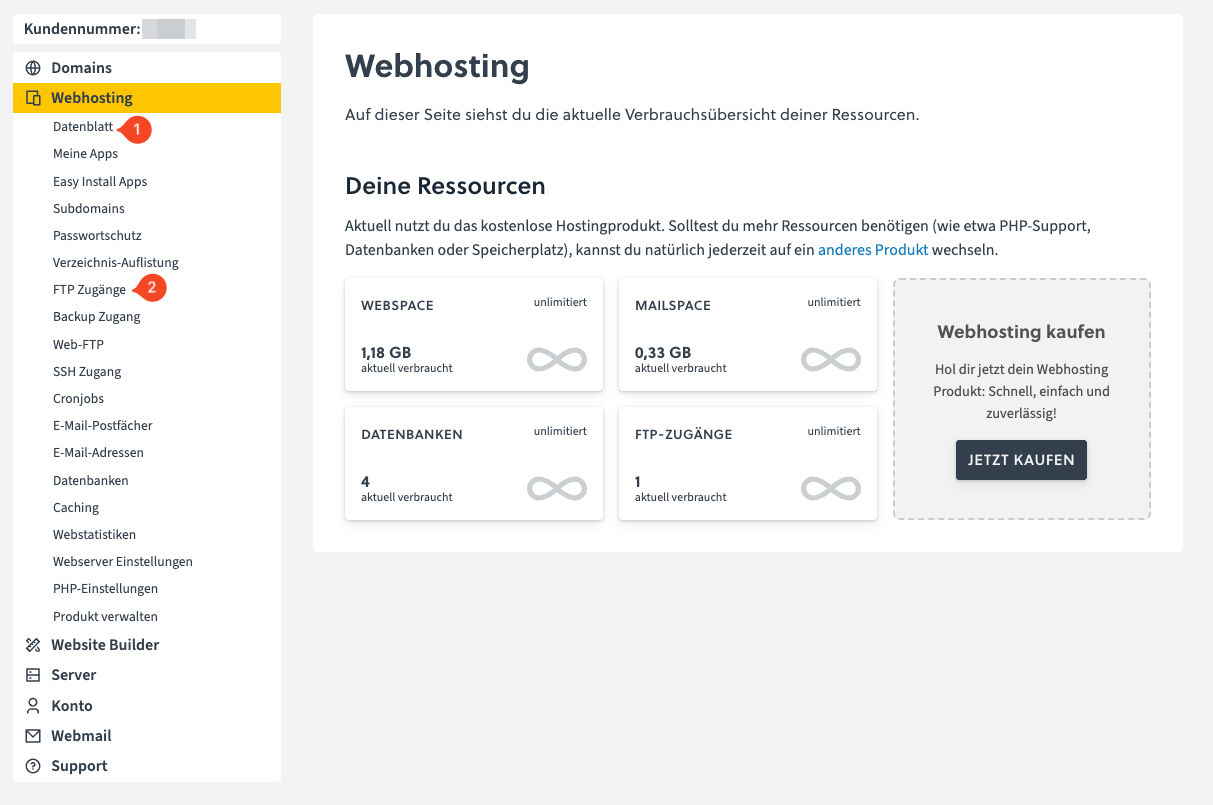
Click the pencil icon next to the desired user and then on New password.
Check path
Make sure that the configured path exists.
Note:
- The directory /html is not the root directory
- An example path is /html/directory/
- For the first FTP user (e.g., ftp1), the path is fixed to /
Check connection limit
A maximum of 5 simultaneous connections are allowed per FTP access.
Reduce the number of connections in your FTP program or close open connections.
Problem persists
If no connection is possible, contact support: