Controlpanel - New Email Storage
As part of web hosting, email storage is managed per mailbox. This means that each individual email mailbox is assigned its own, clearly defined storage size. This storage size is fixed and independent of other mailboxes. The email storage therefore no longer functions as a shared total storage for all mailboxes.
The webspace of your hosting package is not affected by this. It remains exclusively available for storing the files of your website or websites and is not mixed with the email storage.
How does the email storage work?
Each web hosting package by default includes the Email Basic package. This package allows you to create an unlimited number of email mailboxes and to flexibly create new mailboxes.
Each of these mailboxes has a storage space of up to 3 GB. This storage size is set per mailbox and cannot be split across multiple mailboxes or shared between them. Each mailbox is therefore considered individually and does not depend on a shared email storage pool.
This clear separation provides better clarity and easier management of your email mailbox storage resources.
Email storage for higher demand
If the storage requirement of a single email mailbox exceeds the 3 GB limit, additional email storage options are available.
Email Plus
The Email Plus package expands the storage space of a single mailbox to up to 10 GB.
This add-on is particularly suitable if only individual mailboxes have increased storage needs.
A maximum of three mailboxes per contract can be equipped with Email Plus.
Email Ultimate
As soon as more than three mailboxes require additional storage, only Email Ultimate is possible.
In this case, Email Plus can no longer be used.
Email Ultimate expands the storage space for all mailboxes within a contract to up to 100 GB per mailbox and applies uniformly to all email mailboxes.
In summary:
Up to 3 mailboxes with increased storage → Email Plus is possible
From the 4th mailbox with increased storage → only Email Ultimate
Overview in the Control Panel
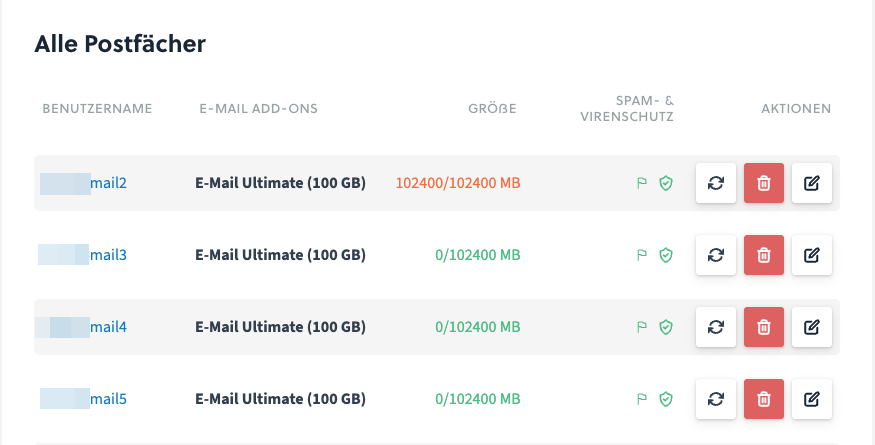
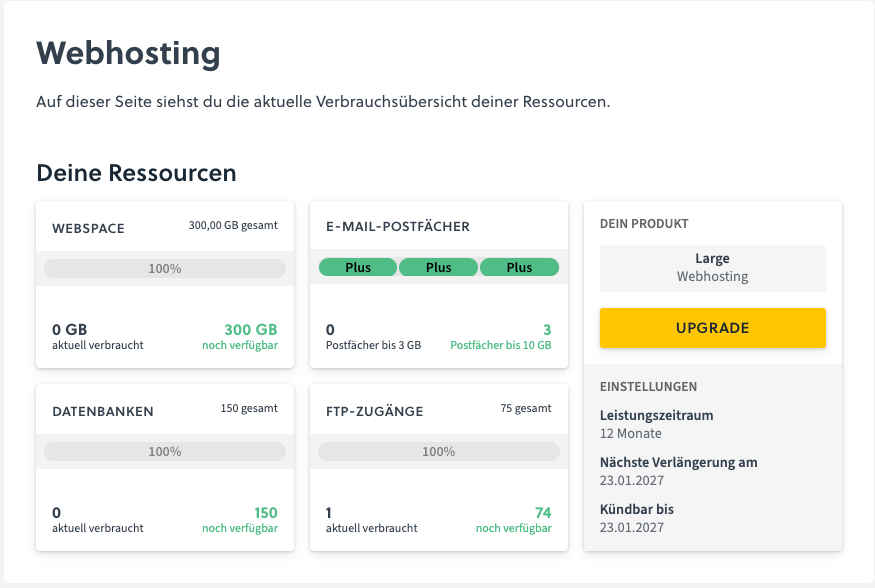
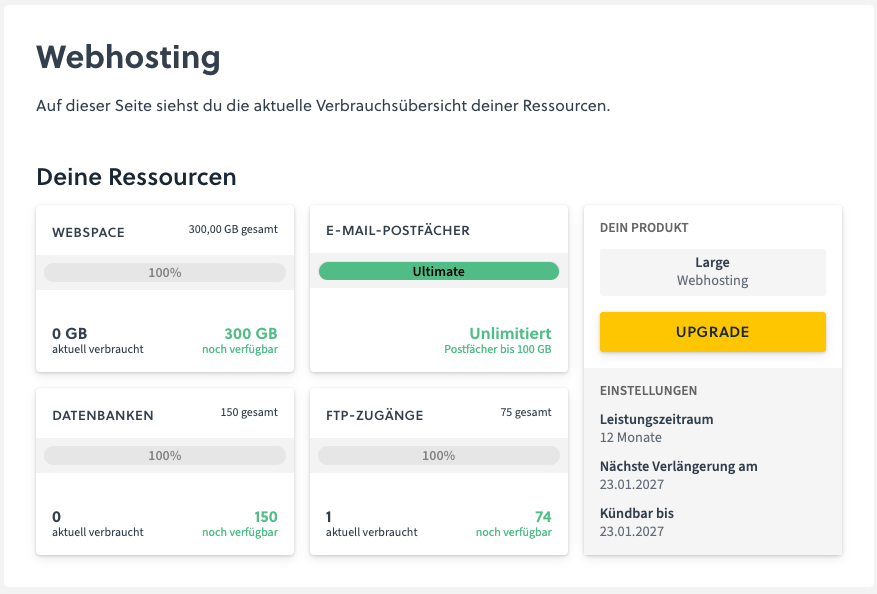
The current storage usage and the assignment of email storage options are clearly displayed in the easyname Control Panel. There you will get a clear overview of your email mailboxes and their storage status.
In the Control Panel you can see, among other things:
which email mailboxes are active,
which email add-on (Basic, Plus, or Ultimate) is being used,
as well as the clear separation between webspace and email storage.
Managing email storage options
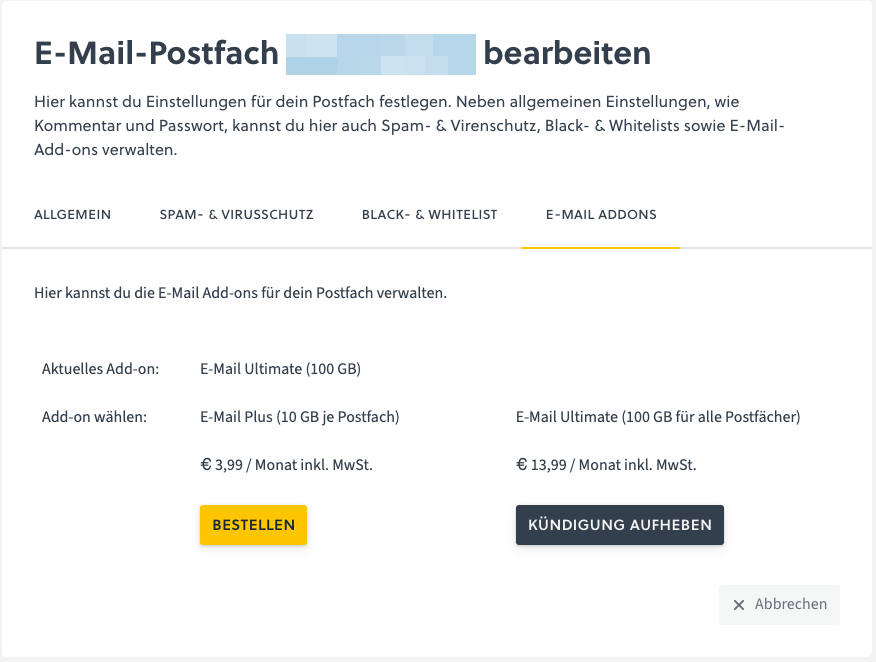
The management of email storage options is done directly per mailbox. You can individually determine which storage option is applied for each mailbox.
The following options are available to you:
Canceling an existing email add-on,
Selecting a different email add-on,
Setting a fixed storage limit per mailbox.
For example, an existing Email Ultimate can be canceled if it is no longer needed and the requirements for Email Plus are met. Likewise, you can switch to a higher add-on at any time if storage needs increase.
This flexible management allows you to adapt and clearly control your email storage at any time according to your actual needs.