What is an email mailbox and how can I manage it?
What is an email mailbox?
Your email mailbox stores and manages incoming emails. You retrieve your emails directly from your email mailbox. An email mailbox is always linked to an email address. In the easyname Control Panel, it is possible to connect multiple email addresses to one email mailbox. This means you can retrieve all emails sent to different email addresses with one email mailbox. For example, you can retrieve emails sent to office@mydomain.com, info@mydomain.com, and/or office@myseconddomain.com with one mailbox.
How can I manage an email mailbox?

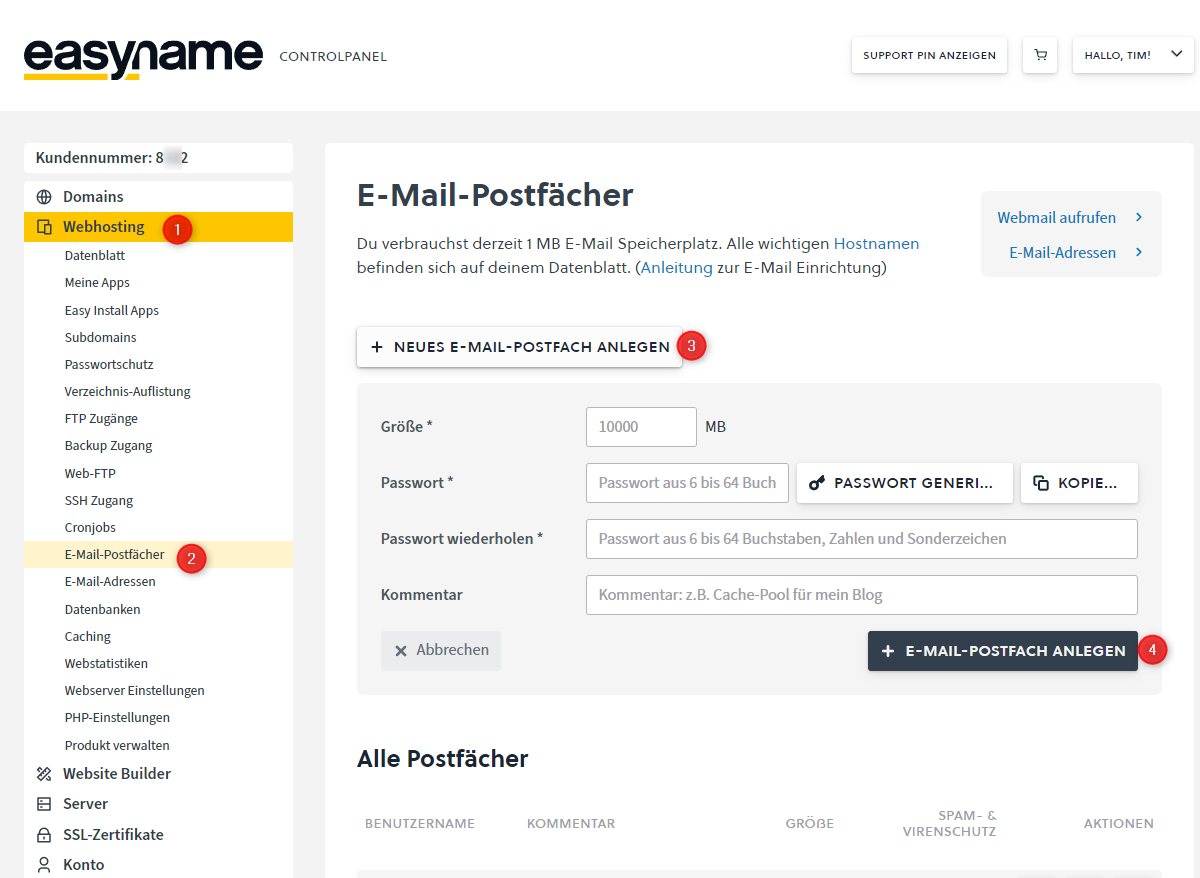
If you want to manage your email mailboxes, log in to your Control Panel. Click on [Webhosting] and then on [Email Mailboxes]. In this view, all your mailboxes are listed, and you can create, delete, and edit email mailboxes here.
Don't forget to link an email address to the mailbox after creating it so that emails can be received at all!
How can I set or change the password?
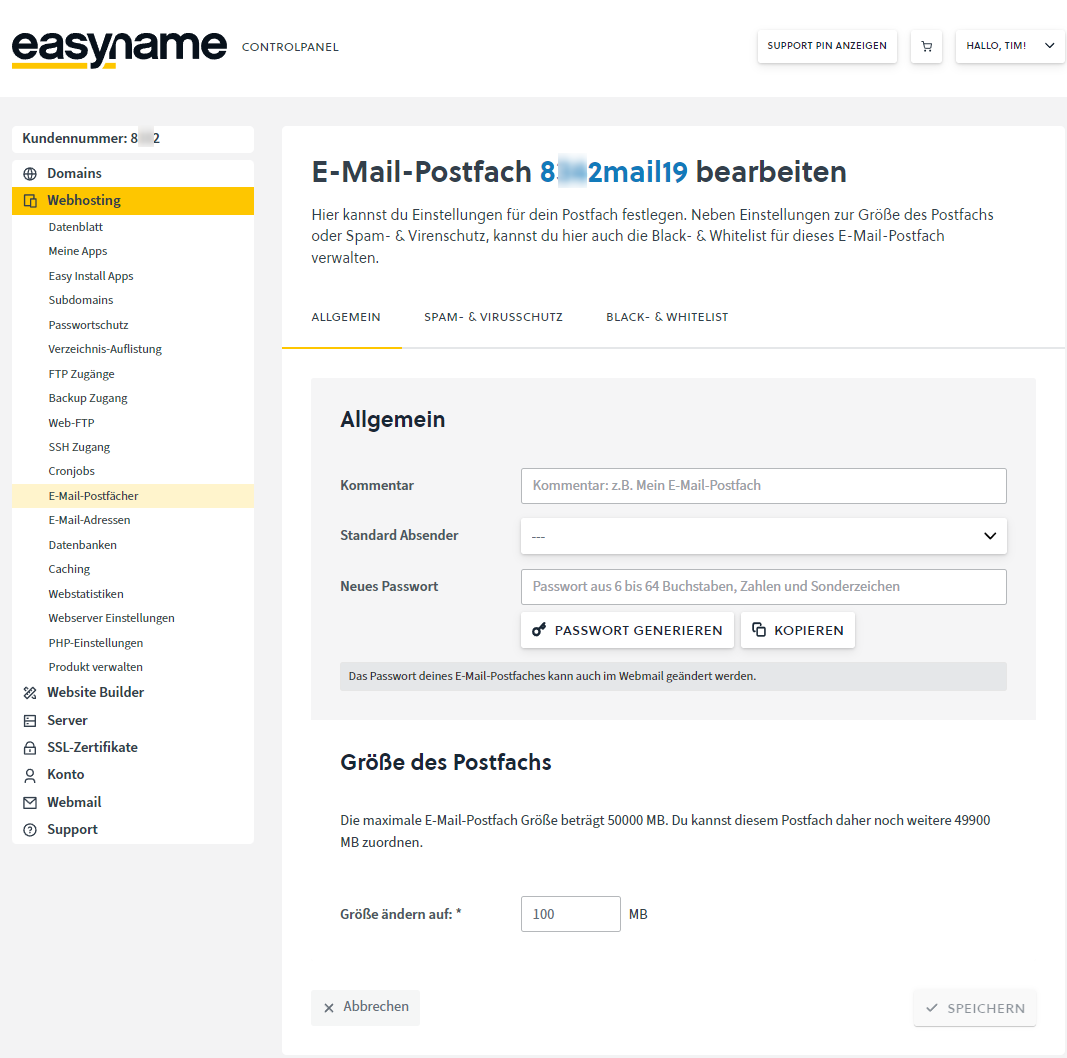
To set or change the password, click on [Edit] (pencil icon) next to the desired mailbox.

Here you have the option to reset the password of a mailbox, edit the mailbox size, and—if a hosting product is available—activate antivirus and spam protection for your mailboxes.


You can also change the email mailbox password in Webmail under [Settings] → [Password]
