I forgot to renew my domain, how can I get it back?
If a domain is not renewed after its expiration date, the further process depends on the respective domain extension. .at domains, .de domains, ICANN domains, and other domain extensions are handled differently after expiration.
Table of Contents
- .at Domains
- .de Domains
- ICANN Domains (.com, .org, .net, etc.)
- Other Domain Extensions (.sk, .eu, .uk, etc.)
.at Domains
For .at domains, on the key date of the domain according to NIC.at guidelines, a BillWithdraw is initiated. This means that the domain is handed over to NIC.at.
easyname is not allowed to cancel or let .at domains expire without the consent of the domain owner. After the BillWithdraw, the domain is no longer with easyname. You may then receive an invoice from NIC.at for the following annual fee.
If you want to use the domain again with easyname, you must transfer the domain back to easyname using an AuthCode.
Transfer .at Domain back to easyname
- Log in to the Control Panel.
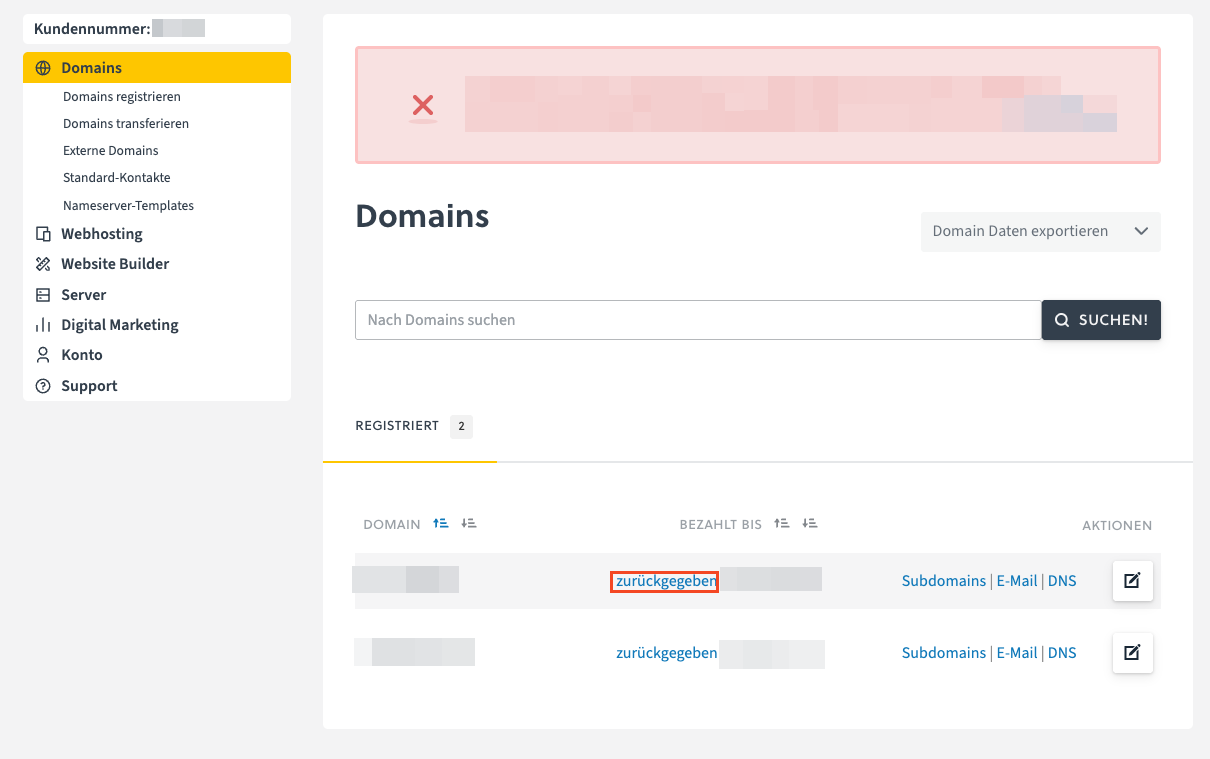
- Open the Domains menu item.
- In the domain overview, next to the expired .at domain, click the returned link.
- Click on Restore domain - transfer back to easyname.
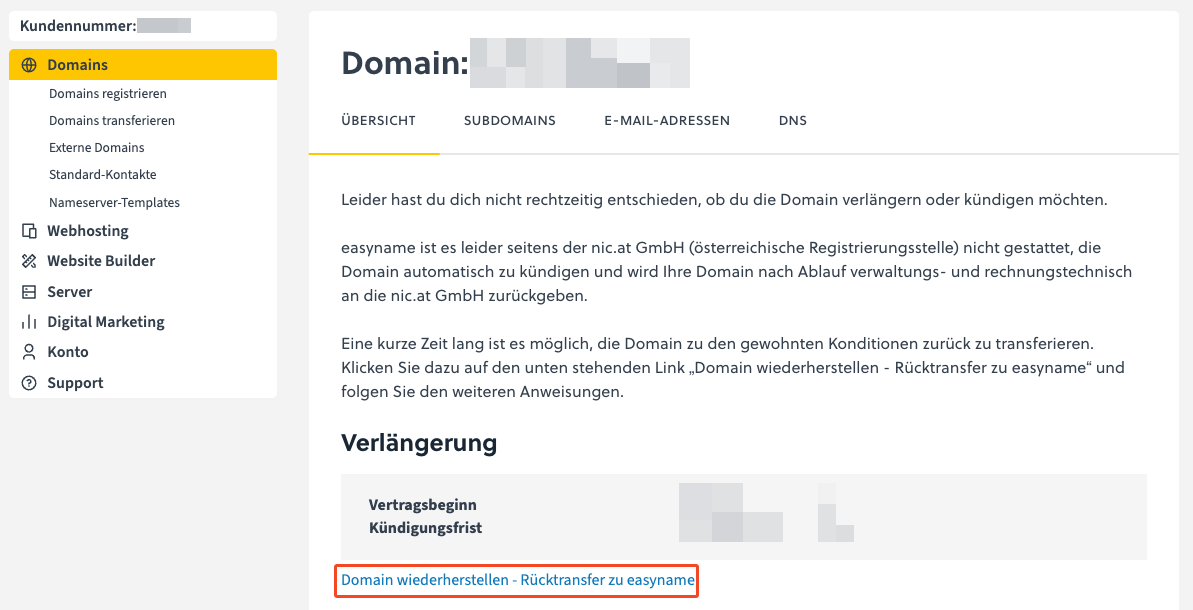
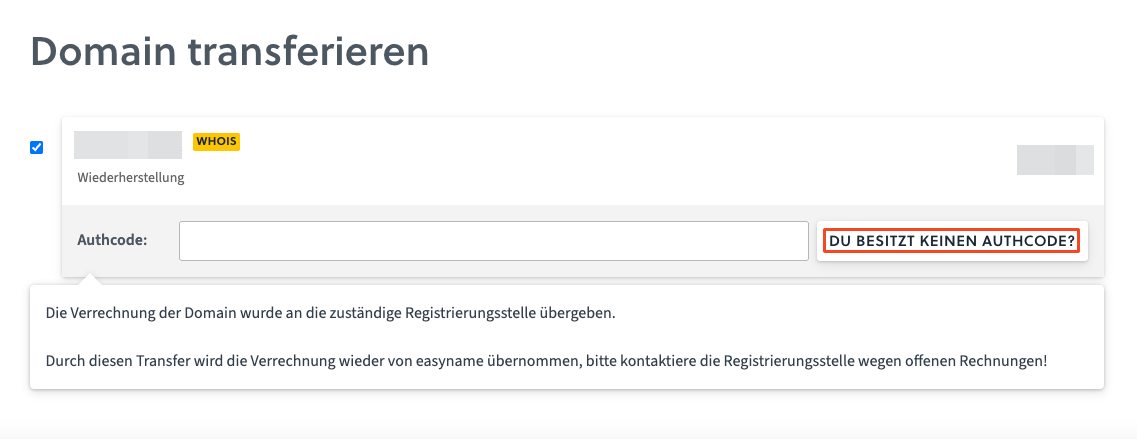
- You will be redirected to the page where the AuthCode must be entered.
- If you do not have the AuthCode yet, click on Don’t have an AuthCode?.
- Click on Request AuthCode.
Phone: +43 662 46 69 - 0
Email: service@nic.at
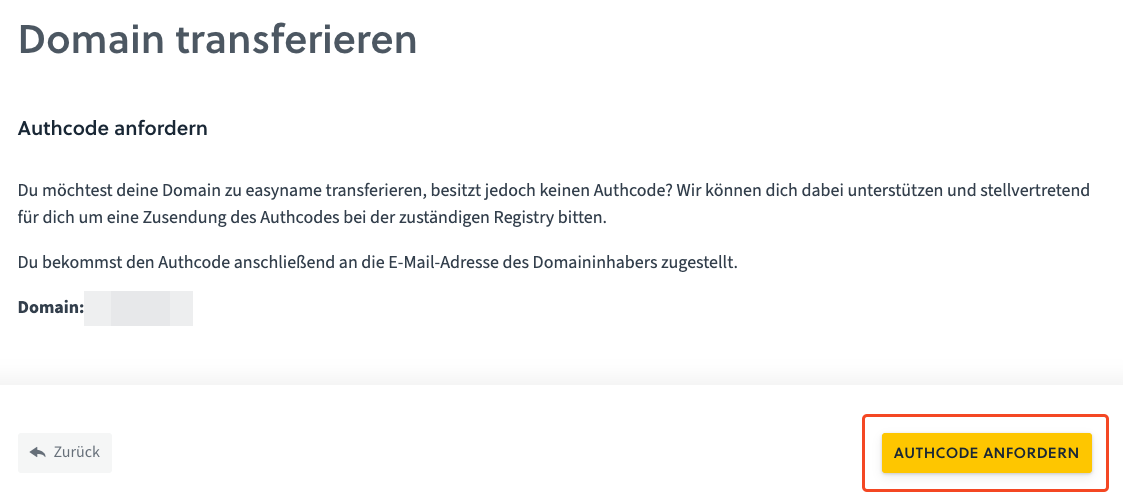
- As soon as you receive the AuthCode by email, enter it on the previous page.
- Click on Add to Cart to start the transfer process.
After the transfer is complete, the domain will be active again in your easyname account.
.de Domains
The expiration of .de domains is regulated by DENIC. If you need the AuthCode for your .de domain, please contact DENIC directly.
ICANN Domains (.com, .org, .net, etc.)
For ICANN domains, after expiration, a pending_delete phase is initiated. During this phase, the domain cannot be registered or transferred, although it technically still exists.
The domain is deleted after an indefinite period, often after about 1 to 3 months, and can then be registered anew.
If the deletion was not too long ago, the domain can often be restored for a recovery fee.
Restore ICANN Domain
- Log in to the Control Panel.
- Open the Domains menu item.
- Open the Deleted tab.
- Click on Restore to the right of the domain, if this option is displayed.
If the Restore option is no longer displayed, a manual and paid restoration via the responsible registry may still be possible. In some cases, restoration is no longer possible.
In this case, please contact support@easyname.com.
Other Domain Extensions (.sk, .eu, .uk, etc.)
For other domain extensions, after expiration, often only a manual and paid restoration via the responsible registry is possible.
Please contact support@easyname.com for this.