In this section
How do I create a new database?
You can create new databases in the management of your web hosting package. The steps vary depending on the system.
Note: The management of databases differs depending on the system (CloudPit or Controlpanel). Please use the appropriate section.
Table of Contents
Create a database in CloudPit
Log in to CloudPit and open the desired web hosting package.
Open the Databases section (1).
Click on + ADD (2).
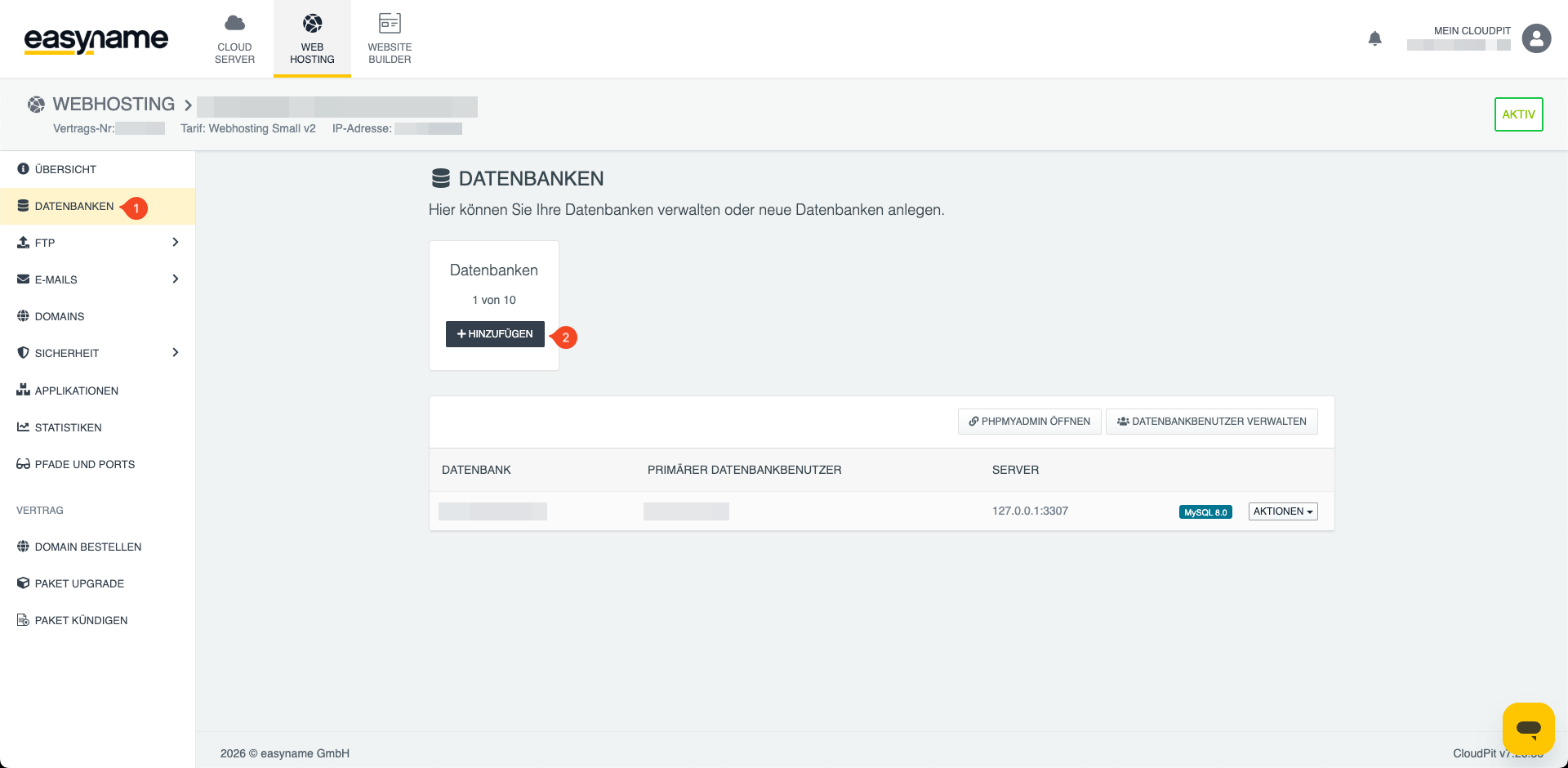
Enter the required information and set a password for the database.
Save the change. The new database will then be displayed in the database overview.
Create a database in Controlpanel
Log in to the Controlpanel and open Webhosting → Databases (1).
Click on + Add new database (2).
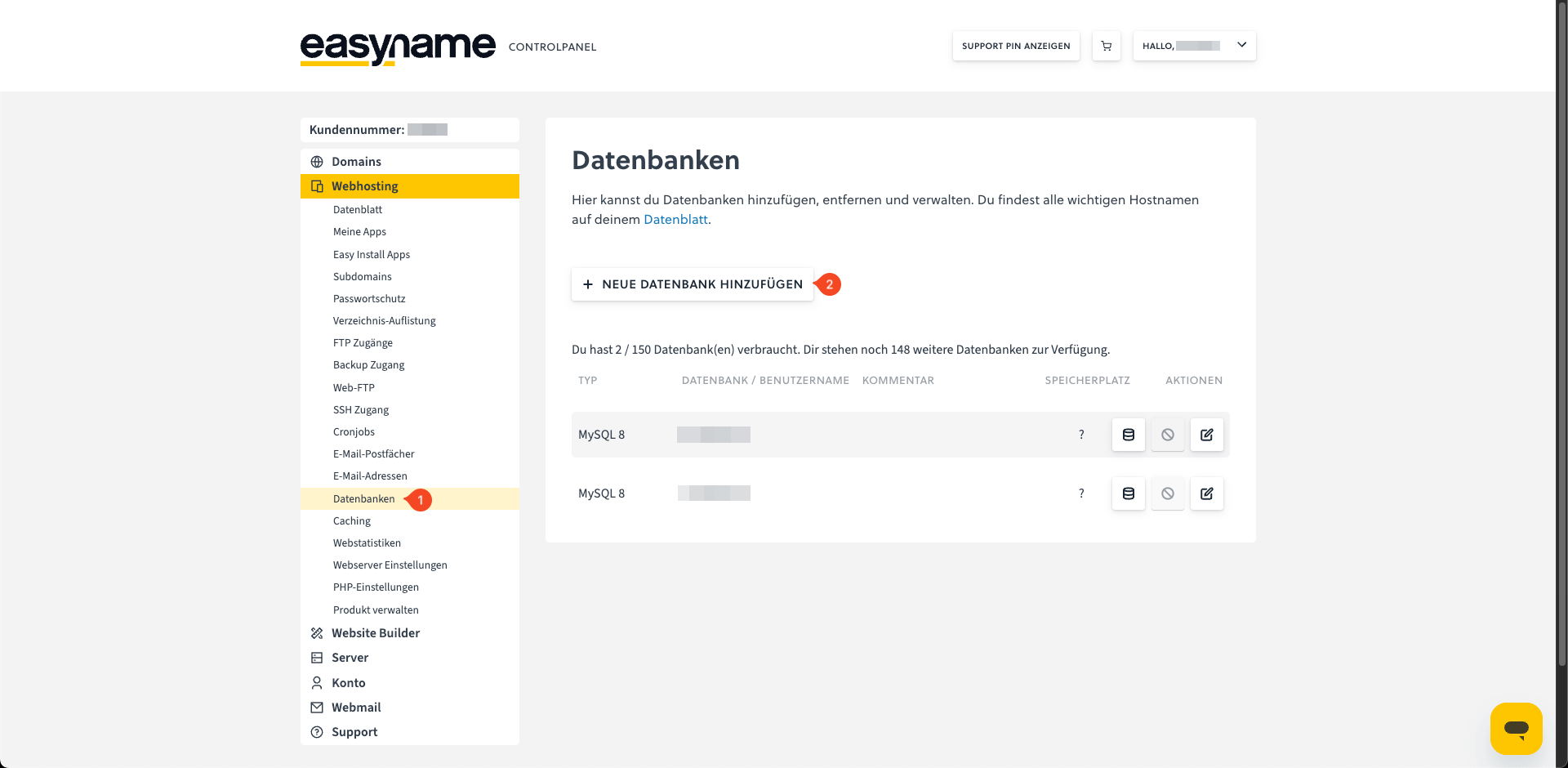
Set a password for the database.
Note: In the Controlpanel, the database name is also the username of the database.
Save the change. The new database will then be displayed in the database overview.
For more information about database access data, please see here: Where can I find my database access data?