How can I access my database from outside?
You can access your databases from outside. For this, you need the appropriate connection details and, depending on the system, authorization for external access.
Table of Contents
- Allow external database access in CloudPit
- Use connection data in CloudPit
- Use external database access in Controlpanel
Allow external database access in CloudPit
In CloudPit, external database access is disabled by default. You must enable access for the respective database user.
Log in to CloudPit and open the desired web hosting package.
Open the Databases section and click on Manage database users.
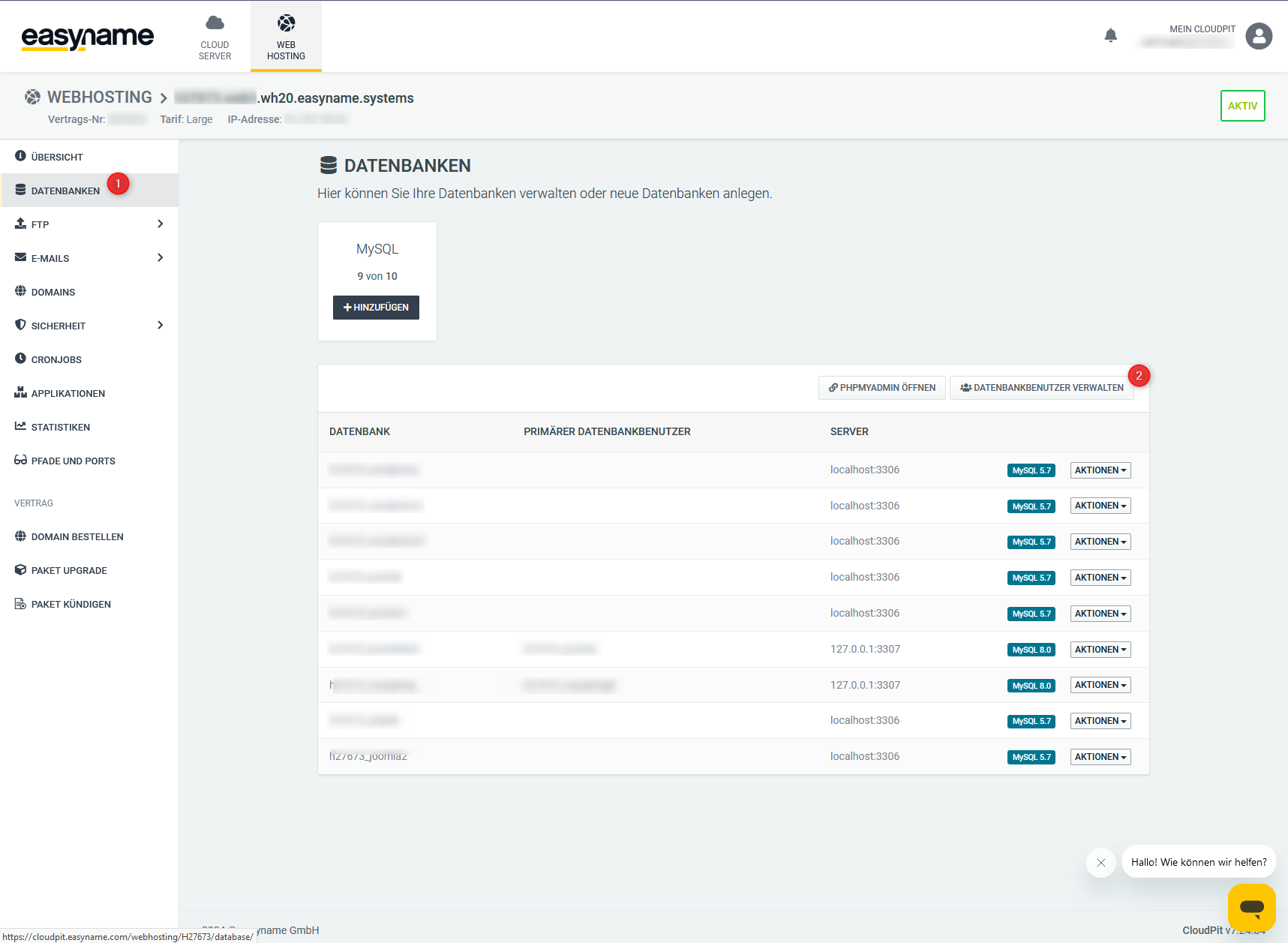
For the desired database user, click on Actions and then on Edit user.
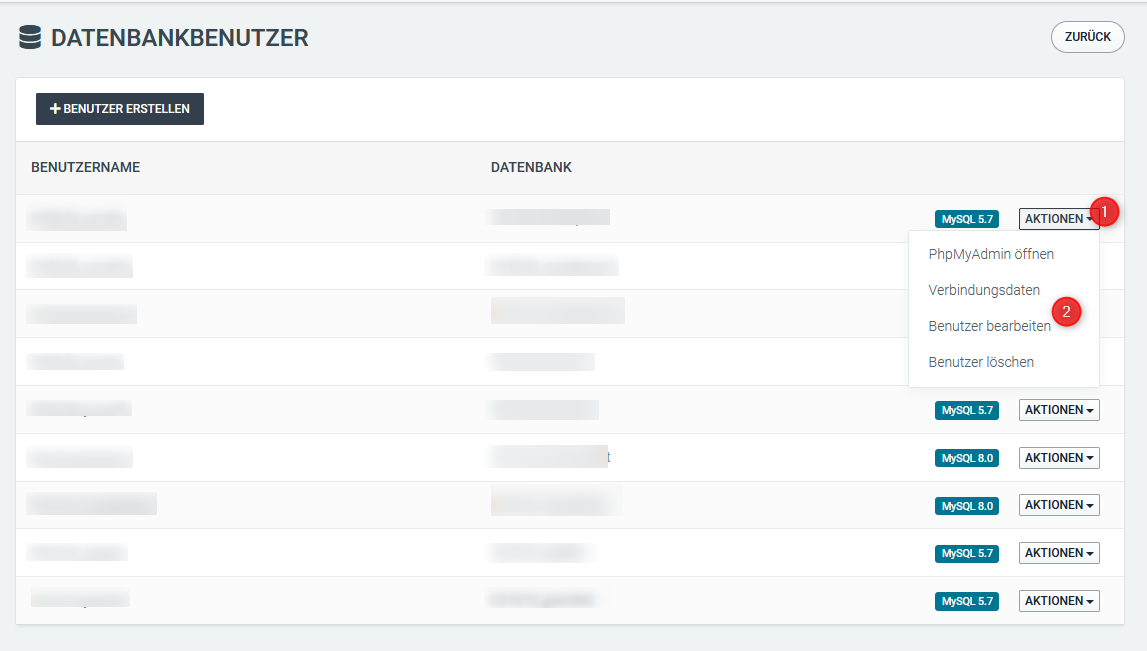
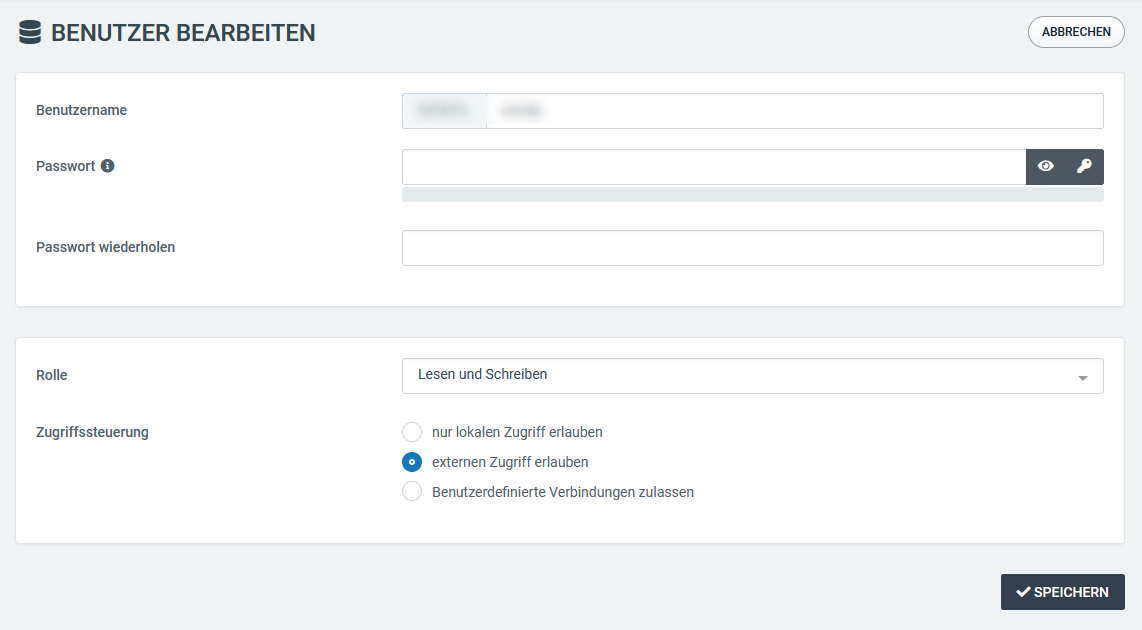
Enable external access in the edit mask.
You can either allow external access generally or Allow custom connections.
For custom connections, you can enter specific IP addresses. Multiple IP addresses are separated by commas.
Example:
127.0.0.1, 203.0.113.10
Enter the current password of the database user so that the change can be saved.
Save the change.
Use connection data in CloudPit
For external access, use the domain name, hostname, or IP address of the web server hosting your database as the server name.
Username and password correspond to the respective database user.
Use the appropriate port:
- MySQL 5.7: 3306
- MySQL 8: 3307
Use external database access in Controlpanel
In the Controlpanel, external access with the database user is enabled by default. You need the correct connection data for this.
Log in to the Controlpanel and open Webhosting → Data sheet.
There you will find the hostnames for external database connections.
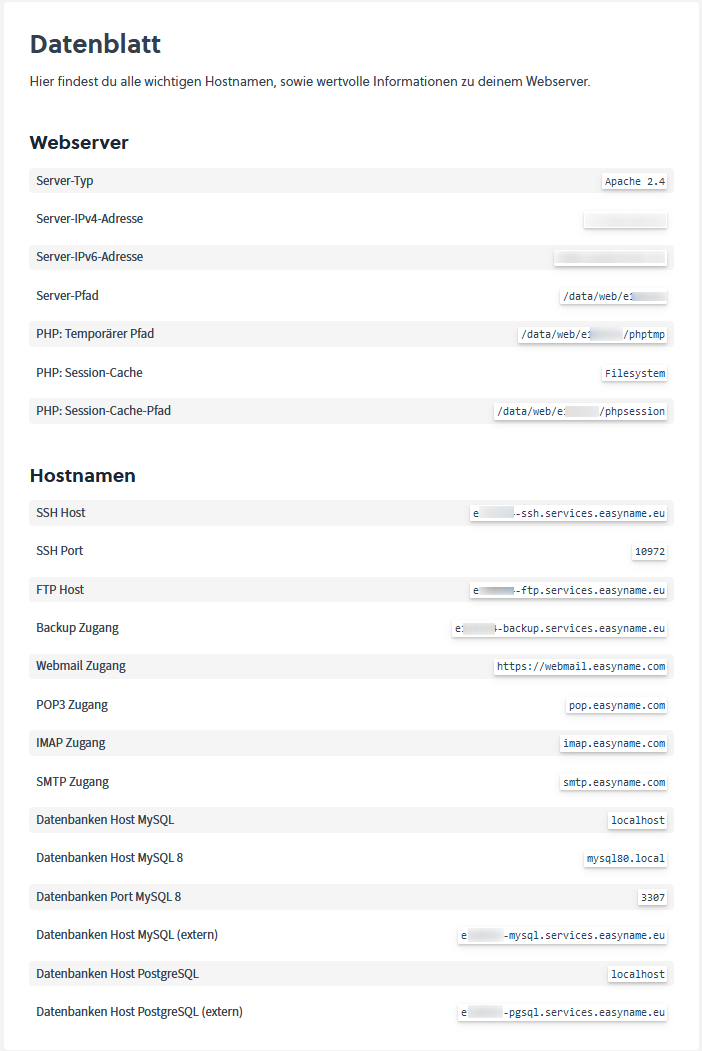
Additionally, use the appropriate port:
- MySQL 5: 3306
- MySQL 8: 3307
- PostgreSQL: 5432