My VPS is not online after ordering?
Your VPS is not immediately online after ordering. The server is first provisioned and then must be started manually.
Only after starting is your VPS accessible.
Table of Contents
Starting the VPS in the Controlpanel
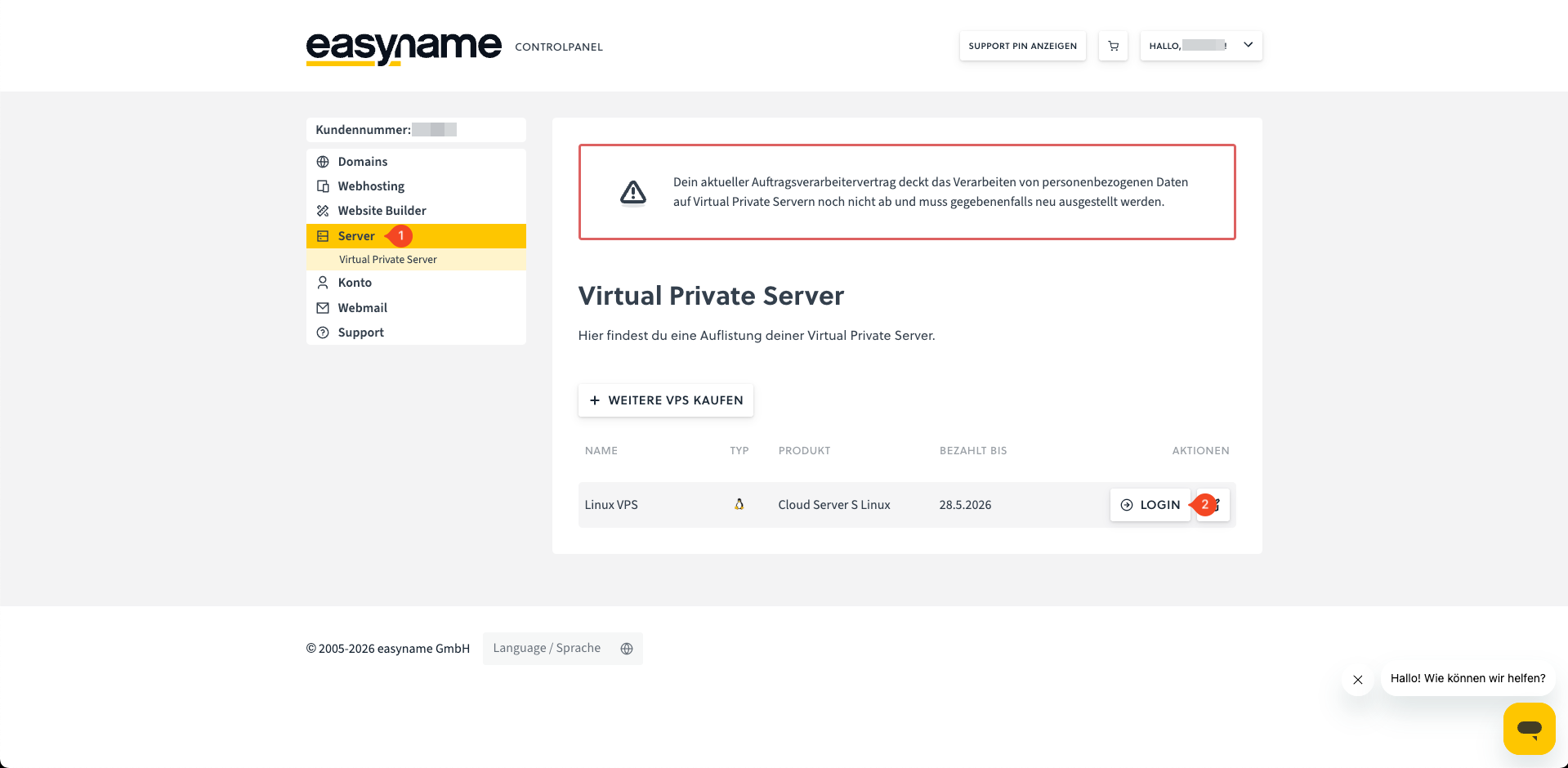
Log in to the Controlpanel and open the Server section (1).
Click Login (2) next to the desired server to open the server management.
Click the Start button (arrow) at the top right to start the server.
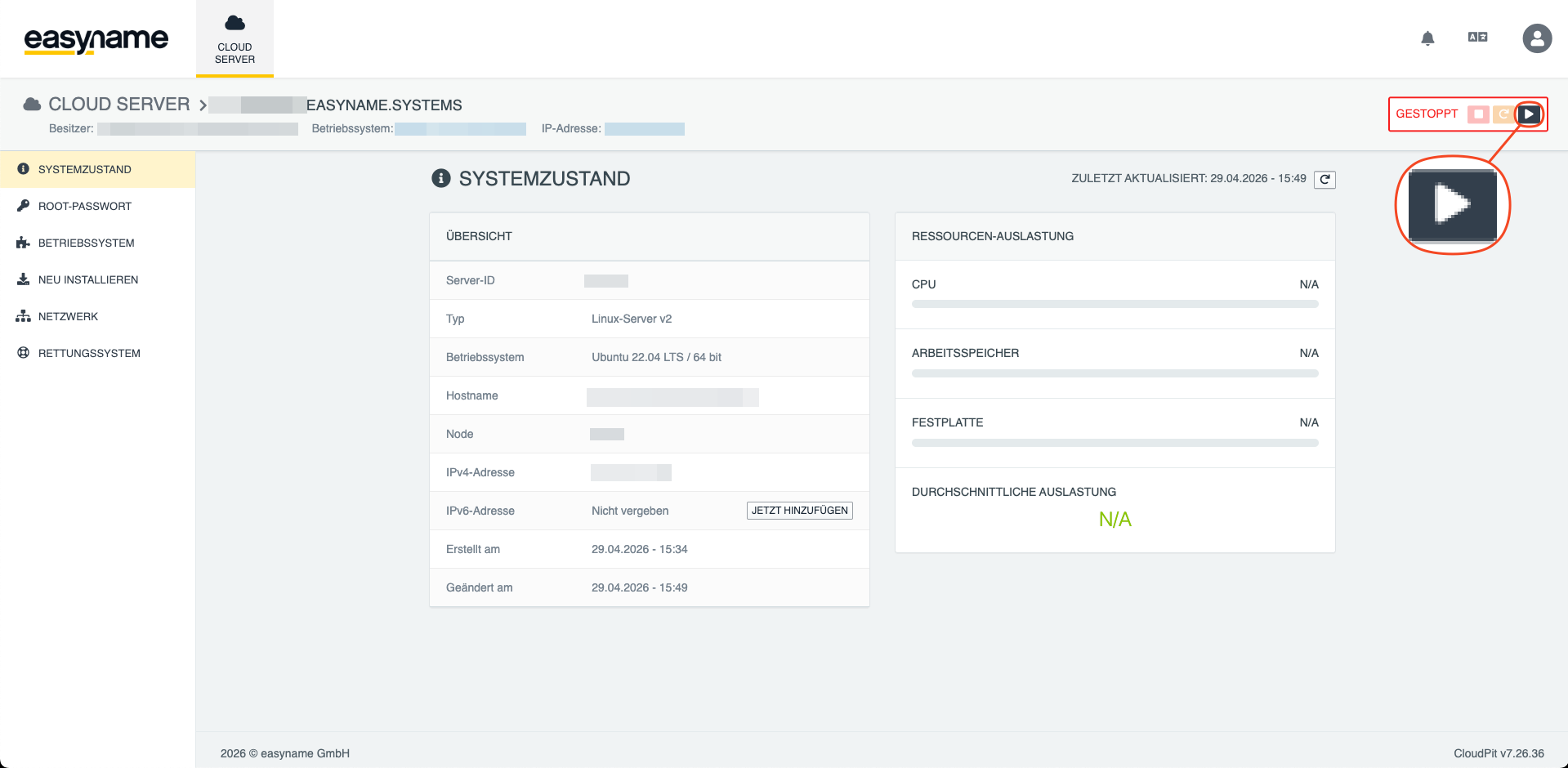
After a short time, the status changes to Started.
You can then set the password to access your VPS.
Starting the VPS in CloudPit
Log in to CloudPit and open the Cloud Server section.
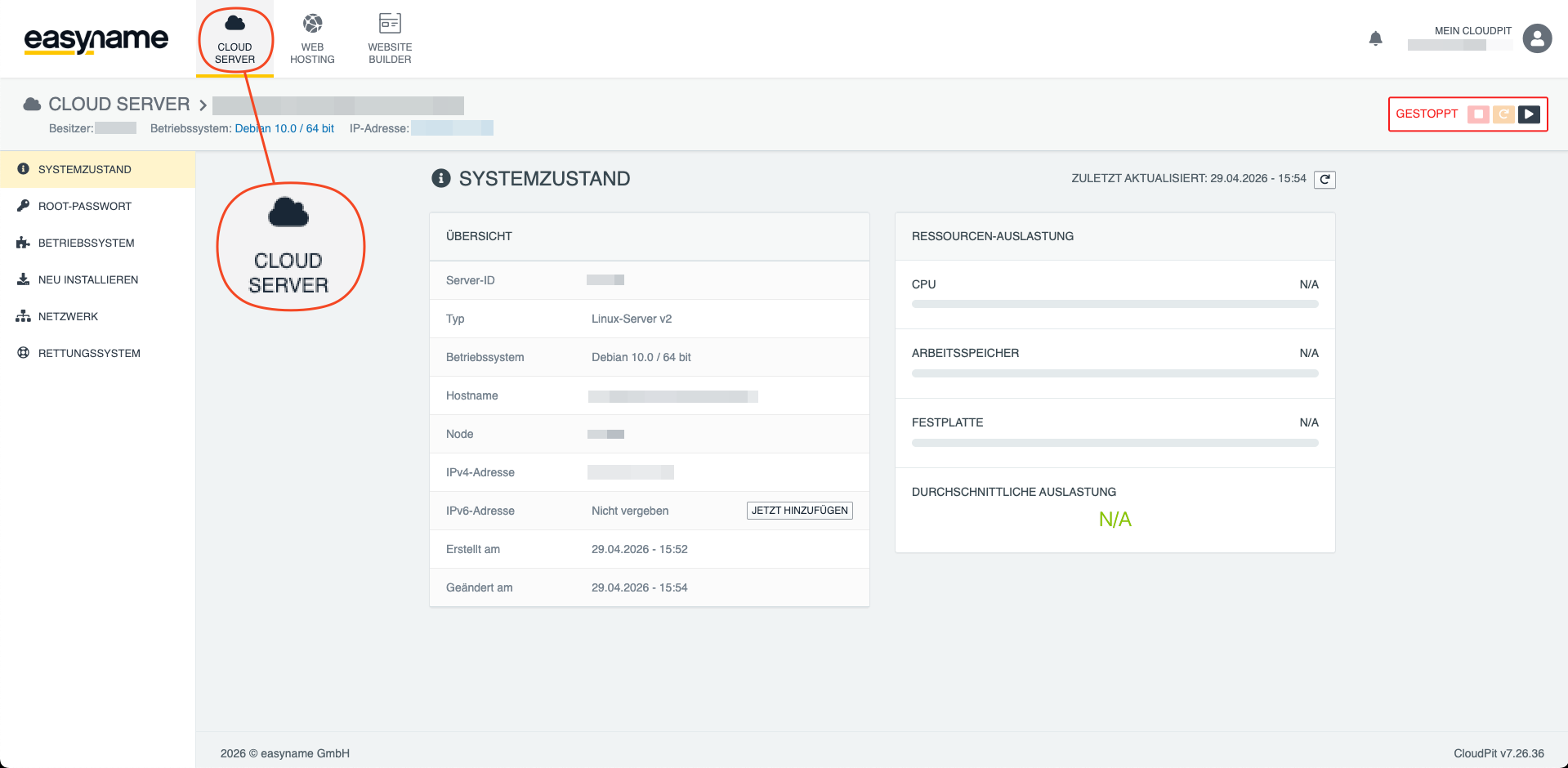
Select the desired server. In the server overview, you will find the Start button (arrow) at the top right.
Click the button to start the server.
After starting, the VPS is accessible and can be used.
If access is not yet possible, wait until the provisioning is fully completed.