Why can't I retrieve emails?
If you are having trouble retrieving your emails, there can be various reasons for this. This guide describes some of the more common issues and how to resolve them. If, despite the solutions described here, the problem persists, please do not hesitate to contact us by phone or email.
First things first: sometimes the problem can be due to a general disruption of our services. You can check the current status of our systems at any time -->on our status page.
Table of Contents
1. Status of the web hosting package
1.2 I use the legacy Control Panel
3. Entry of your own IP on a public blacklist
1. Status of the web hosting package
Sometimes the problem lies with the web hosting package itself. To find out if there is a problem here, log in to your customer area.
Depending on whether you log in via the Control Panel or Cloudpit, troubleshooting will be a bit different.
1.1 I use the Cloudpit
Log in to your CloudPit account and in the overview of web hostings and domains, click on the web hosting where your email address is managed.
On the start page of the web hosting menu, you can also check if there is a resource overage. In such a case, simply delete the exceeding resources so that you can rule out that the receiving problems are due to a resource overage.
If this display is not working correctly, you can always inquire about the current usage by phone, chat, or email.
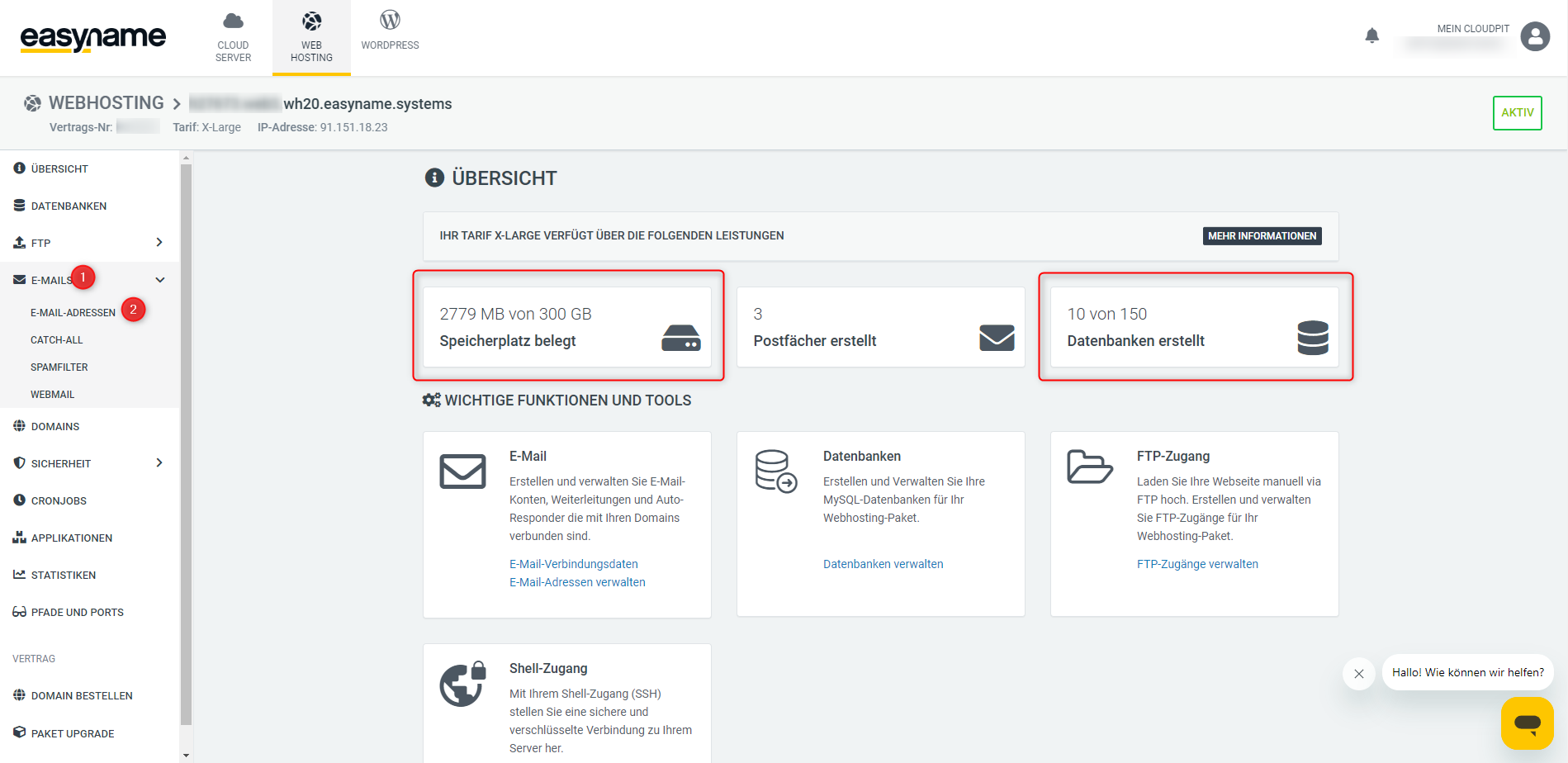
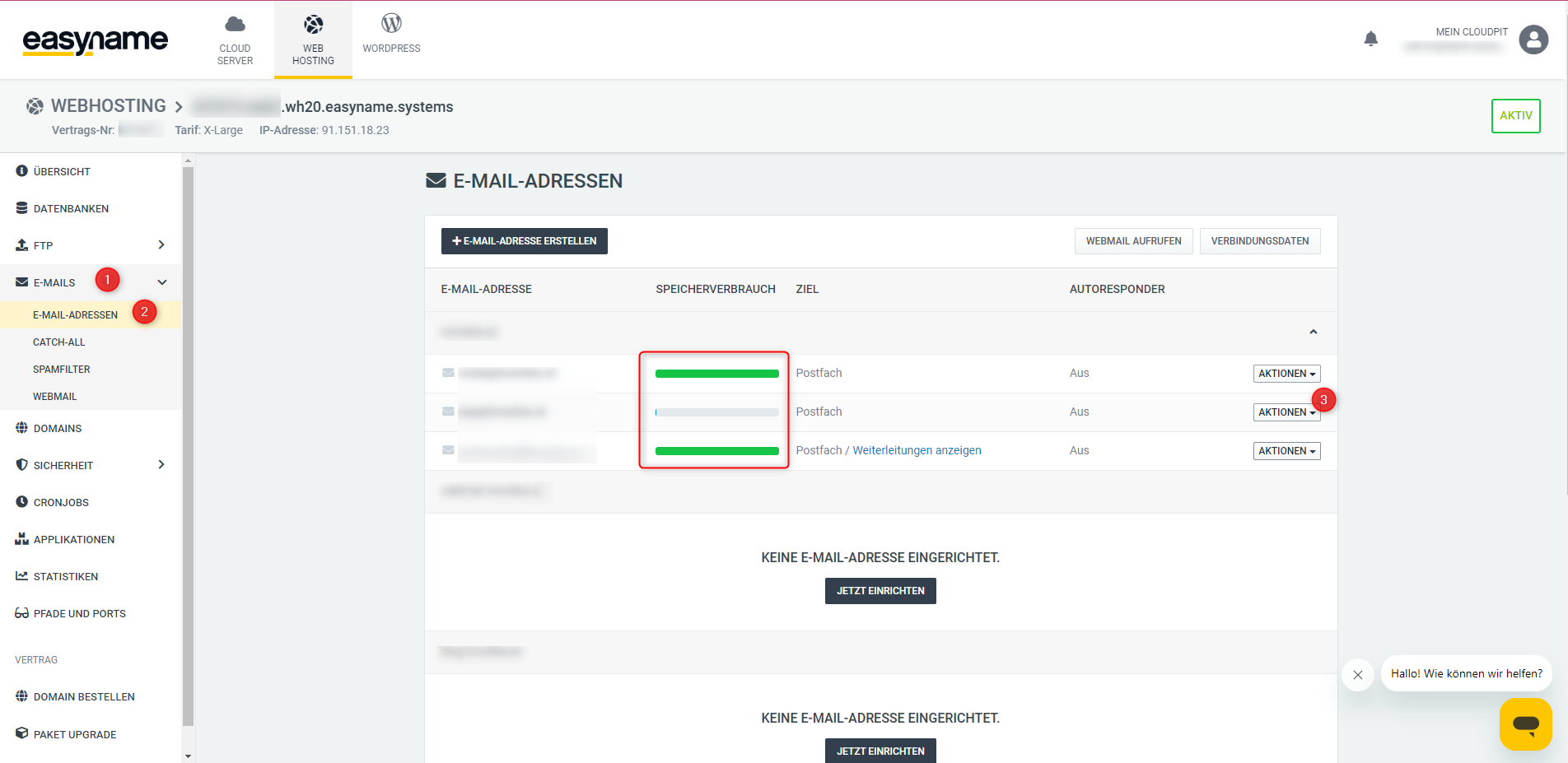
To check the storage usage of a mailbox, click on the menu item [E-MAILS] and then on the subitem [E-MAIL ADDRESSES]. Here you can check if your mailbox storage is full. If it is, click on the [ACTIONS] button next to the affected email address - and in the context menu on [Edit email address].
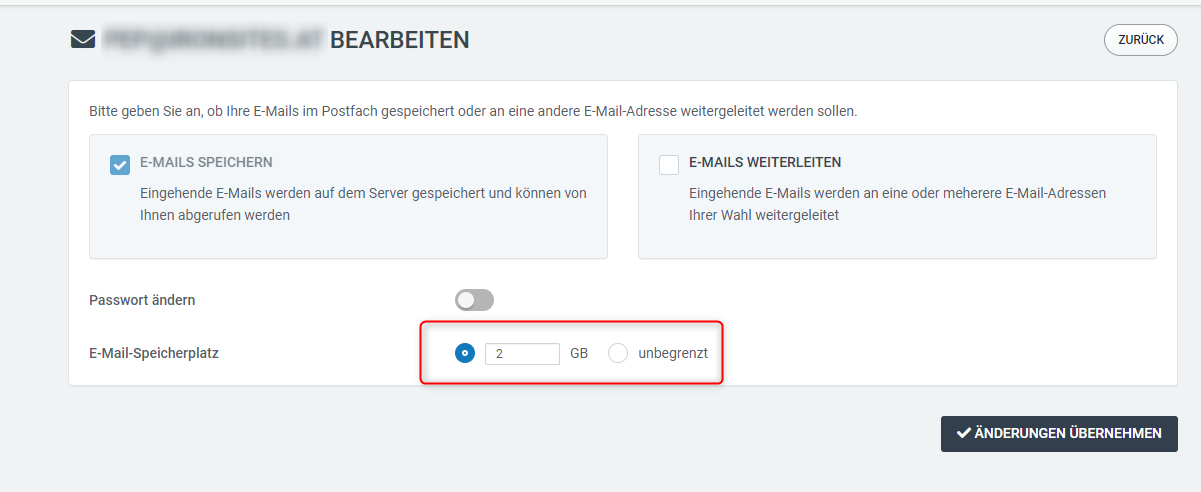
Here you can then assign the desired storage space. "Unlimited" here means that the mailbox can use storage space as long as there is any available in the web hosting package - so use this option with caution.
If the problem persists, check directly under [My Cloudpit] to see if there are any outstanding invoices or contact us.
1.2 I use the legacy Control Panel
Log in to the Control Panel and check if an error message saying "Your services have been deactivated" is displayed.
[Screenshot of error message]
In this case, you should first check whether you are using more resources than included in the web hosting package. If so, you must either delete the exceeding resources or - if that is not an option - perform a package upgrade. See: --> How can I upgrade or downgrade my web hosting?
[Screenshot resource usage]
If no active contract is displayed on the web hosting start page, you must order a new web hosting. See: --> How can I order web hosting?
[Screenshot package upgrade]
If there is no resource overage, please contact us immediately so we can resolve the issue together.
And finally, it may also be that your mailbox no longer has enough storage space. To check if this is the cause of the receiving problems, click on the menu item [Webhosting] in the Control Panel and then on the submenu [Email mailboxes].
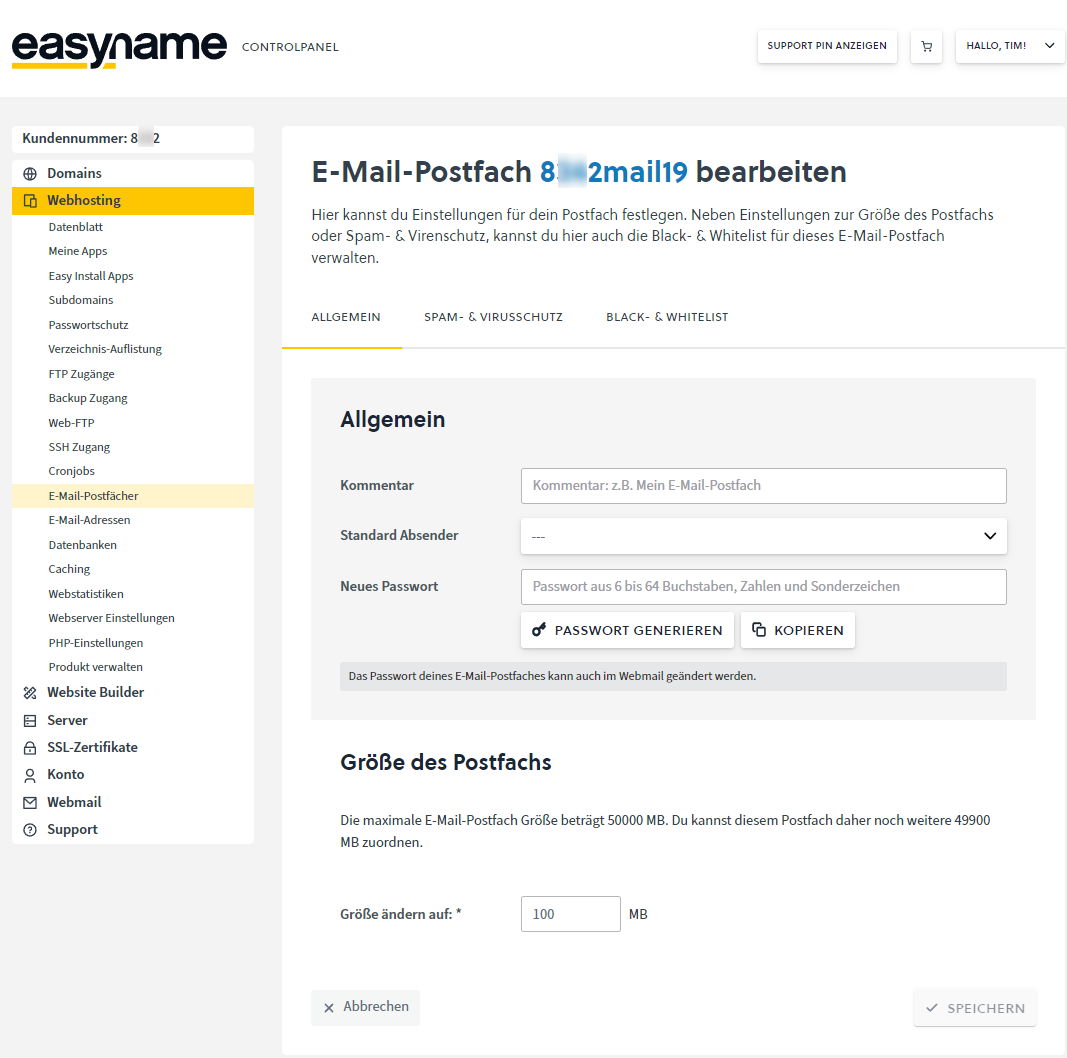
Check the current storage usage of your mailbox here. If the mailbox is full, either delete old emails or assign more storage to the mailbox.
To learn how to increase your mailbox storage, see this article: --> What is an email mailbox and how can I manage it?
2. Authentication problems
In some cases, problems retrieving mail can actually be caused by authentication issues on the mail server. To rule out this issue, first check if you can log in to webmail using your mail password. Depending on whether your account is in the Control Panel or Cloudpit, you can do this at the following links:
CloudPit: -->https://webmail.wh20.easyname.systems
Control Panel: -->https://webmail.easyname.com
If you were a customer of Domainname/Webagentur or Adino.at, webmail is usually directly accessible at the URL of your domain - following the pattern: https://webmail.domain.tld or https://webmail.webserver###.tld.
If you are unsure about this domain or have problems retrieving mail, please contact us.
If yes, re-enter the password in your mail client. If this step does not improve the situation, log in to your customer area and reset the password as described further below.
If not, log in to your customer area and reset the password as described in the following article: --> How can I change the password for my email mailboxes?
3. Entry of your own IP on a public blacklist
Finally, it may actually be due to your current public IP address being listed on a so-called blacklist.
If there are two or more simultaneous entries on such a blacklist, our mail server may block the retrieval and sending of emails for security reasons.
You can check your IP address at any time using the blacklist check from MXToolbox: -->Blacklist tool from MX Toolbox
You can find out your public IP address either in your router interface or with services like What is my IP address?