How can I read the mail header or export an email?
For troubleshooting email issues, we need either the full mail header or the affected email as a file. The mail header contains technical delivery information that is not visible in the regular email window.
Table of Contents
Read header
easyname Webmail
Log in to easyname Webmail and open the affected email.
Use one of the following webmail addresses depending on your system:
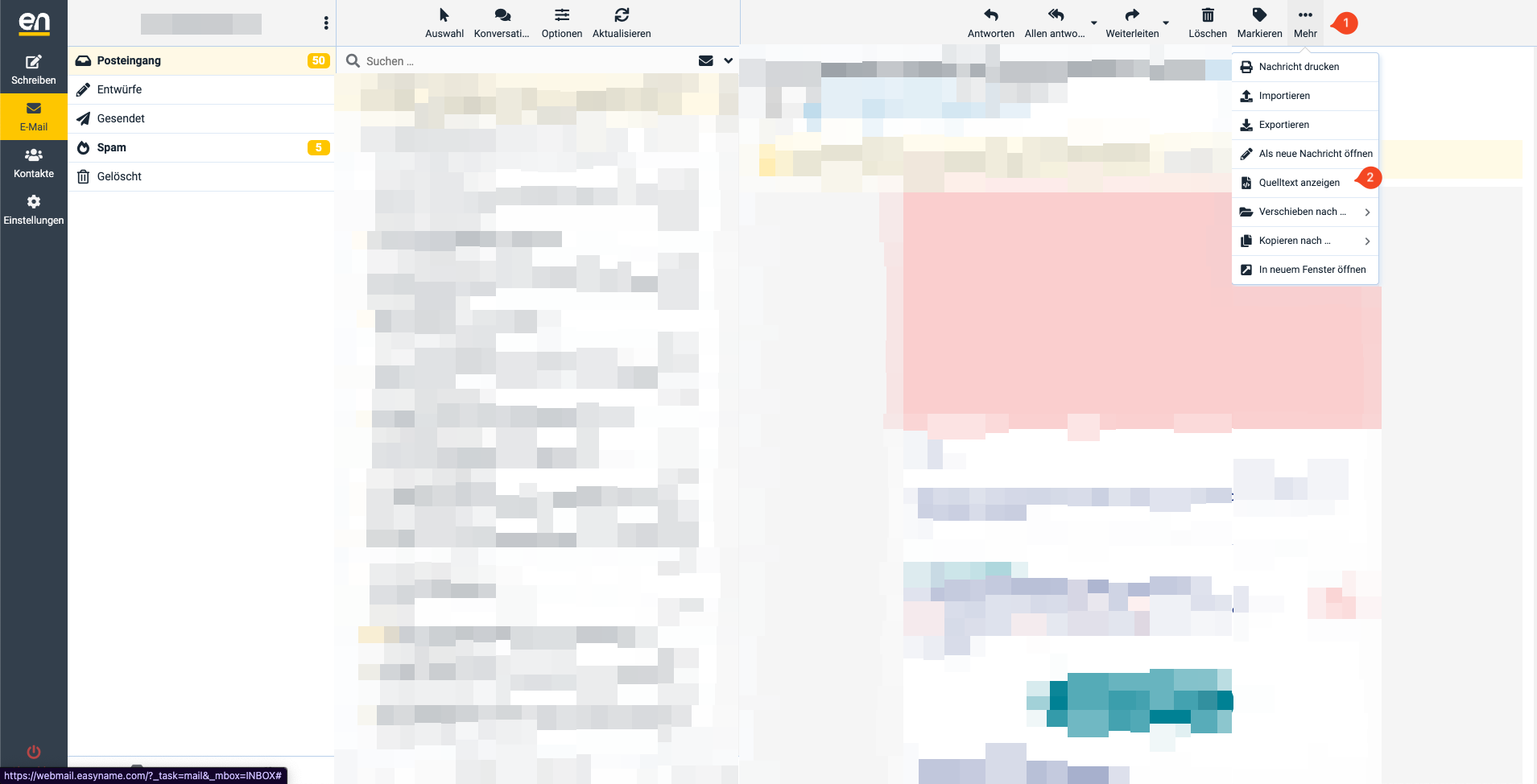
Click the three dots at the top right of the email and select View source.
There you will see the full email source including the header.
Windows Mail
In Windows Mail, the mail header cannot be displayed directly. Instead, export the message as a file and send it to us.
Microsoft Outlook
Open Outlook and open the affected message.
Click on File and then Properties.
The header data is displayed in the Internet headers field.
Older Outlook versions
Open the message, click on View and select Options.
The full headers will then be displayed in a new window.
Mozilla Thunderbird
Open Thunderbird and select the affected message.
Open the menu and select View → Message Source.
Alternatively, use the keyboard shortcut CTRL+U or CMD+U on macOS.
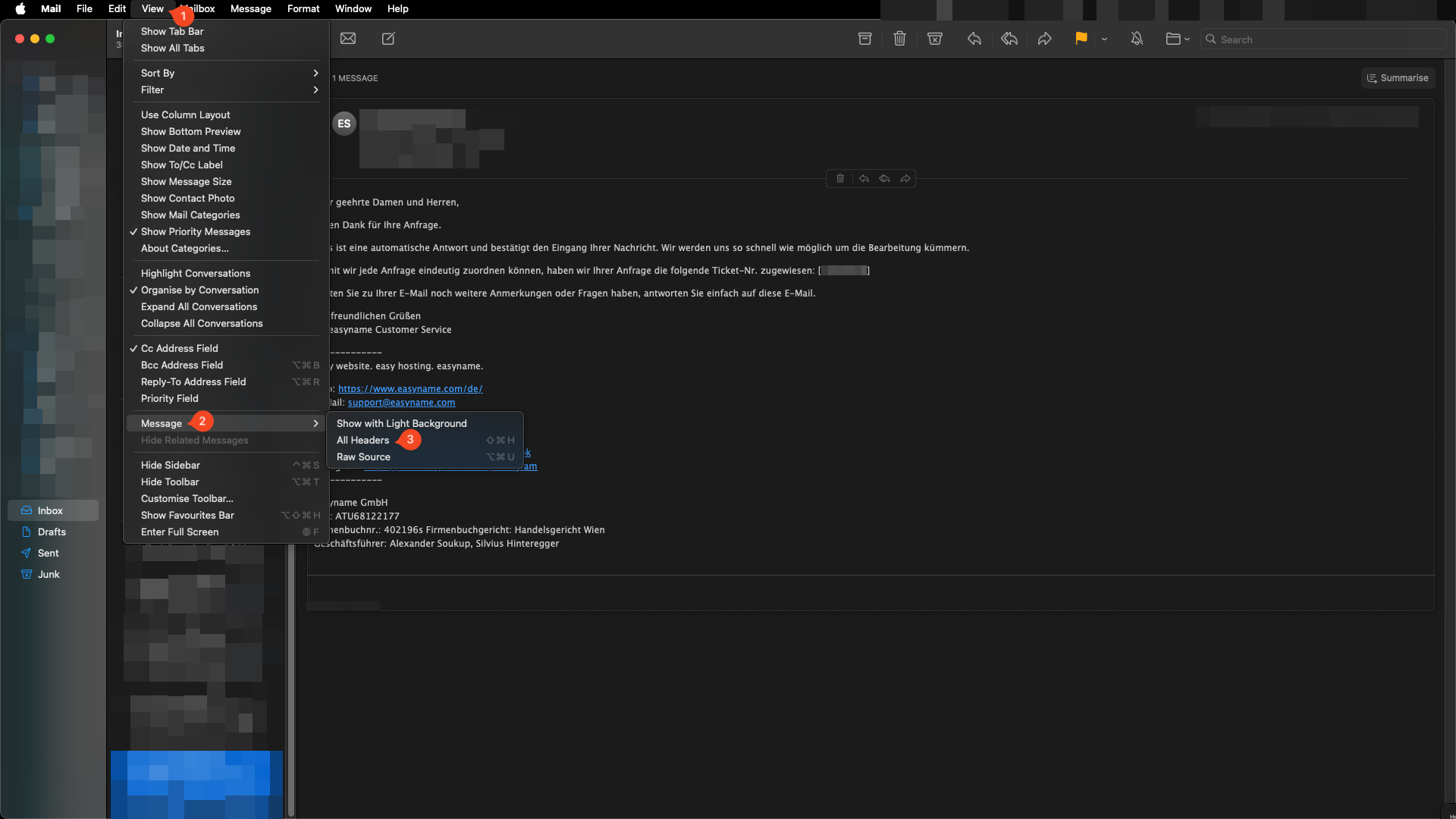
Apple Mail
Open Apple Mail and select the affected email.
Click on View (1) → Email (2) → All Headers (3).
Then highlight and copy the displayed header data.
If the header is not accessible, export the entire message as a file.
Export email
If the header cannot be copied directly, export the affected email as a file and send it to us.
easyname Webmail
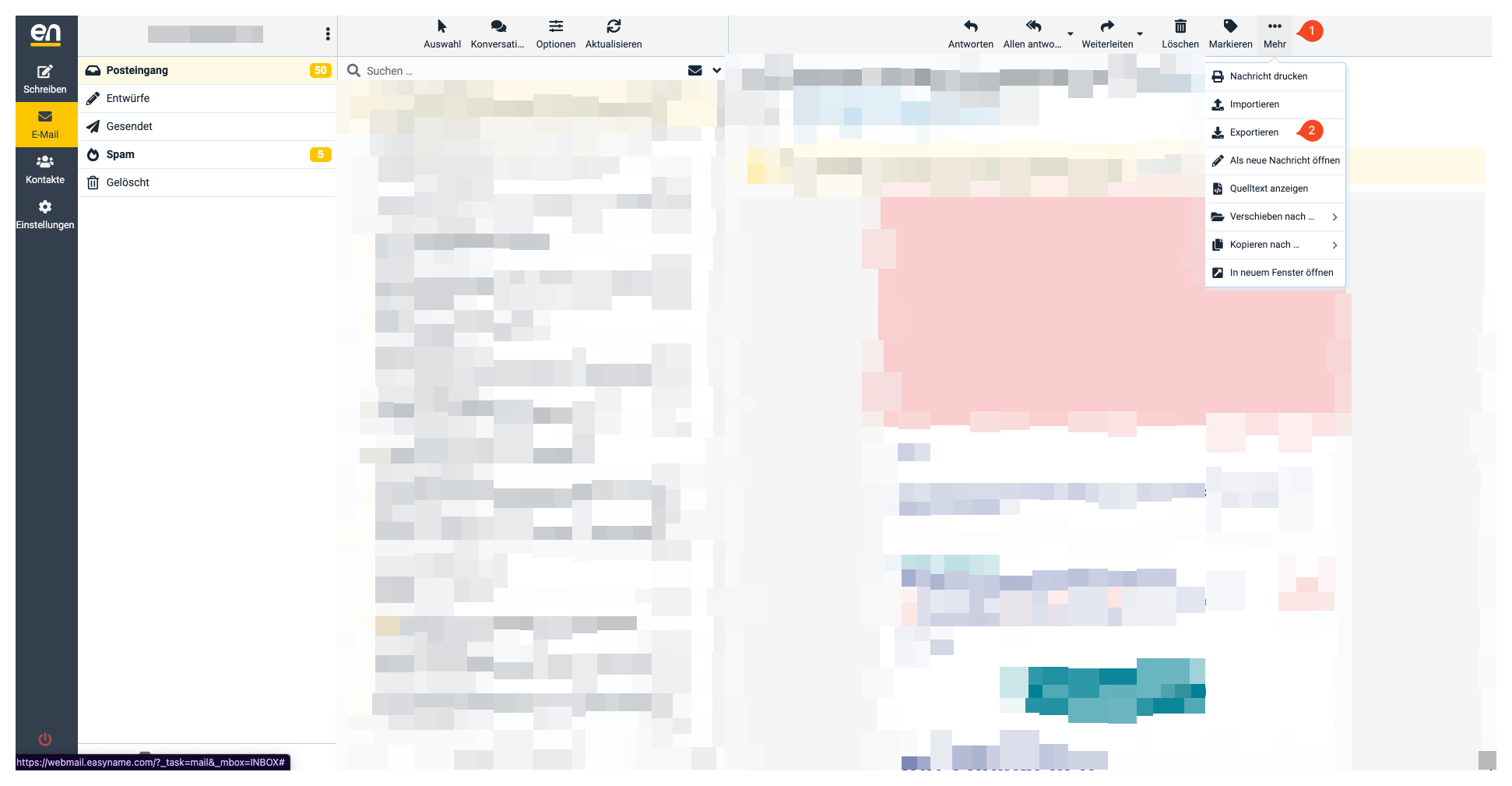
Log in to easyname Webmail and open the affected email.
Click the three dots at the top right and select Export.
Windows Mail
Select the affected email.
In the detail view, click the three dots and select Save as.
Microsoft Outlook
Open the affected message.
Click on File and select Save As.
Mozilla Thunderbird
Right-click the affected message.
Select Save As.
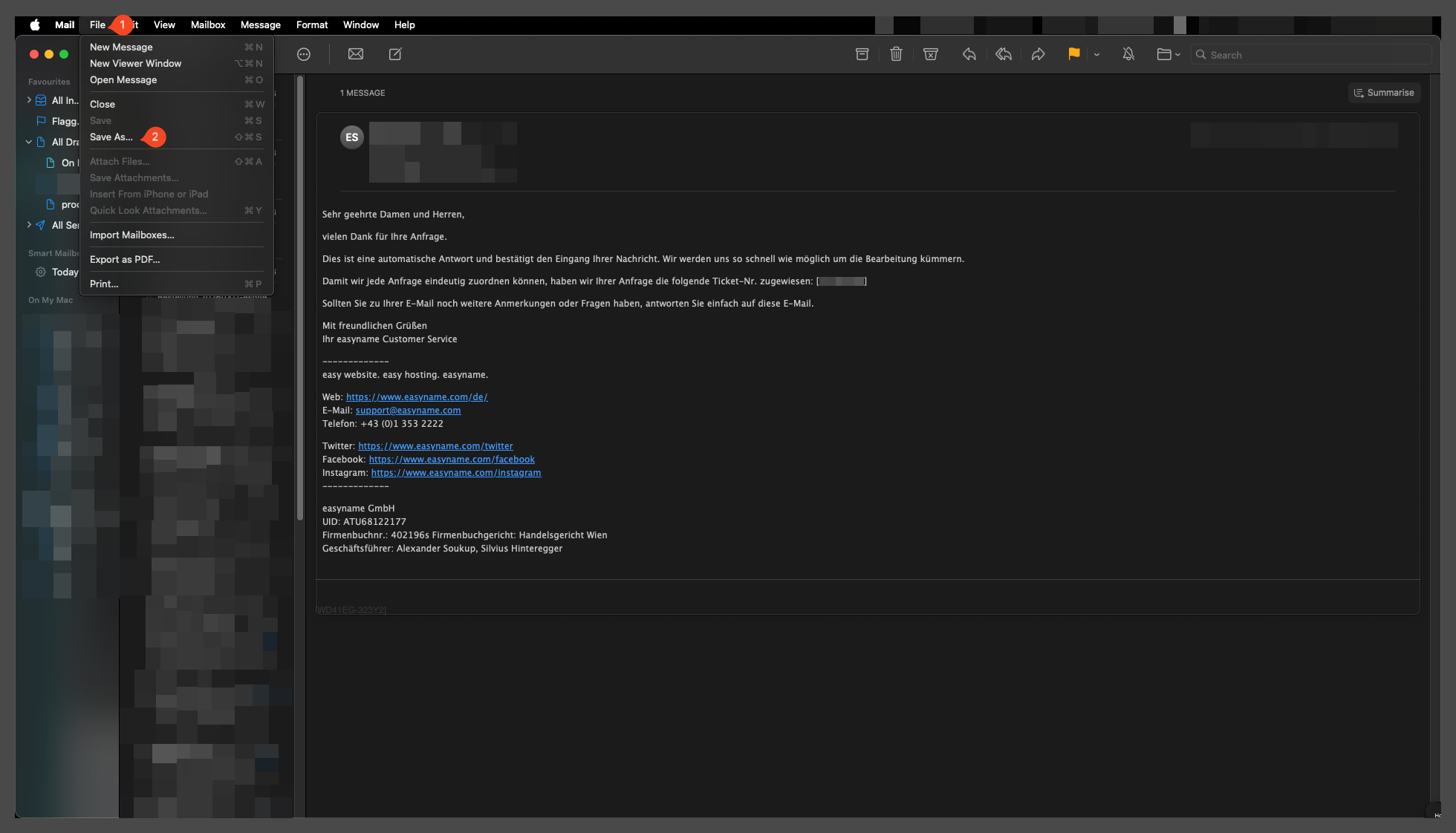
Apple Mail
Select the affected email.
Click on File (1) → Save As (2).
Alternatively, use the keyboard shortcut SHIFT+CMD+S.