Can domains be transferred to another easyname account?
Yes. As the account holder, you can transfer domains from one easyname account to another. The process differs depending on whether the domain is managed in the CloudPit or in the Legacy Controlpanel.
Table of Contents
1. Management in CloudPit
For domains managed in CloudPit, the internal transfer is carried out exclusively through our support.
Please send a request from the authorized email address registered in the account to support@easyname.com.
The following information is required:
- Which domain is to be transferred
- From which account (current owner)
- To which target account the domain should be moved
Important notes regarding CloudPit
- Only the domain name is transferred.
- Email addresses, subdomains, and DNS settings are not transferred.
2. Management in Controlpanel
In the Controlpanel, the internal transfer can be done either through support or directly by yourself.
Procedure:
- Open the [Domains] menu.
- Click on [Manage] (pencil icon) for the desired entry.
- At the bottom of the page, select [Transfer domain to another account].
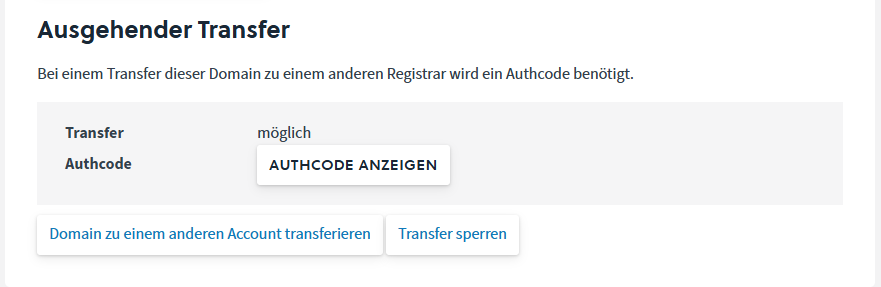
If a transfer lock is active, it must first be disabled via [Remove transfer lock].
Then enter the email address of the target account.
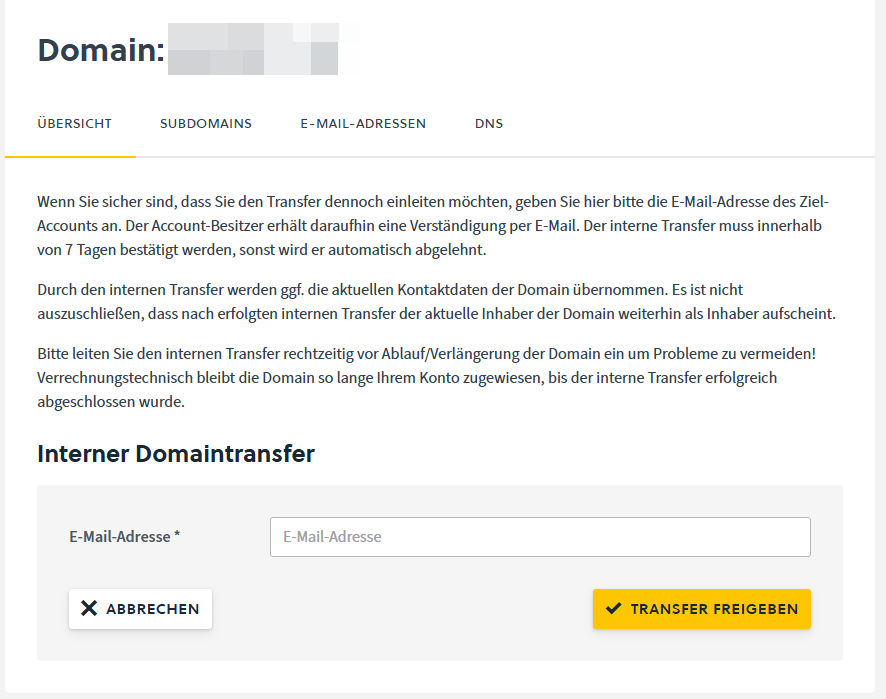
The system automatically sends two confirmation emails:
- To the email address of the current domain owner
- To the email address of the target account
Alternatively, the confirmation can be done directly in the target account. Under Domains, the menu item Internal Transfer appears, through which the process is completed.
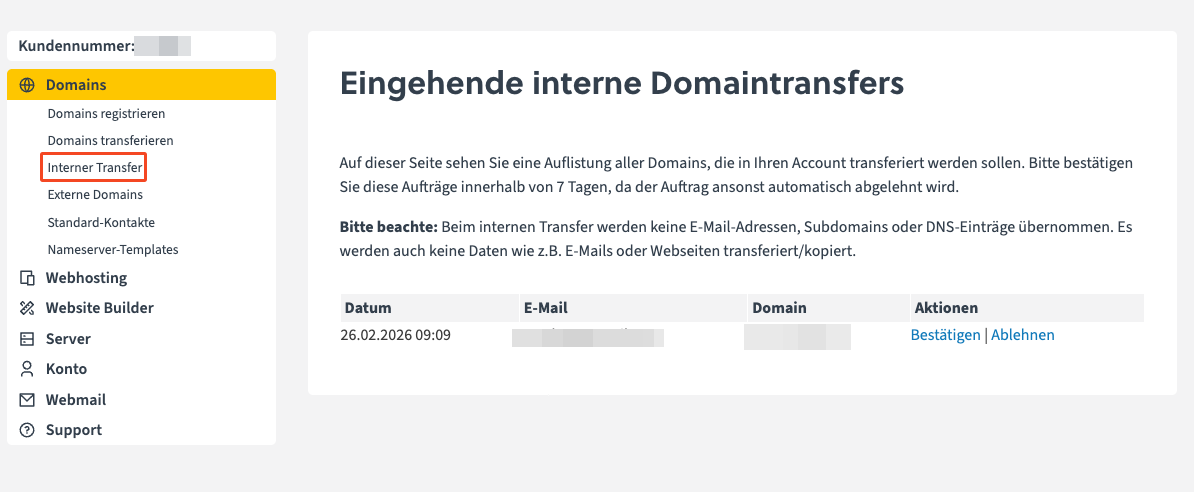
After successful confirmation, the transfer is carried out automatically.
If an error message occurs, please contact support@easyname.com.
Important notes regarding Controlpanel
- Only the domain name is transferred.
- Email addresses, subdomains, and DNS settings are not transferred and are deleted.
- Email mailboxes technically remain but do not contain any data transfer.
- If the domain owner changes, an owner change (Owner Change) is automatically initiated. This process must be fully completed before the domain is moved to the new account.