How do I obtain the Authcode?
You need the AuthCode if you want to transfer your domain to another provider. Depending on the system, you can retrieve the AuthCode in CloudPit or in the Controlpanel.
Table of Contents
Retrieve AuthCode in CloudPit
Log in to CloudPit.
Click MORE next to the desired domain and then click Cancel contract.
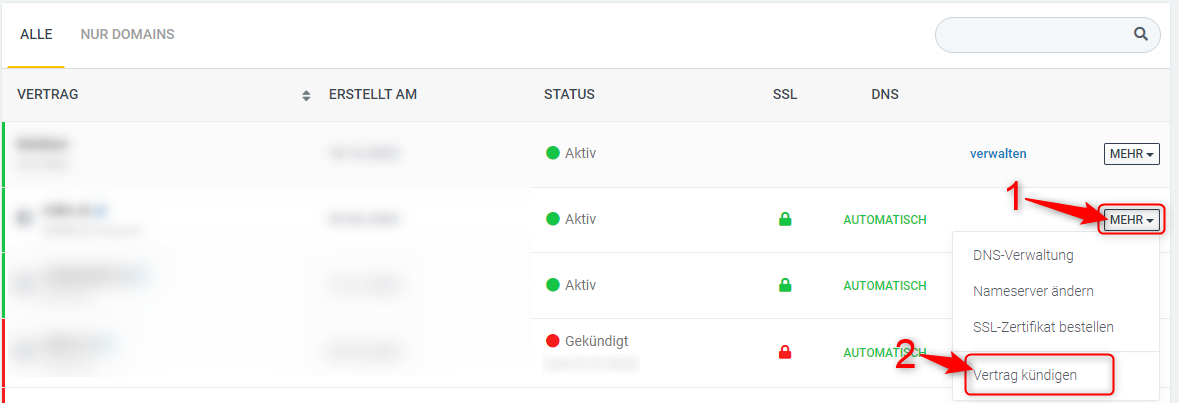
After submitting the cancellation, the AuthCode will be displayed.
If the AuthCode is not displayed immediately afterward, click MORE again next to the domain and select Show AuthCode.
If instead of the AuthCode the message Please contact support is displayed, send an email to support@easyname.com and provide the affected domain.
Retrieve AuthCode in the Controlpanel
Log in to the Controlpanel and open the Domains section.
Click Manage to the right of the desired domain.
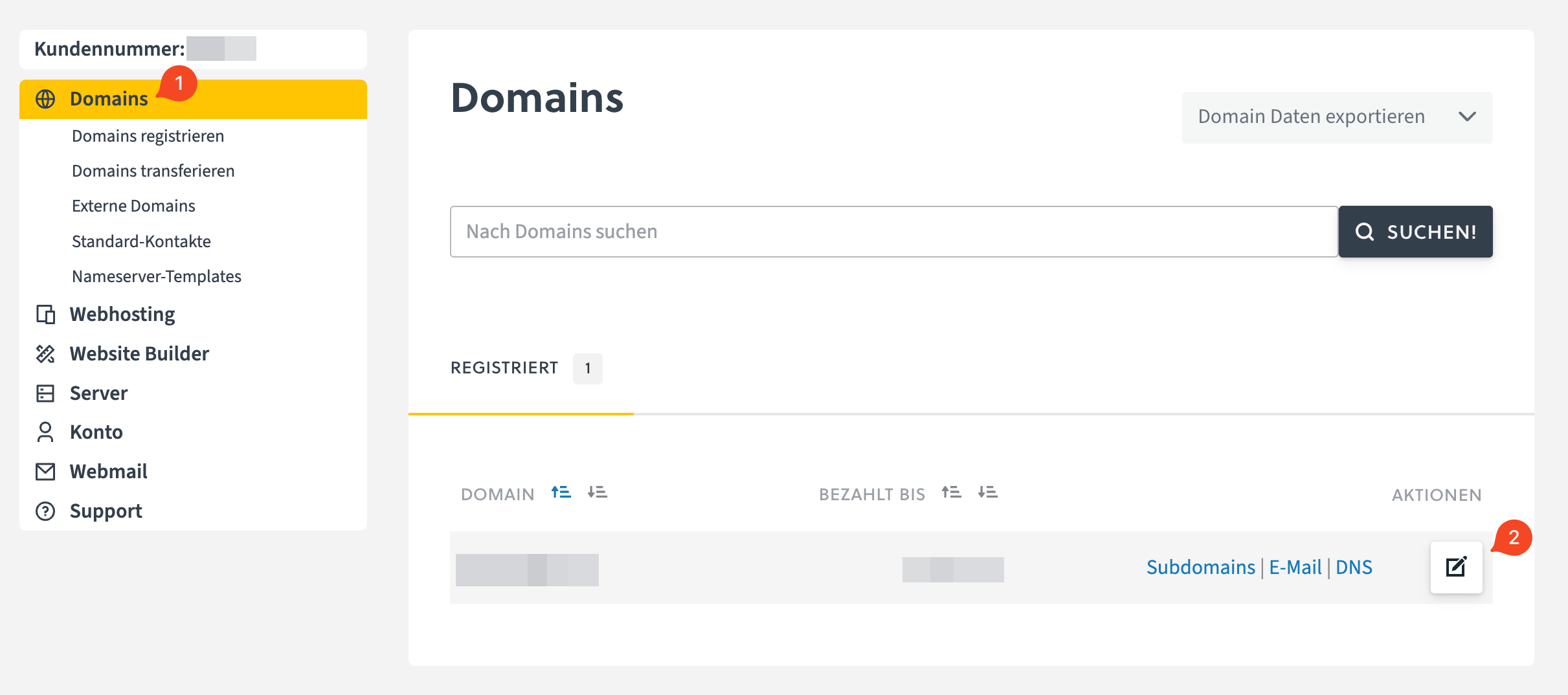
Scroll down and click Show AuthCode.
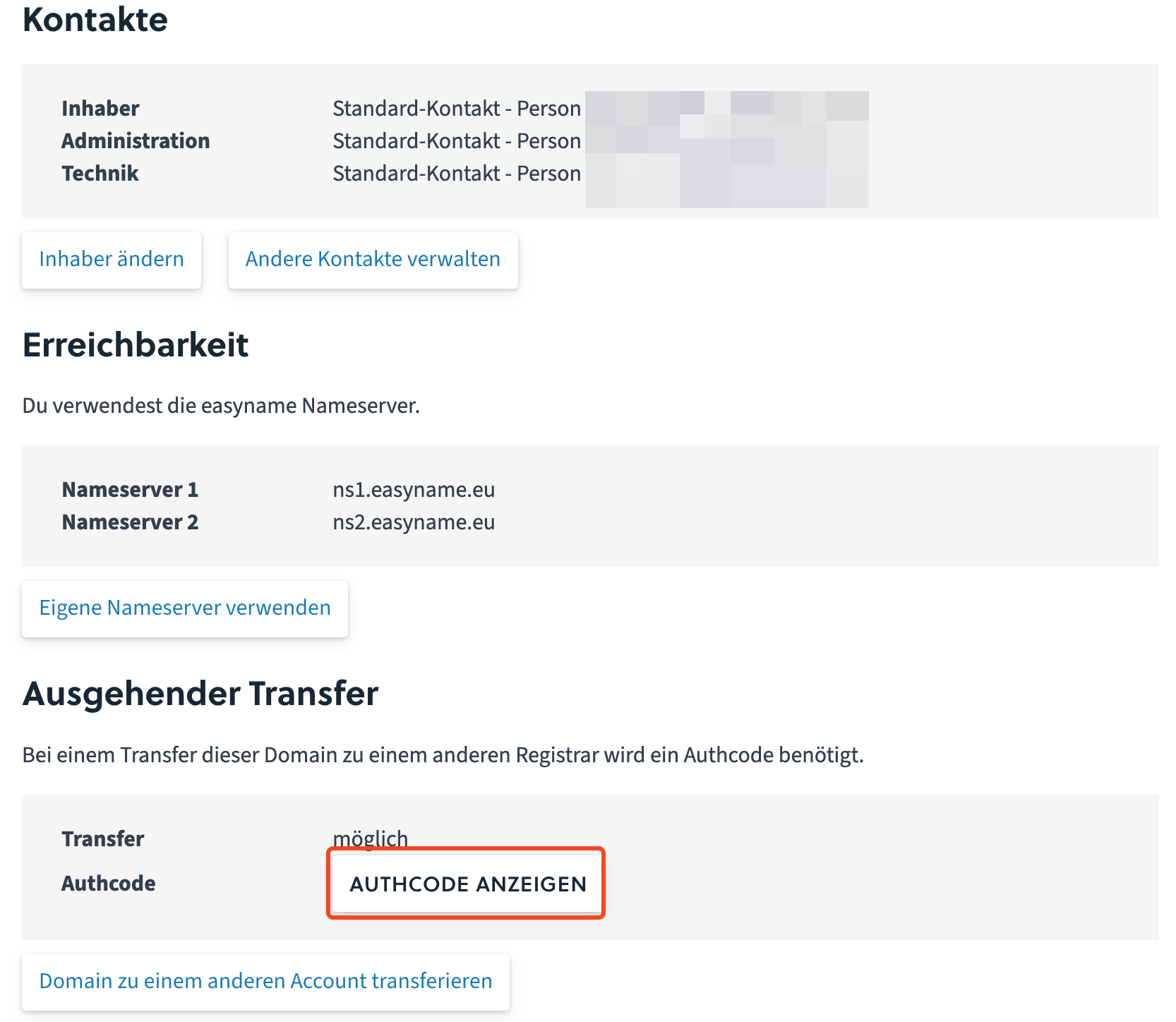
Copy the AuthCode and provide it to your new provider.
If a transfer lock is active, disable it. The transfer is only possible when the status possible is shown in the Transfer section.
If instead of the AuthCode the message Please contact support is displayed, send an email to support@easyname.com and provide the affected domain.