In this section
Where can I find the proof of ownership for my domain?
This article explains where you can find the proof of ownership for your domain in the easyname customer account and how to download it as a PDF file.
The proof of ownership confirms the currently stored domain data and can be downloaded as a PDF file if needed.
1. Open customer account
- Log in to your easyname customer account.
- Open the overview of your domains.
2. Select domain
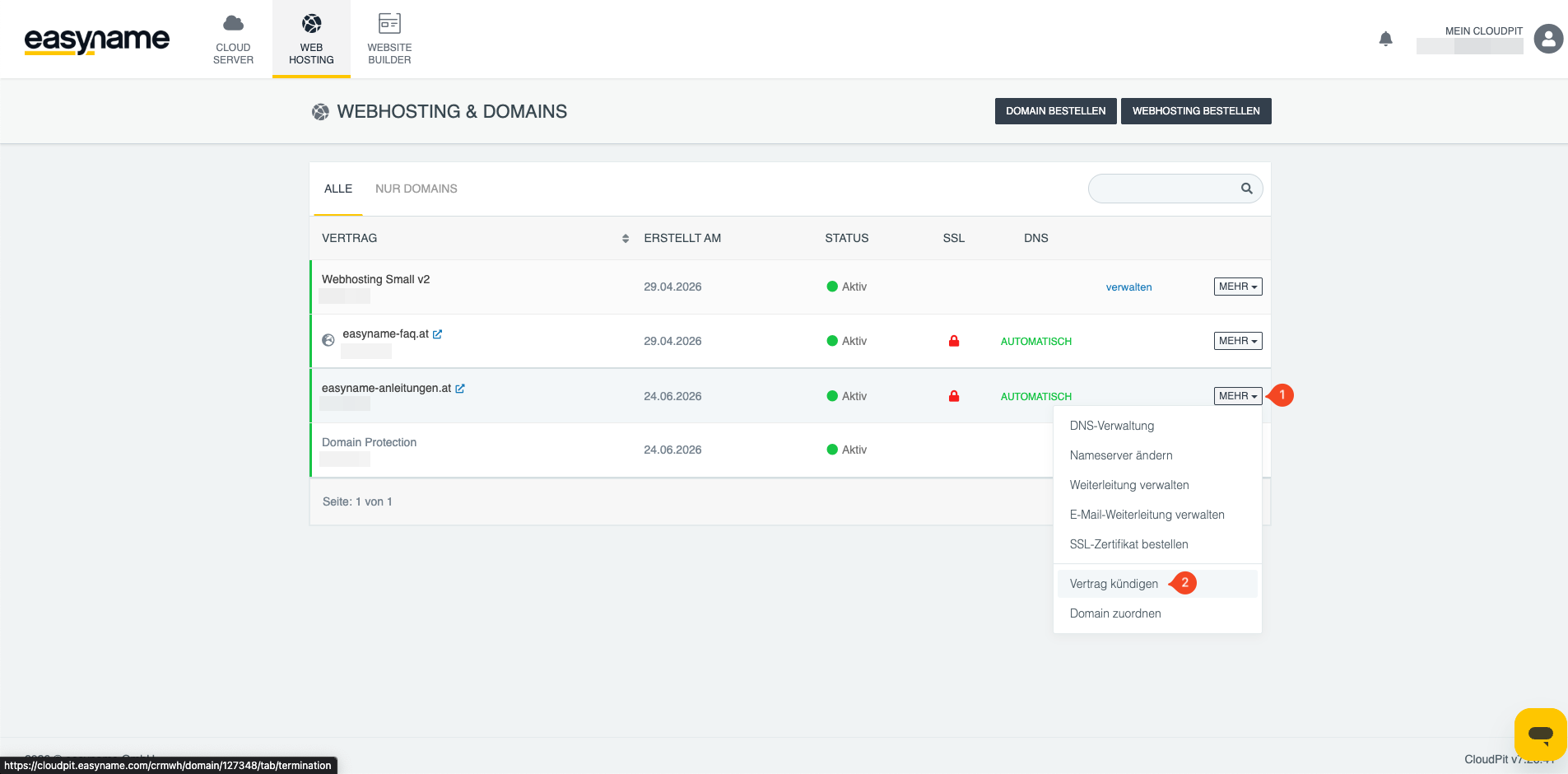
- Click on More (1) for the desired domain.
- Then click on Cancel contract (2).
3. Open confirmation document
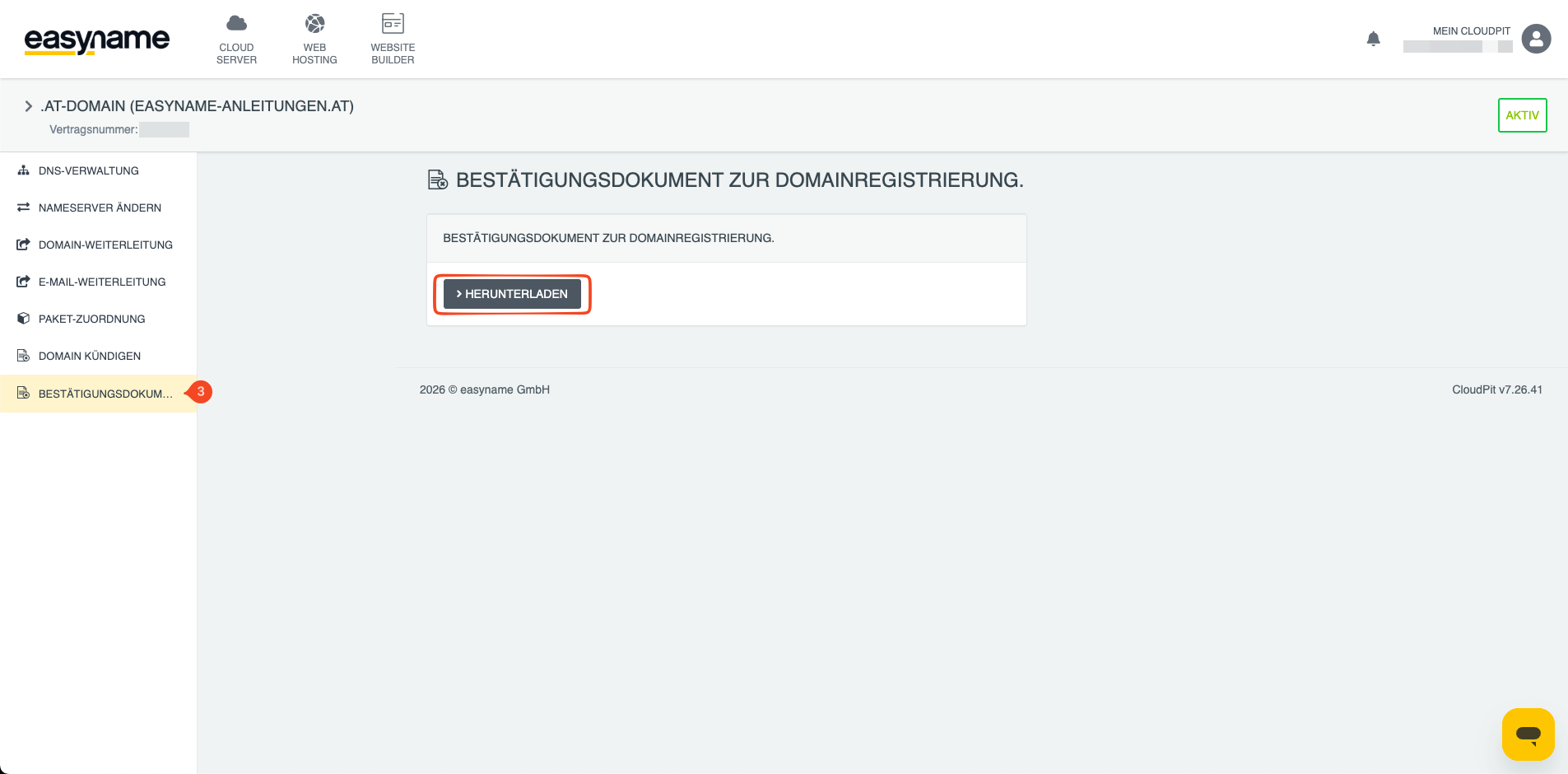
On the left side, you will find the item Confirmation document (3).
Open this section to access the proof of ownership for your domain.
4. Download proof
The proof of ownership is available there as a PDF file. You can download the document and save or share it if needed.
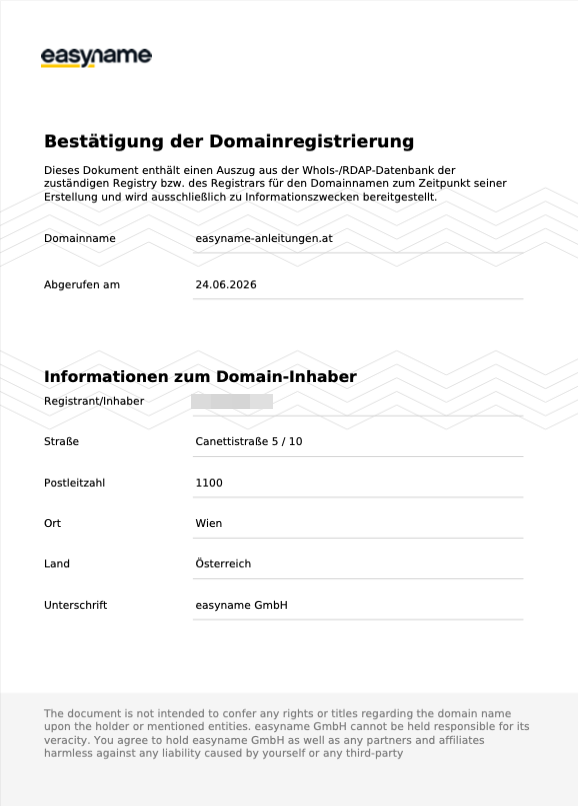
5. Example of the document
The following example shows what the proof of ownership might look like.
Note: The example is for orientation purposes only. The actual data in the document depends on the ownership data stored for your domain.