How can I cancel my Websitebuilder
How can I cancel my Websitebuilder in the easyname Control Panel?
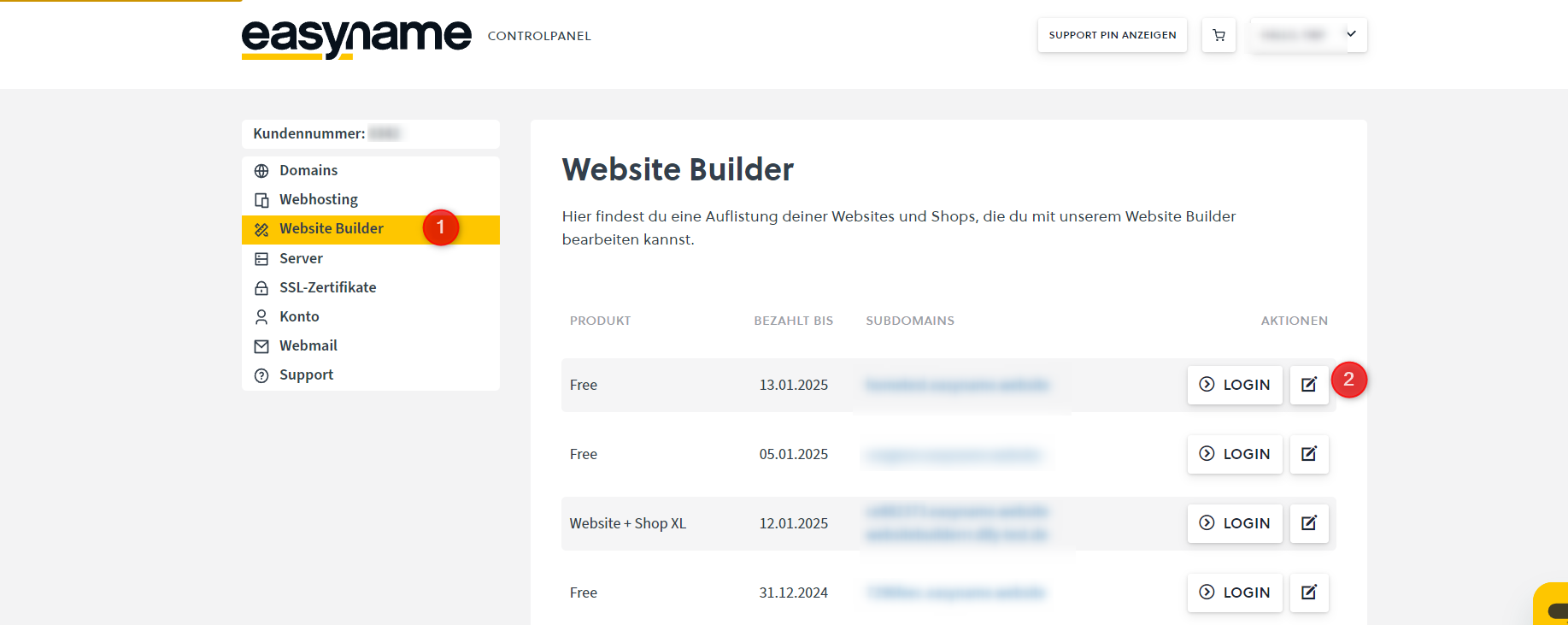
First, log in to your Control Panel via our website Login | easyname. Then click on the "Websitebuilder" menu item (1) in the left sidebar. Now, an overview of all purchased Websitebuilders will be displayed on the right side of the website. For the Websitebuilder you want to cancel, click on "Manage" (2)
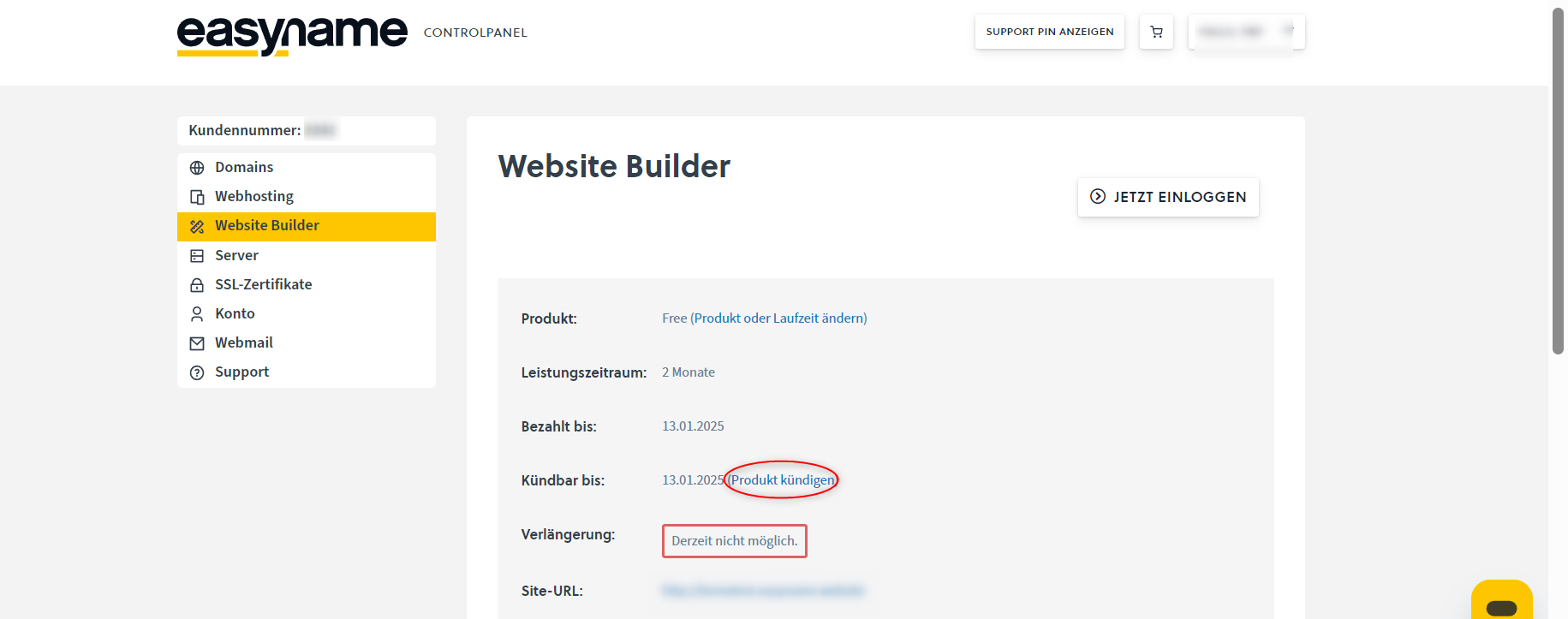
In the following menu, all relevant data for the selected product will be displayed, such as the purchased product type, the booked service period, until when the product is paid, until when the product can be canceled, renewal options for the product, and the site URL of the Websitebuilder. To proceed with the cancellation, click on "Cancel product" under "Cancelable until"
In the next menu, you can still select the cancellation date. Here you have either the option for immediate cancellation or cancellation at the end of the term. You must select the desired cancellation date (1) and also agree that you are aware that all data associated with the Websitebuilder will be irreversibly deleted as part of the cancellation (2). After that, you can cancel the product via the "Cancel product" button (3).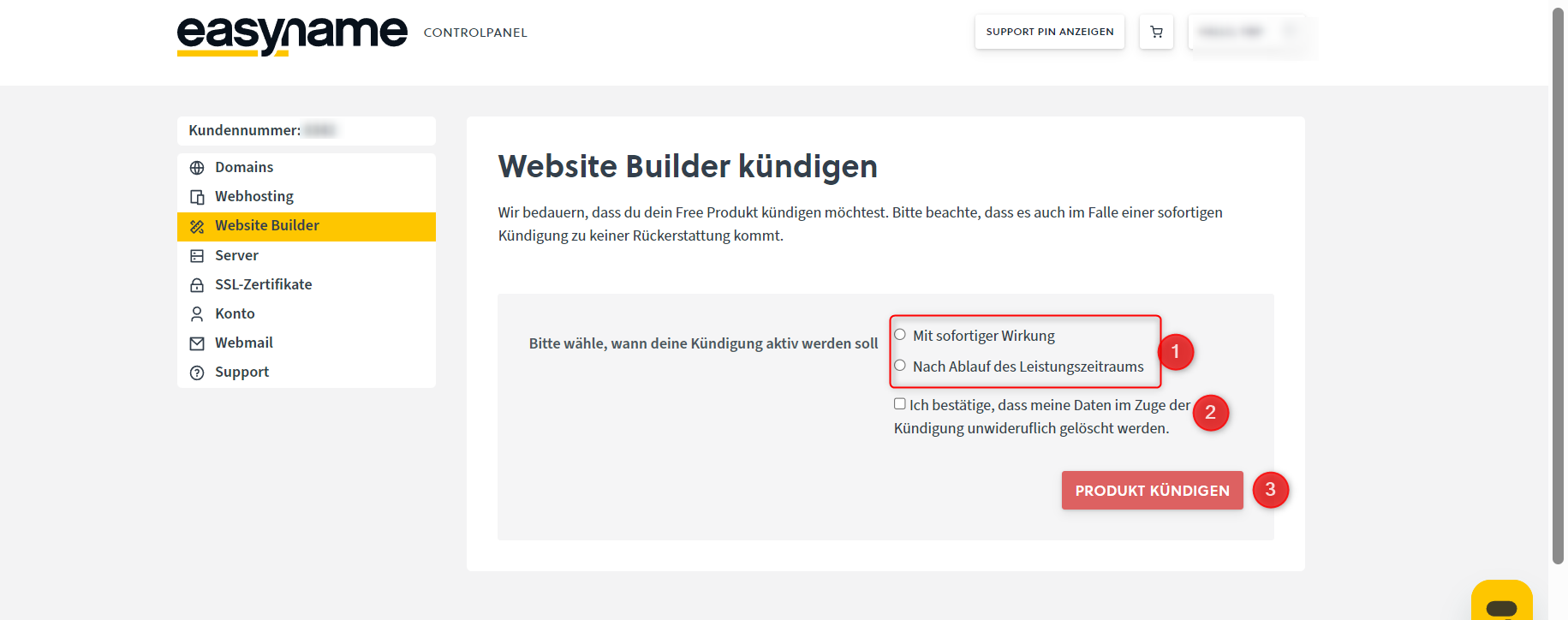
After completing the cancellation, no separate cancellation confirmation will be sent by email, as it is visible in the easyname Control Panel that the cancellation is now stored for the affected product or, in the case of immediate cancellation, the product is removed directly.