How do I cancel my domain?
You can cancel your domain online through your customer account. After submitting the cancellation, you will receive a cancellation confirmation by email.
Table of Contents
- Cancel domain in CloudPit
- Alternative: Cancellation via the contract overview in CloudPit
- Cancel domain in Controlpanel
- No access to the customer account
Cancel domain in CloudPit
Log in to the customer account.
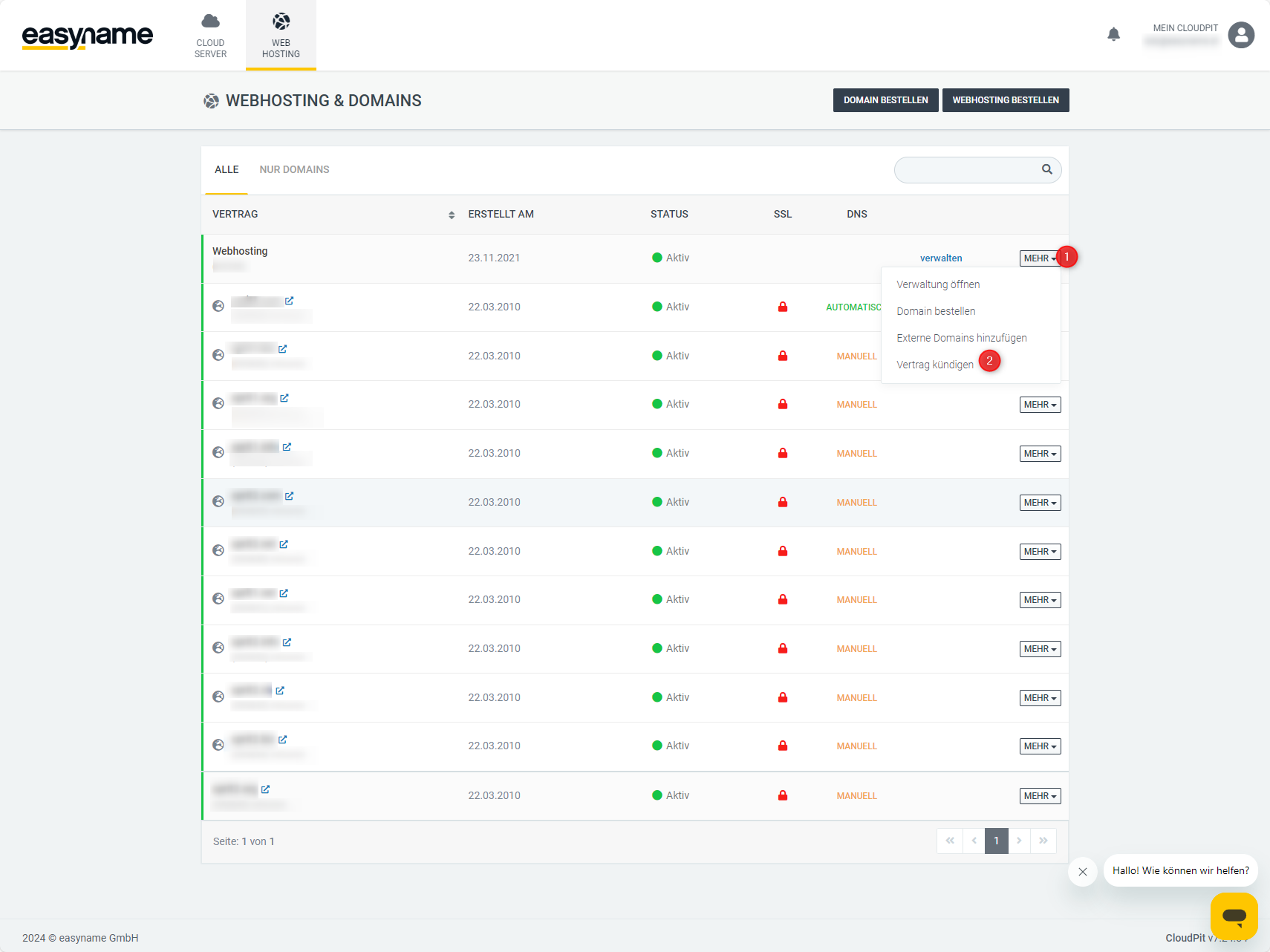
In the overview, you will see your web hosting packages and domains.
Click on More (1) next to the desired domain and then on Cancel contract (2).
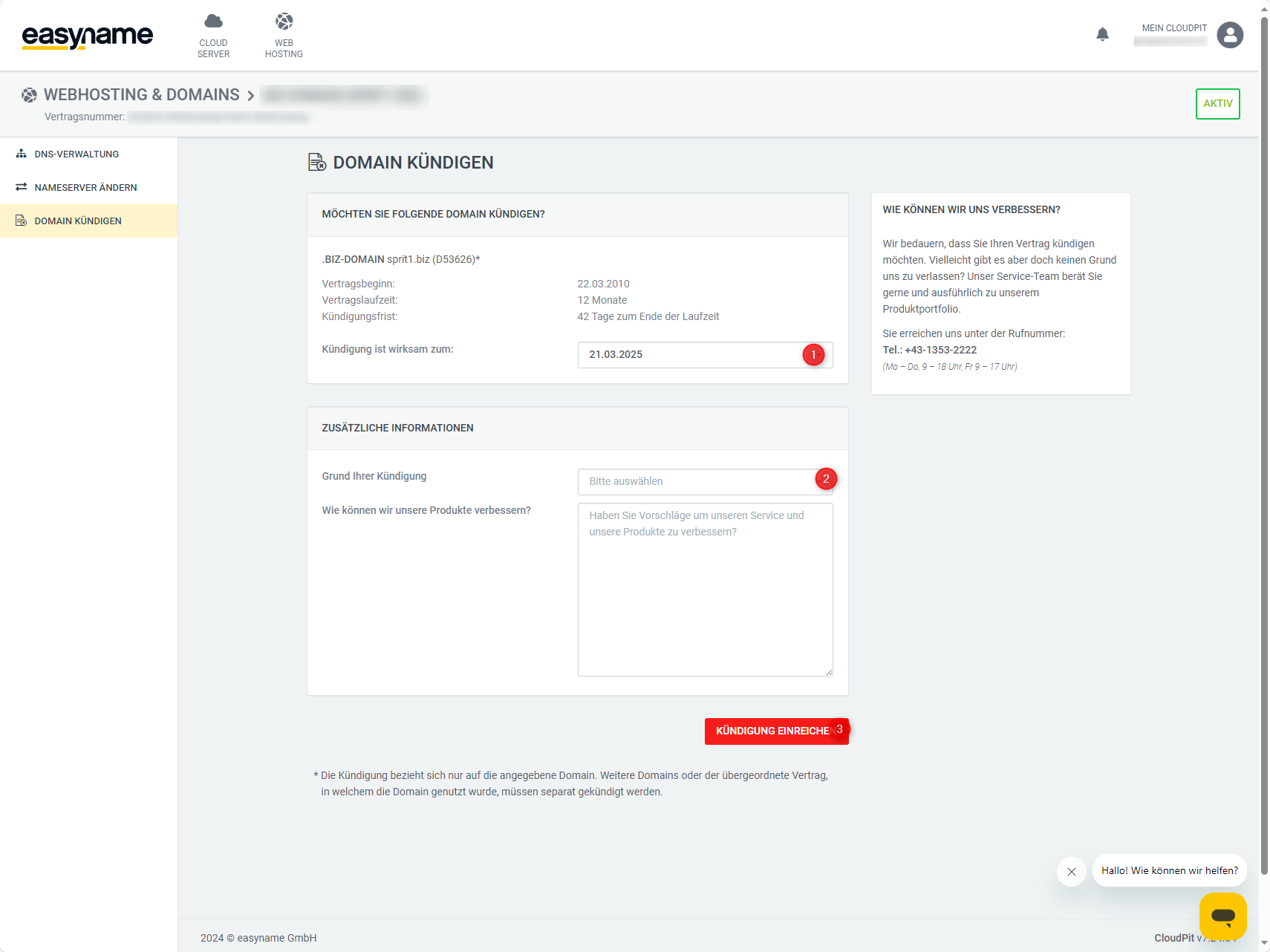
In the next step, you will see the term data of the domain, such as contract start, contract duration, and cancellation period.
Under Cancellation is effective on, select the desired cancellation date.
Select a reason for cancellation.
Optionally, you can leave feedback in the field How can we improve our products.
Click on Submit cancellation to complete the cancellation.
After submitting the cancellation, you will receive a confirmation at the email address stored in your customer account.
Alternative: Cancellation via the contract overview in CloudPit
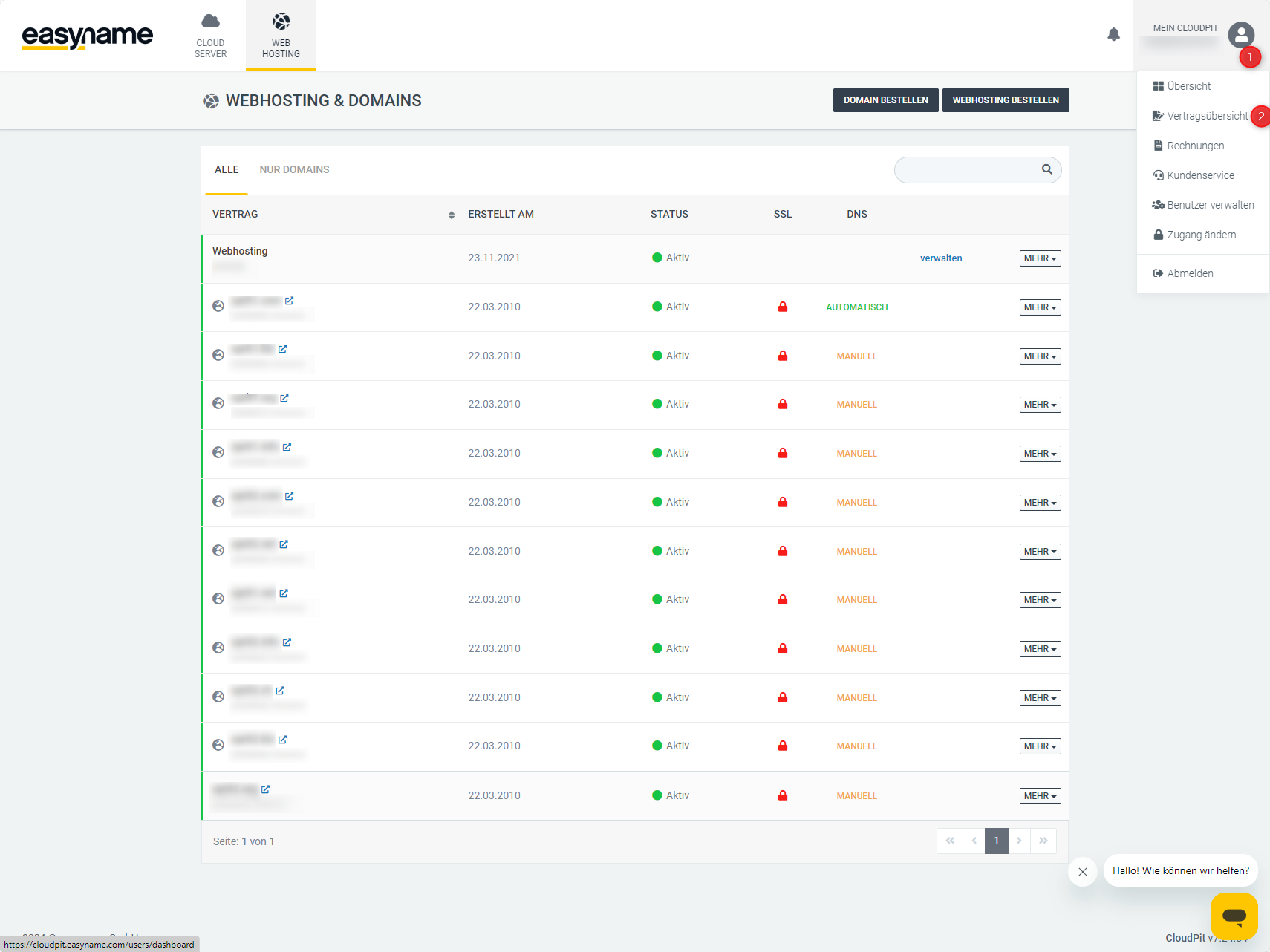
Log in to CloudPit and open My CloudPit (1) at the top right.
Click on Contract overview (2).
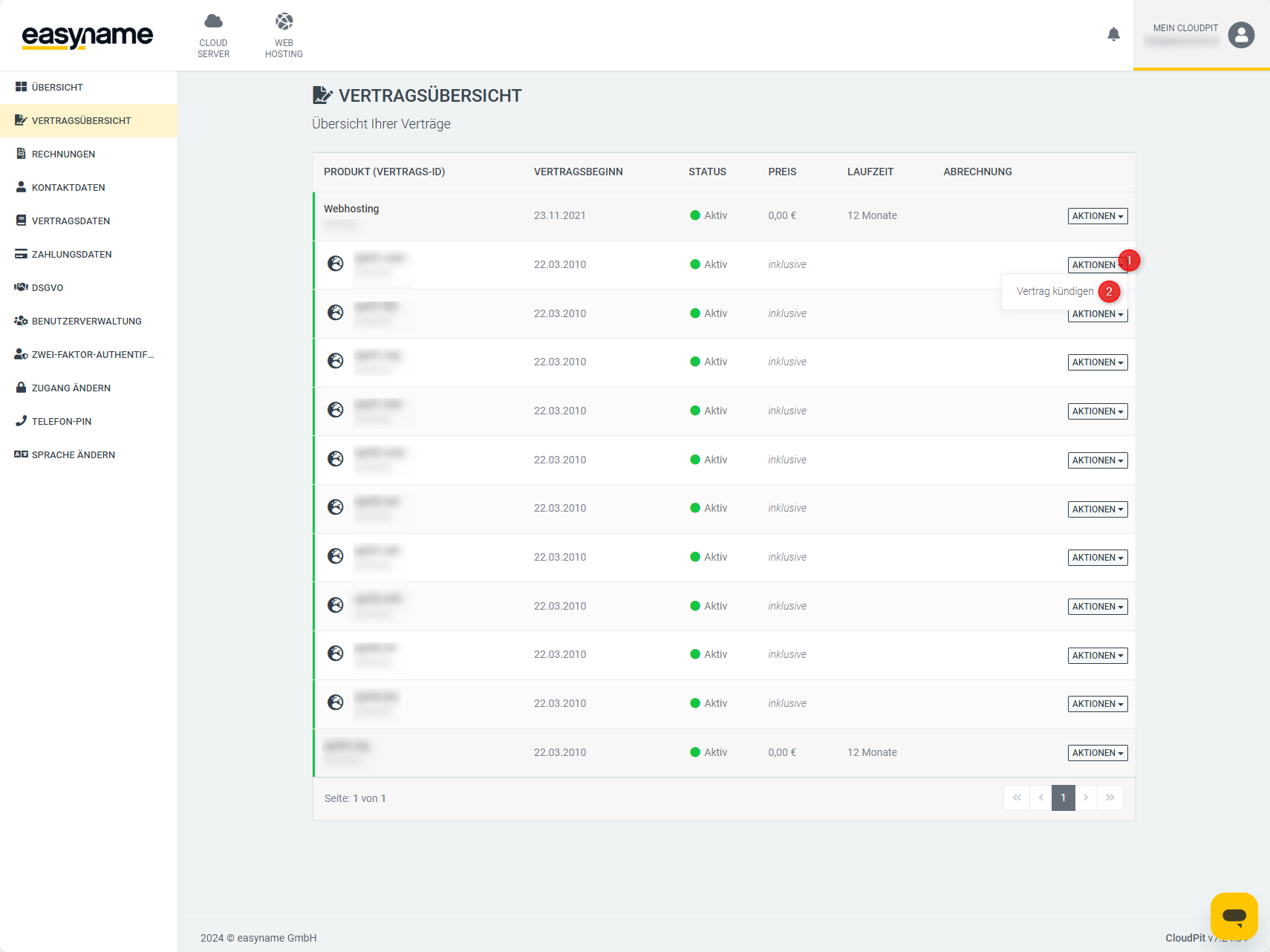
Click on Actions (1) next to the desired domain and then on Cancel contract (2).
Then follow the same cancellation process as in the previous section.
Cancel domain in Controlpanel
Log in to the Controlpanel.
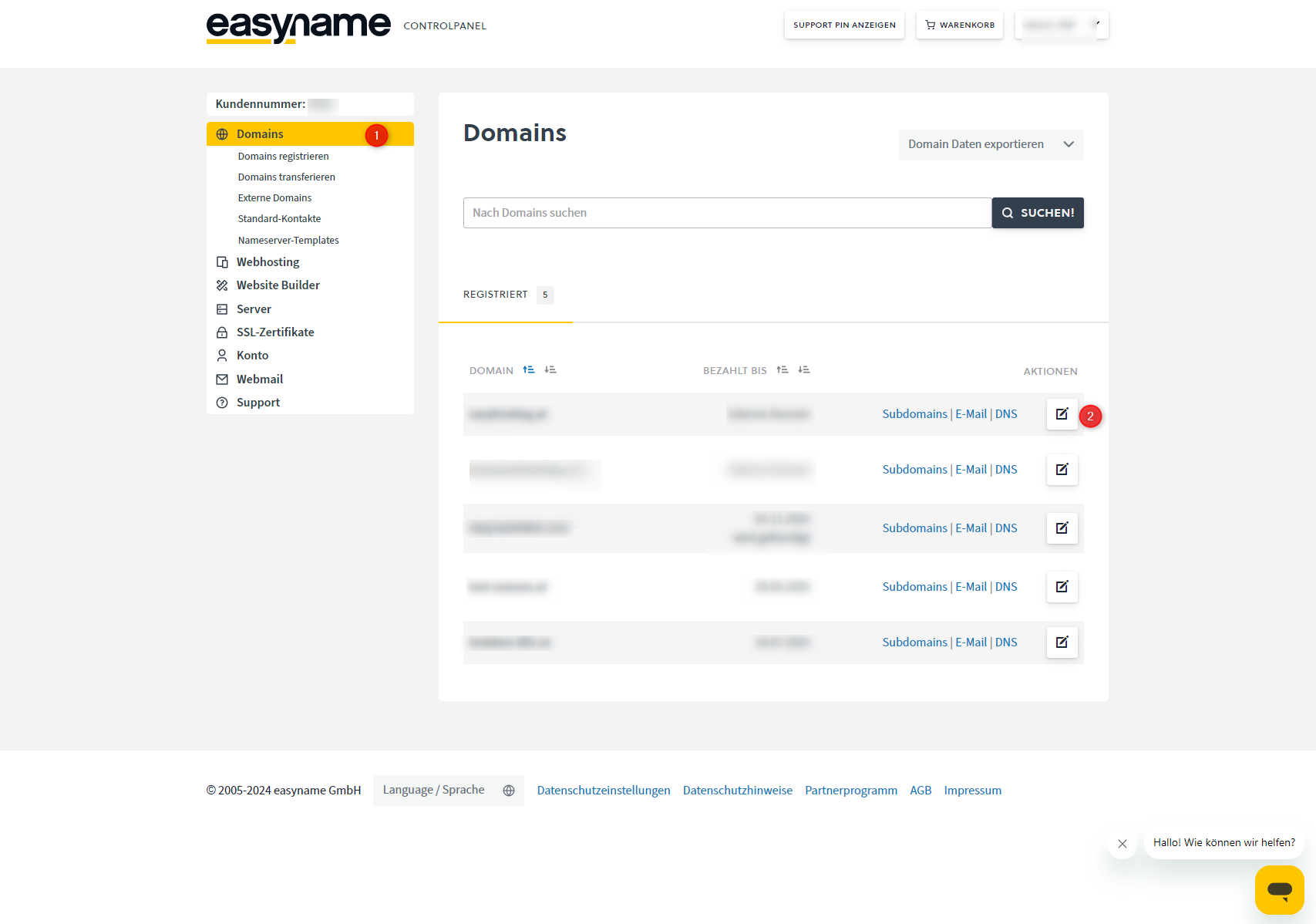
Open the Domains section (1) on the left.
Click on Manage (2) next to the desired domain.
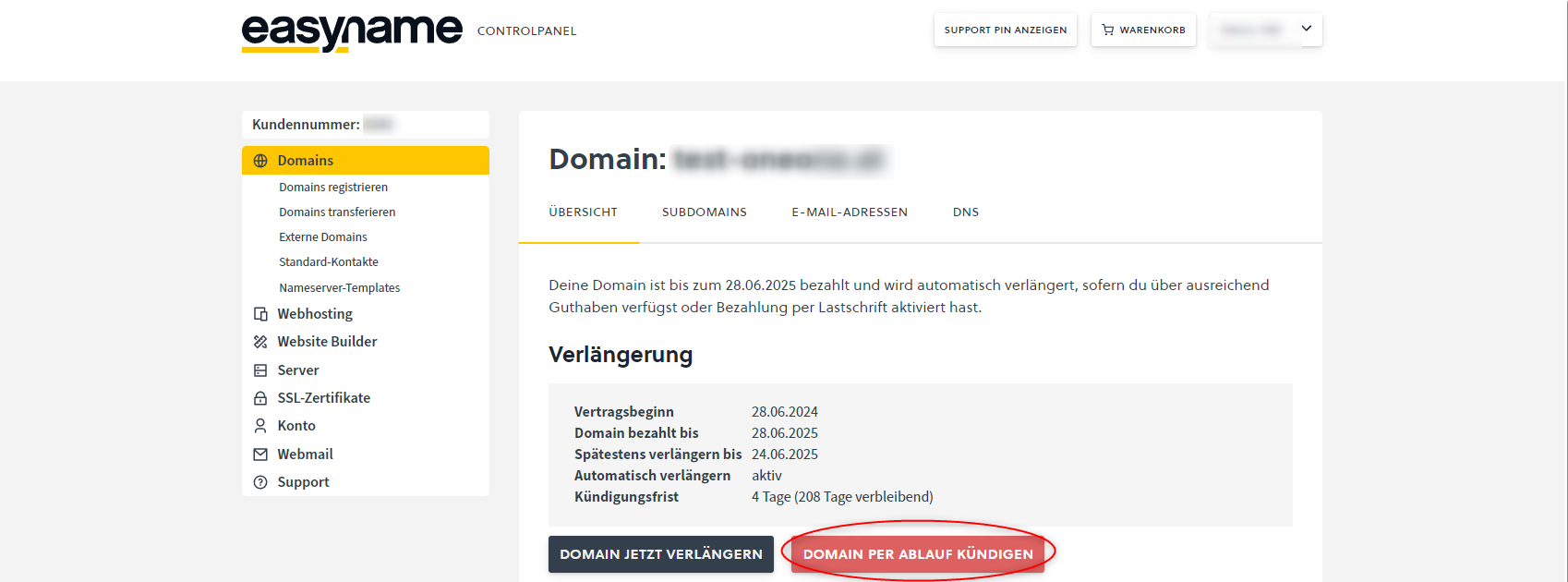
In the Renewal section, you will see the term data of the domain, the automatic renewal, and the cancellation period.
Click on Cancel domain upon expiration to start the cancellation process.
Select a reason for cancellation and complete the cancellation.
After submitting the cancellation, you will receive a confirmation at the email address stored in your customer account.
No access to the customer account
If you do not have access to your customer account, you can request a new password via the following page: