How do I activate a Let's Encrypt certificate?
You can activate an SSL certificate for your domain so that your website is accessible via HTTPS. The activation process differs depending on the system.
Table of Contents
Activate SSL certificate in CloudPit
Log in to CloudPit. In the overview of your web hosting and domain contracts, you will see a lock icon next to each domain.
Click on the lock icon for the desired domain.
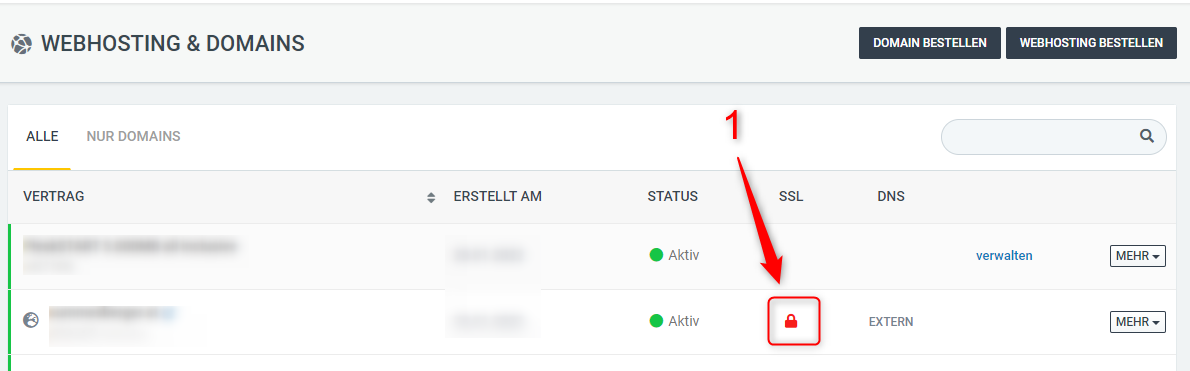
Then select the desired certificate. Depending on availability, you can choose between a free Let's Encrypt certificate and a paid Login SSL certificate.
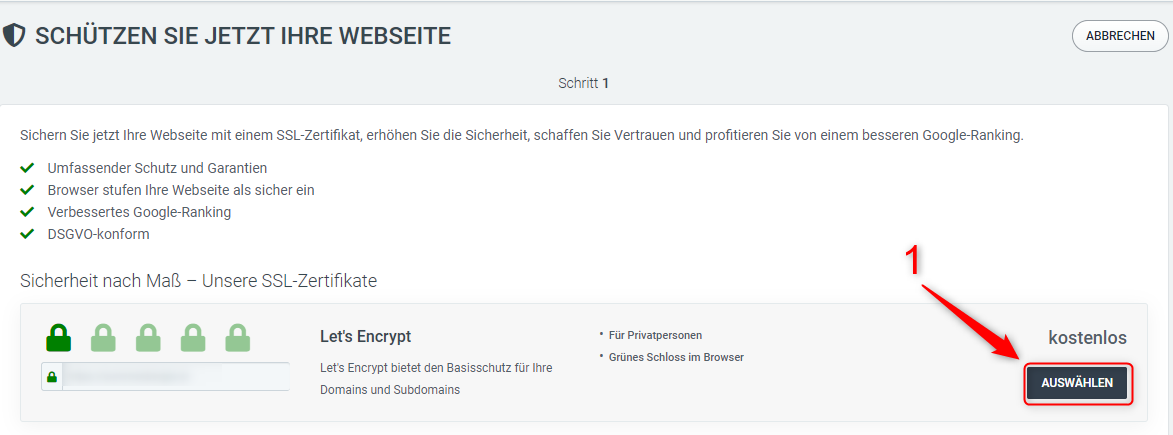
Confirm your selection. The certificate will then be activated for the chosen domain.
Activation can take up to 5 minutes. The certificate renewal happens automatically.
Activate Let's Encrypt in Controlpanel
Log in to the Controlpanel.
Either open Domains and click on Subdomains for the desired domain, or open Webhosting → Subdomains.
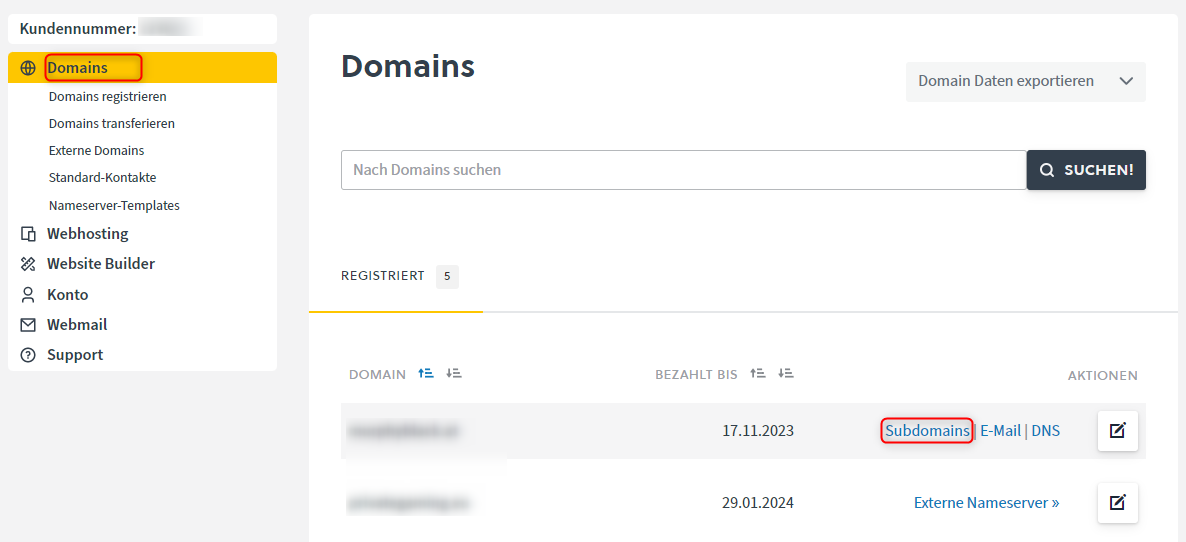
Click the gray HTTP button for the desired subdomain.
In the HTTPS context menu, you can activate the Let's Encrypt SSL certificate using the toggle switch.
Optionally, you can also enable automatic redirection from HTTP to HTTPS.
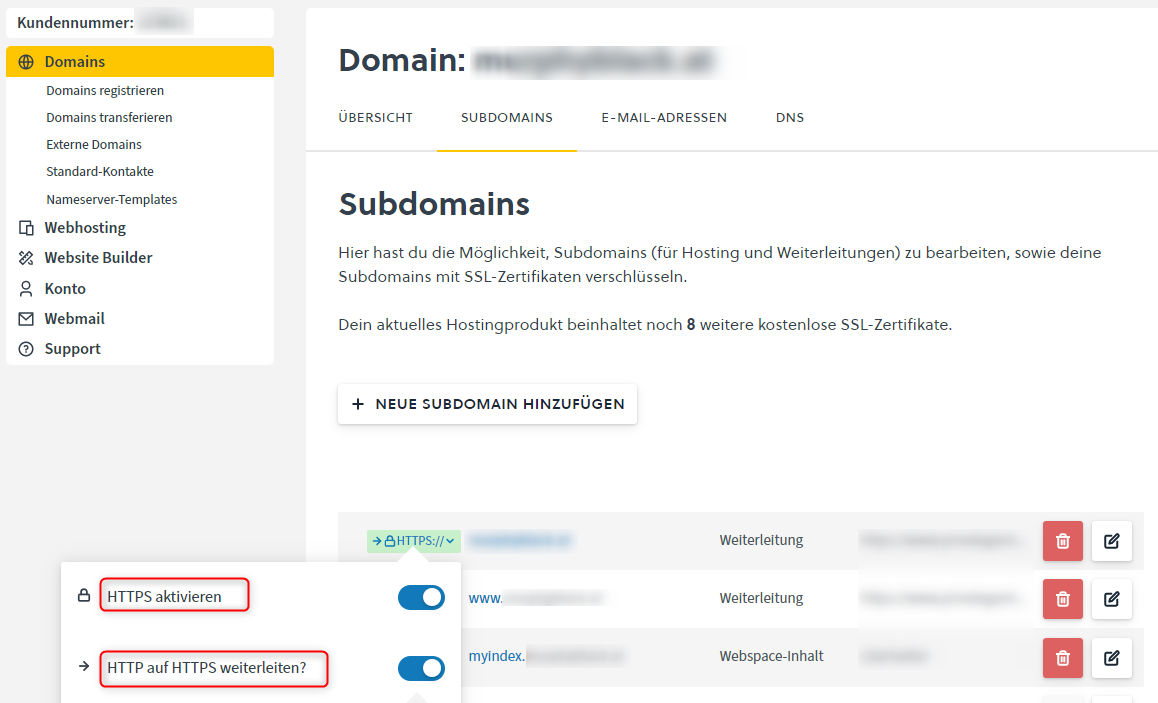
If you enable redirection, you can select the type of redirection:
- HTTP 301: Moved Permanently
- HTTP 302: Found / Moved Temporarily
- HTTP 307: Temporary Redirect
- HTTP 308: Permanent Redirect
For a permanent redirection from HTTP to HTTPS, use 301 or 308. Use 302 or 307 only for temporary redirections.
Save the changes. Activation of the certificate can take up to 5 minutes.
After completion, the SSL certificate is active for the selected subdomain. Renewal happens automatically.