How can I add an external domain?
If your domain is registered with another provider, you can connect it to your easyname web hosting. The setup differs depending on the system.
Table of contents
Adding an external domain in CloudPit
If the domain uses external nameservers and you want to use easyname email addresses in CloudPit, the MX records mx03.secure-mailgate.com and mx04.secure-mailgate.com (each with priority 10), as well as the A record mail-in, must be configured with the external DNS provider. The A record must point to the web server IP address of your CloudPit hosting. Adding the domain alone does not ensure that email can be received.
For more information about the requirements, see the article Can I use my easyname email addresses with external nameservers?.
Log in to CloudPit. You will see your products in the overview.
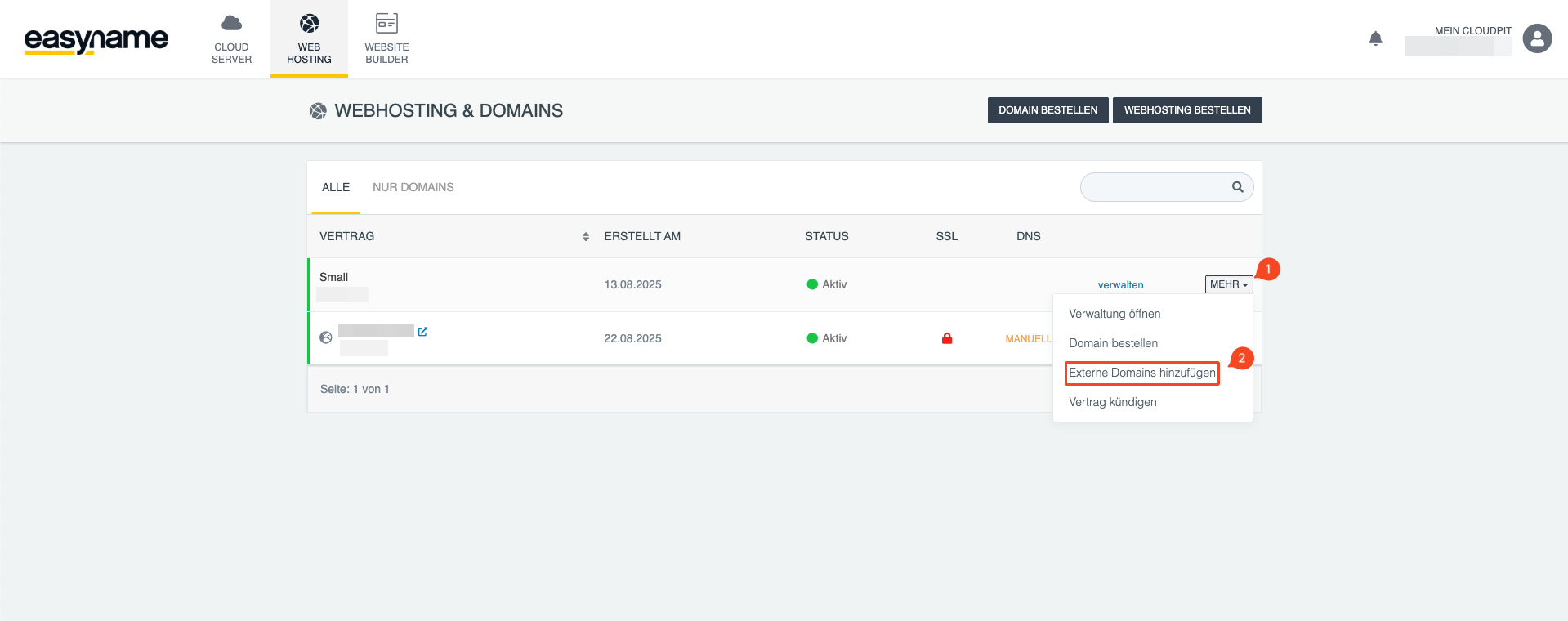
Find the desired web hosting package. Next to it, click MORE (1) and then Add external domain (2).
A TXT record is required to confirm ownership. This record is displayed in CloudPit.
Add the TXT record with your current domain provider. This is the provider with which the domain is registered.
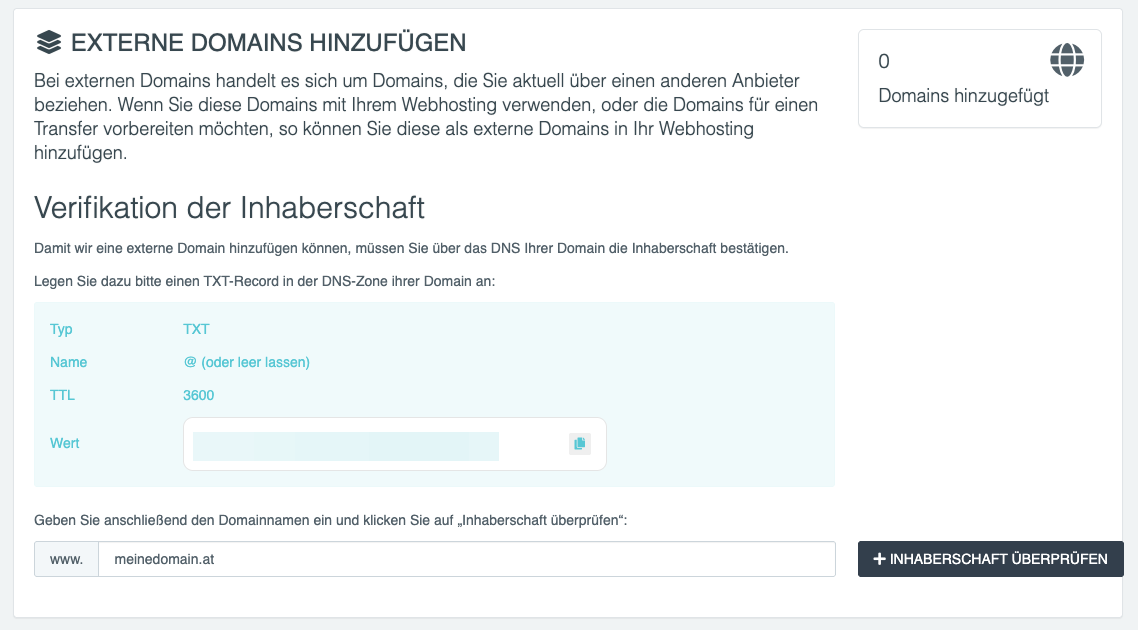
Once the TXT record has been added, enter the full domain name in CloudPit and confirm the entry.
CloudPit will then automatically check whether the TXT record can be found.
After successful verification, the domain will appear in your domain overview and can be used with web hosting, for example, for websites, email addresses, or redirects.
Adding an external domain in the Controlpanel
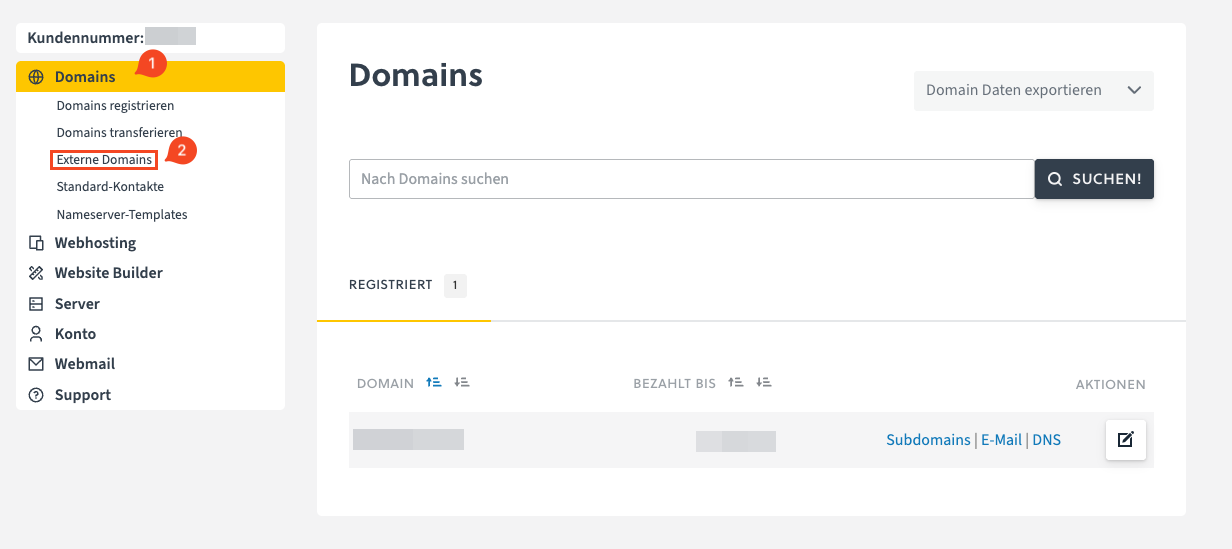
mx01.easyname.eu and mx02.easyname.eu to the external DNS provider is not sufficient either.Log in to the Controlpanel and open Domains (1).
Then click External domains (2).
You will then be shown various options for connecting the external domain to easyname.
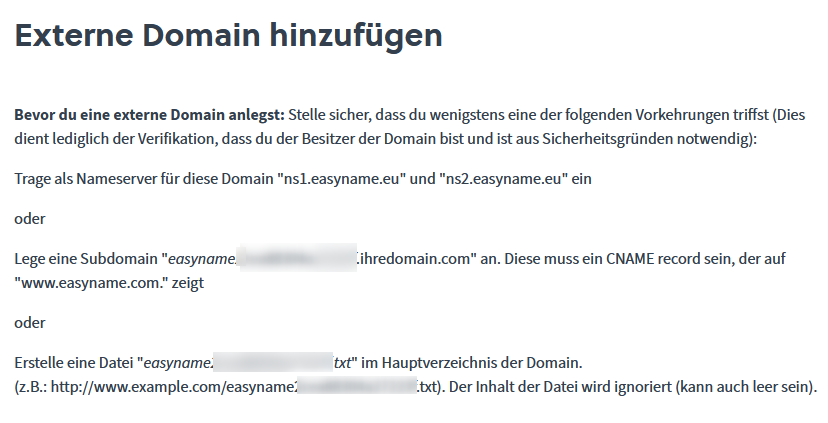
Your domain provider must make one of the displayed changes so that the domain can be connected.
In most cases, changing the nameservers is the simplest and most reliable option.
After the selected method has been implemented, you can add the domain.
If an error message appears, wait a few hours and try again. DNS changes can take up to 48 hours.