Where can I find my database access data?
You can find the access data for your database in the management of your web hosting package. The steps differ slightly depending on the system.
Table of Contents
Find database access data in CloudPit
Log in to CloudPit and open the desired web hosting package.
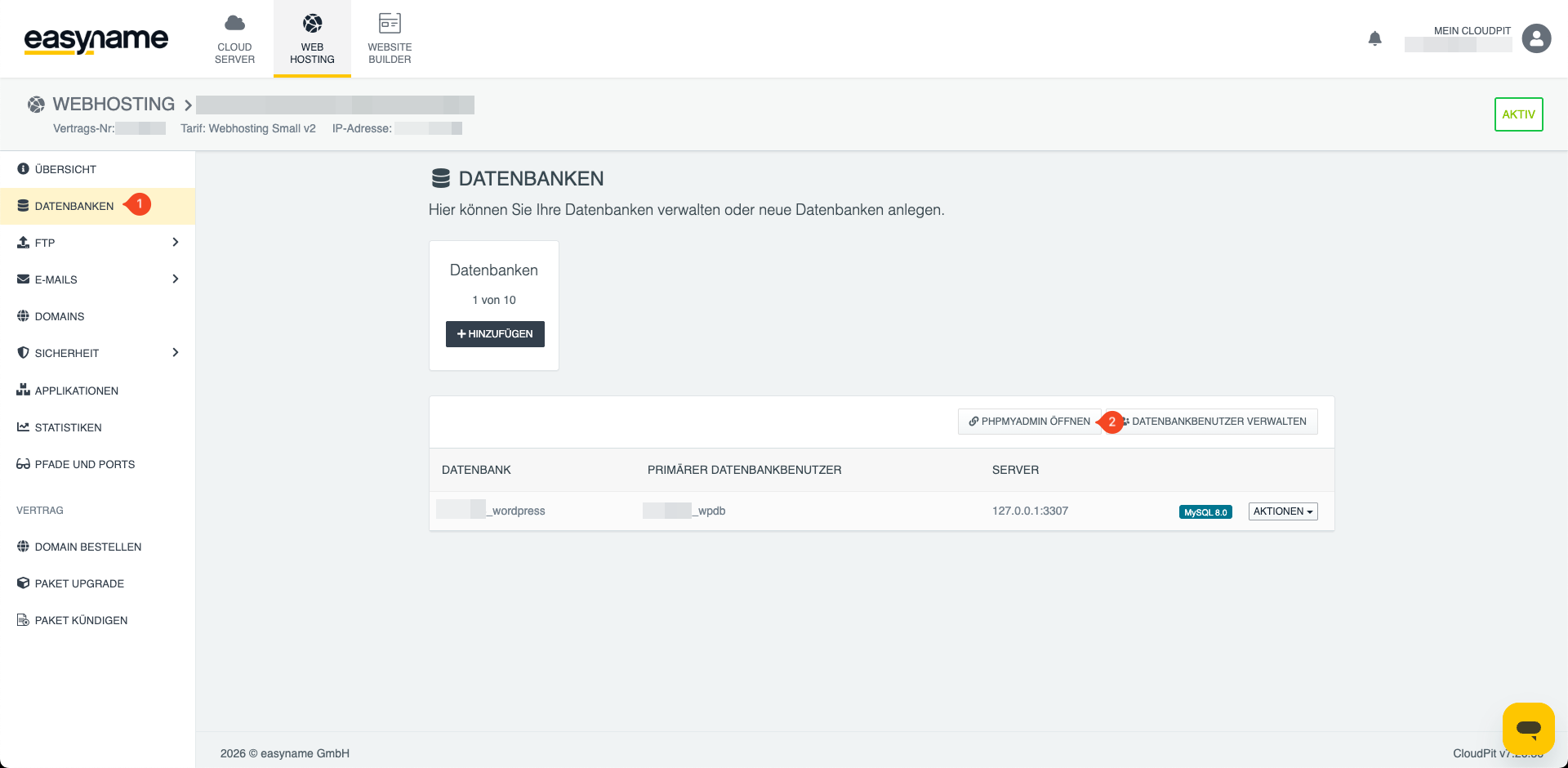
Open the Databases section (1). There you will see your already created databases.
The database name is displayed in the overview. Depending on the configuration, the database name also corresponds to the database username.
The database password cannot be viewed afterwards. However, you can set a new password for the desired database.
Through the database management, you can also open phpMyAdmin (2) to manage the database directly in the browser.
Find database access data in Controlpanel
Log in to the Controlpanel and open Webhosting → Databases (1).
If a database has already been created, it will be displayed there, e.g., u12345db7.
If no database is displayed, you must first create a new database: What is a database?
The database name also corresponds to the MySQL username.
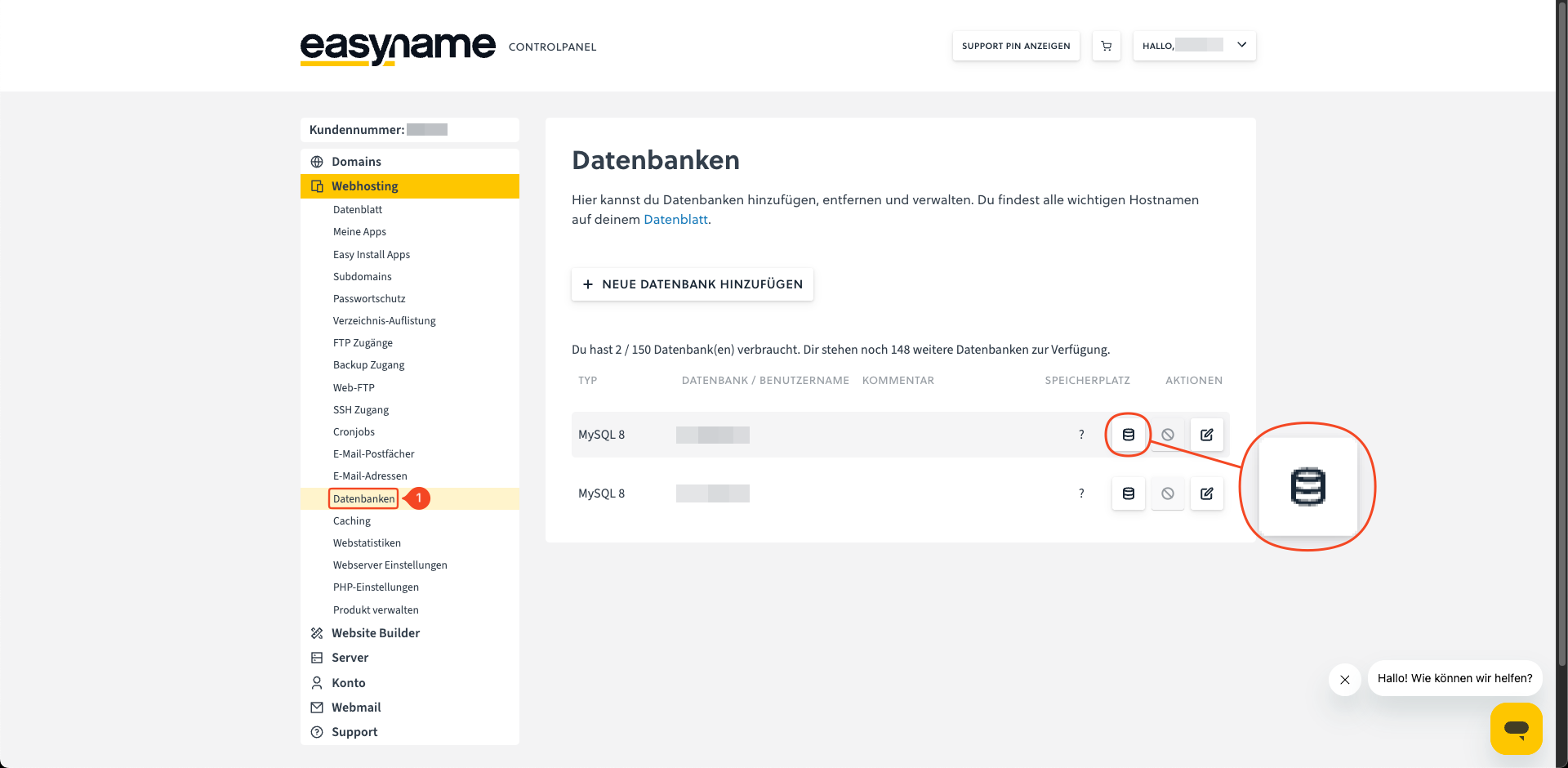
The password cannot be viewed afterwards. Click the pencil icon to the right of the database to set a new password.
If you want to manage the database via phpMyAdmin, click the database icon to the right of the database.
For an external connection, you also need the MySQL or PostgreSQL hostname. To do this, open Webhosting → Data sheet.