In this section
How do I set my first password for my VPS?
Log in to your customer account and open the management of your server.
Select ROOT PASSWORD from the left menu.
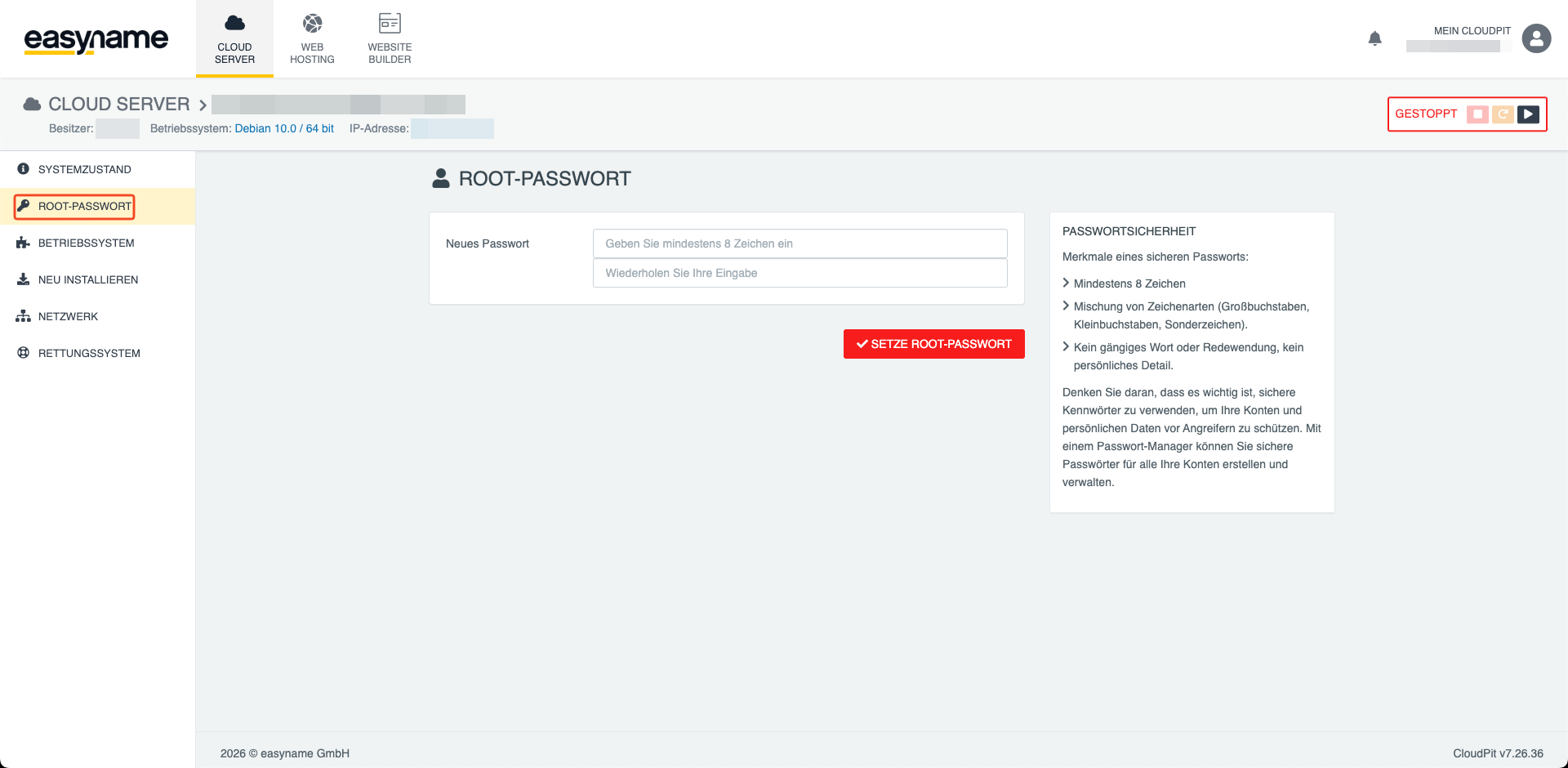
Enter a secure password. This password is used for full access to your server.
Click on SET ROOT PASSWORD and confirm the process with YES.
Start server
After the root password has been set, you can start the server.
To do this, click the Start button at the top right.
Connect via SSH
Once the server is started, you can connect via SSH.
Use the following command and replace the IP address with that of your server:
ssh root@IHRE_SERVER_IPThen enter the root password you previously set.
After successful login, you have full access to your server.