How can I manage the PHP-settings for my webhosting?
Many PHP parameters are set the same for all customers of our platform for optimal web hosting performance and cannot be activated or deactivated.
You have the option of managing the PHP parameters in the web hosting menu under the PHP settings in both CloudPit and the control panel. All available standard PHP versions are displayed there.
Depending on which customer area you use to manage your web hosting, the operation of the web hosting menu differs slightly. Both ways are described below.
1. I manage my web hosting in CloudPit
You can find general information about navigation in CloudPit in the following FAQ article: --> Where do I find... in the CloudPit?
In the web hosting menu, click on [Domains] in the left menu bar to open the menu for domains & subdomains.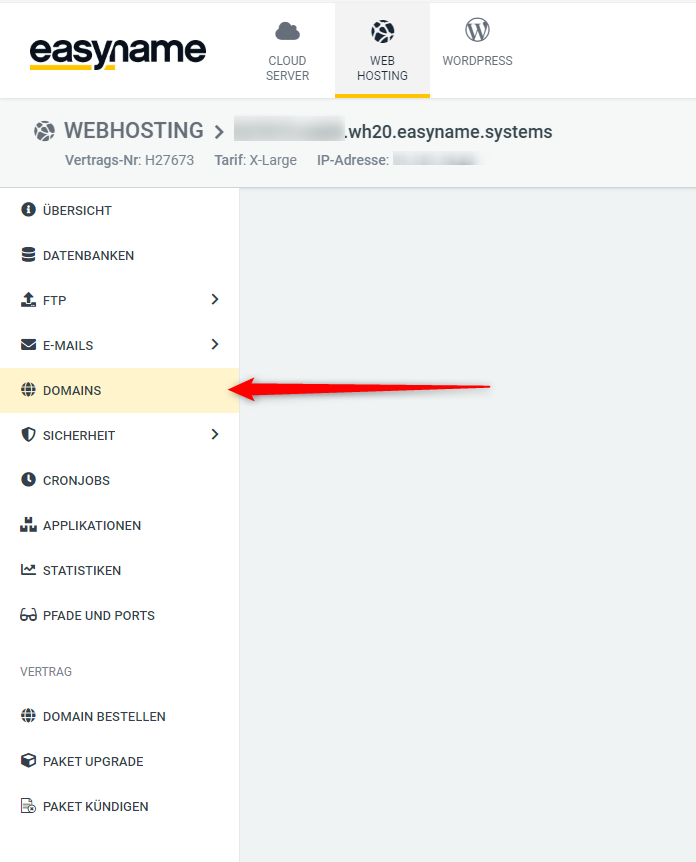
Click on the [ACTIONS] button next to the desired (sub)domain and select [PHP settings] in the context menu.
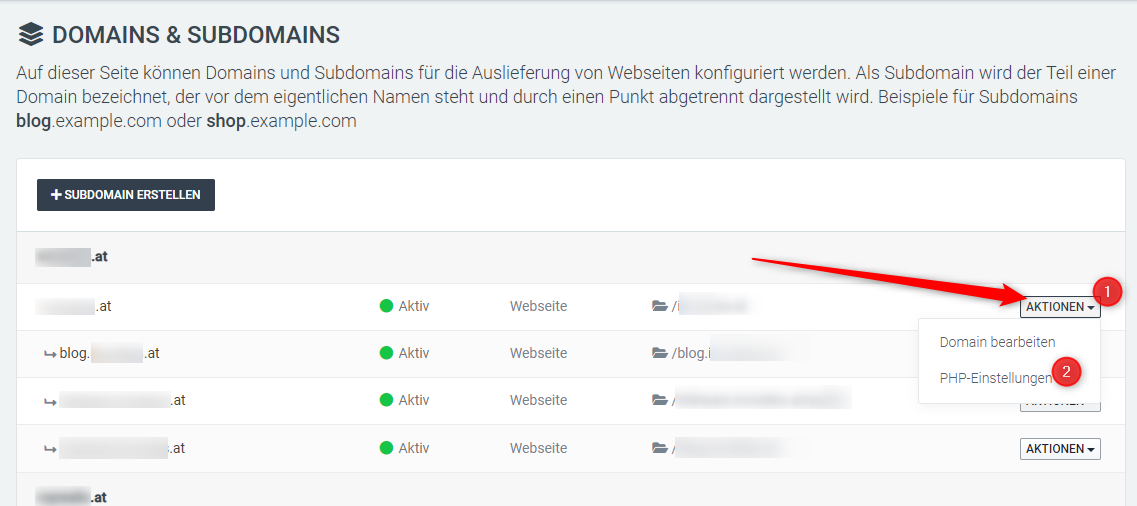
Please note that there is no option to manage the default PHP version and that each subdomain must be edited separately.
The following PHP parameters can be adjusted in CloudPit:
- PHP-Version for the subdomain
allow_url_fopenallow_url_includedisplay_errorsopcache_enable
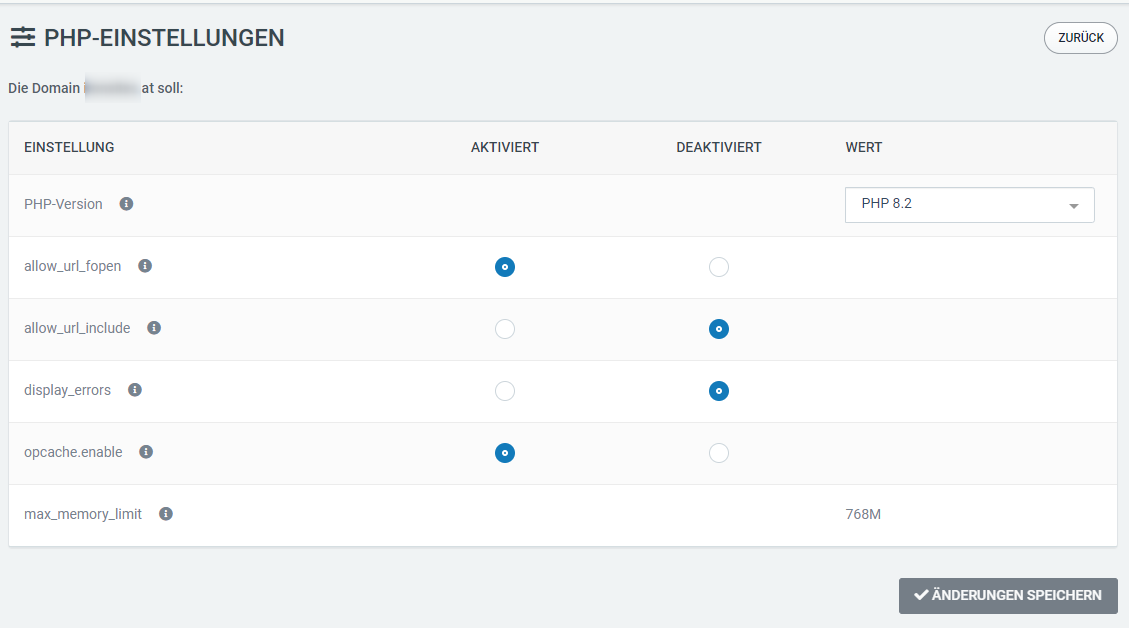
The max_memory_limit cannot be adjusted and applies to the selected PHP version.
2. I manage my web hosting in the controlpanel
Click on the cogwheel icon next to the standard PHP version currently in use to adjust the parameters for your web hosting.
2.1 Available parameters
The following PHP parameters can be customized in the control panel:
-
accesslog- for each request to the PHP FPM - not to be confused with the general access log on the web server -
display_errors- displays debug messages from the PHP-FPM on the homepage. Can be very helpful for finding errors. -
open_basedir- blocks or allows access to files and folders above the actual working directory. This may be necessary for certain apps such as Typo3 or Shopware. -
session_cache- the memcached, redis and filesystem options are available here. slowlog
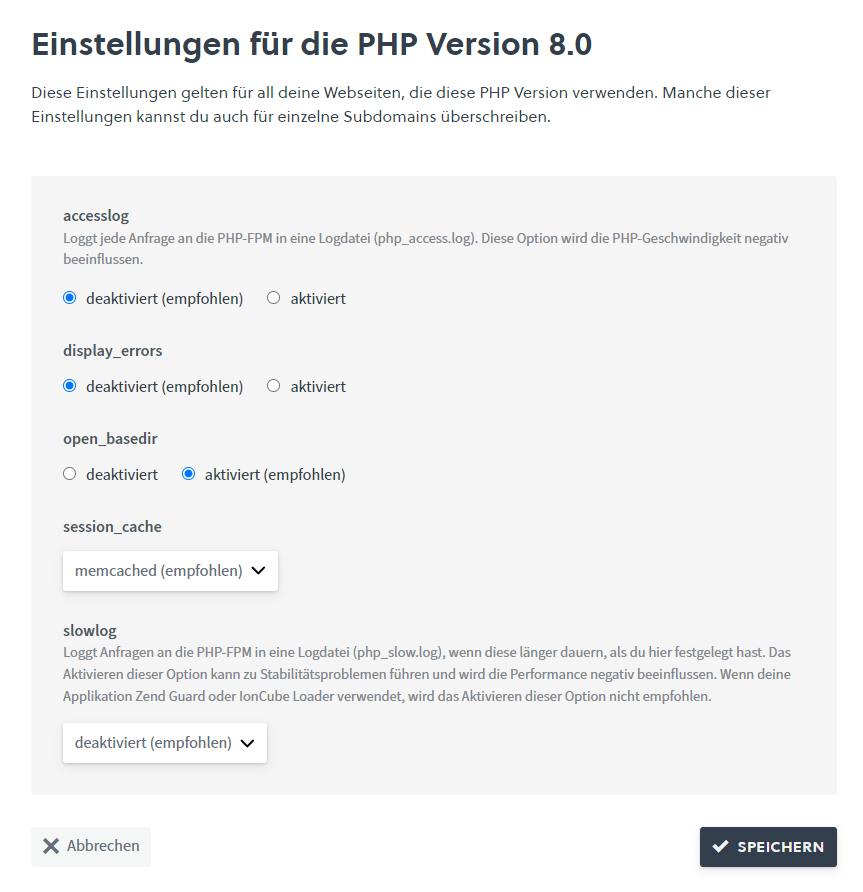
Do not forget to save the default settings after making adjustments.
Please also note that the settings set in one PHP version are not the same for all PHP versions - you must therefore check them after changing the standard PHP version and adjust them if necessary.
2.2 Special case php 5.3
In order to ensure the greatest possible compatibility with old PHP versions, the following additional parameters are available for php 5.3 compared to other PHP versions:
magic_quotesregister_globalssafe_mode
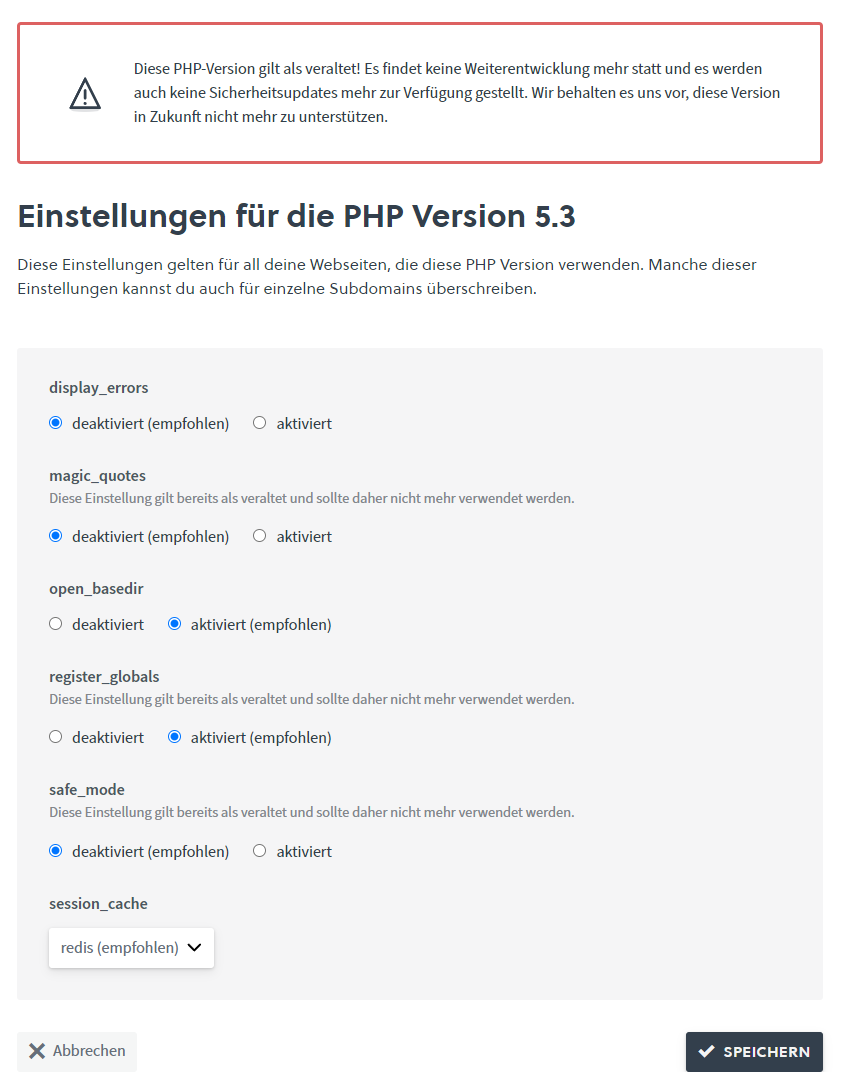
Please note that it is not possible to switch back to this PHP version as the default version, but the parameters for this PHP version can be adjusted here.